

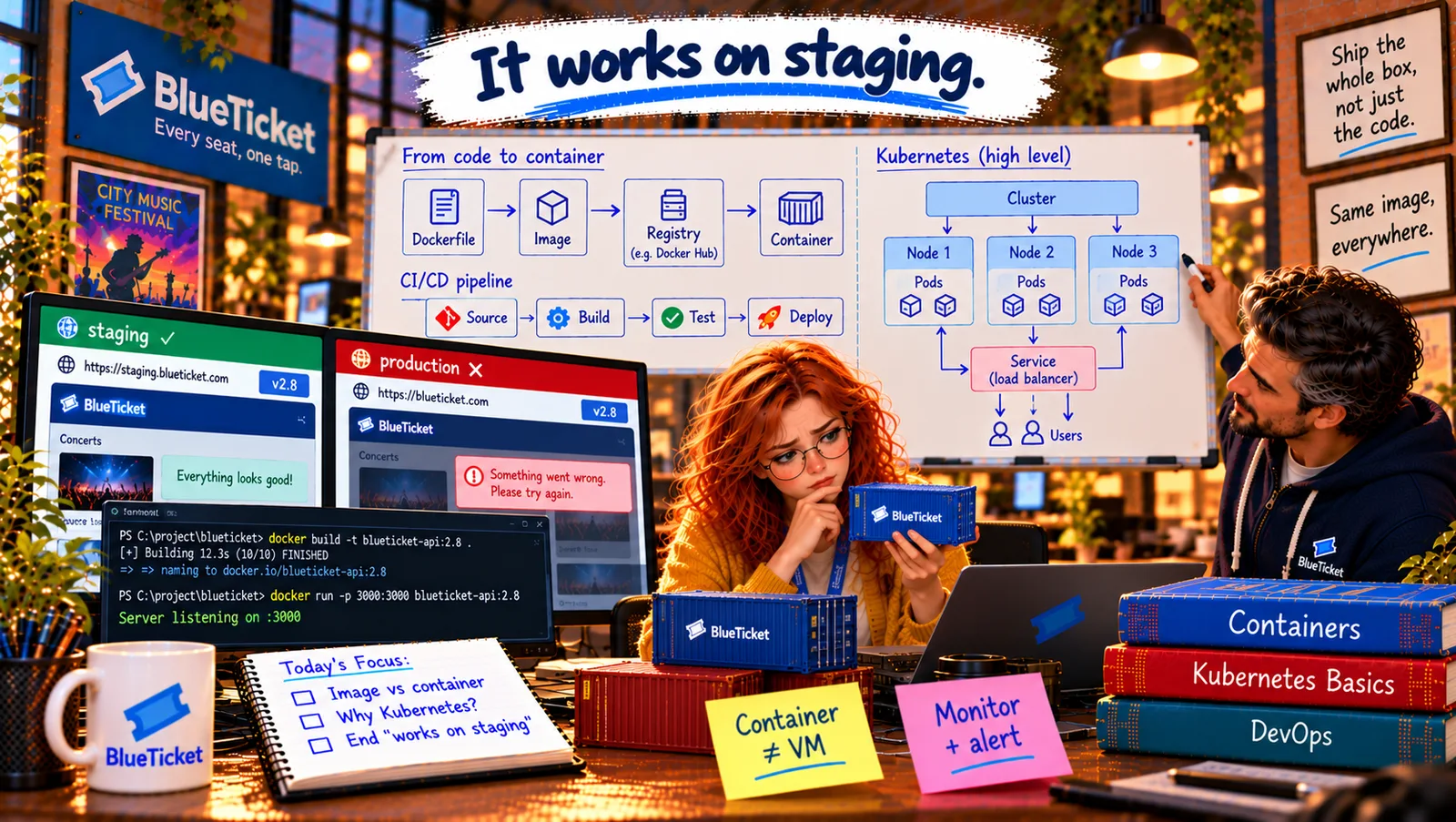
In this chapter
We'll learn why containers exist — the "works on my machine" and "works on staging" problem — what Docker is, and how a container differs from an ordinary process, explained as moving house with loose boxes versus shipping everything in one sealed container.
The Problem in Real Life
Month nine. The move to the cloud went well — almost. The main app runs in containers now (Act 20), but two smaller programs were moved in a hurry: the queue workers from Act 14 that send confirmation emails and SMS reminders. They run on two cloud VMs that Liam set up by hand. "We'll put them in containers later," everyone said.
Tuesday, 11:20 AM. Worker release v1.4.0 goes out — it sorts each fan's tickets by row in their confirmation email. It worked perfectly on staging. In production, the worker crashes on every message: TypeError: tickets.toSorted is not a function. Confirmation emails stop. Fans start asking support where their tickets are.
The queue keeps every message safe (Act 14), so John rolls the worker back and the emails catch up in ten minutes. Then Anna finds the cause: the staging VM runs Node.js 20. The production VM, set up a year ago, runs Node.js 18 — and toSorted only exists from Node 20. Same code, slightly different machines.
Don't ship the code and hope the machine is right. Ship the whole box.
John
Shipping Just the Code vs. Shipping Everything It Needs
Machines drift apart
Two servers set up by hand, months apart, always end up slightly different.
Code needs more than code
An app also needs the right runtime, system libraries and settings — and those live on the machine.
Surprises in production
"Works on staging" means nothing if staging and production aren't really the same.
Why Containers, What Docker Is, and Containers vs. Processes
The moving-house analogy: moving house with loose items is a nightmare: the lamp arrives but its plug doesn't fit the new sockets, the bed screws are lost, a box goes to the wrong room. Now imagine instead packing your entire room — furniture, lamp, the right plugs, even the light bulbs — into one sealed shipping container. Wherever it's opened, the room is exactly as you packed it. That's what software containers do for apps.
- The real problem — the app depends on its machine: BlueTicket's worker isn't only its own code. It also needs a runtime (Node.js 20), libraries (from
node_modules, Act 16), sometimes system libraries from the operating system, and some files and settings. When you copy only the code to a server, you're hoping all the rest is already there, in the right versions. On a hand-built VM, it often isn't. - Container — the sealed room: a container packages the app together with everything it needs to run — runtime, libraries, system files — into one standard unit (we met the idea in Act 20). The machine underneath only needs to know how to run containers. Whether it's Anna's laptop, the pipeline, staging or production, the container brings its own Node.js 20 with it.
- Docker — the tool that made containers easy: Docker is the most popular tool for building and running containers. It gives you simple commands:
docker build(pack the container),docker run(start one),docker pushanddocker pull(send and fetch them). Containers existed before Docker, but Docker made them easy enough that the whole industry adopted them. Other tools like Podman do the same job. - Container vs. process — a process in its own private room: in Act 05 we learned that a running program is a process. A container is still just a process (or a few) running on the host's operating system — that's why it starts in seconds. The difference is that it runs in an isolated view: it sees only its own files, its own list of processes, its own network address, and it's limited in how much CPU and memory it can use. An ordinary process sees and shares everything on the machine; a containerised process lives in its own private room.
| Feature | Staging worker VM | Production worker VM |
|---|---|---|
| Set up | Rebuilt last month | By hand, a year ago |
| Node.js | 20.11 | 18.19 |
| tickets.toSorted() | Works | TypeError: not a function |
| Result of v1.4.0 | Emails sent | Every message crashes |
| Feature | Ordinary process | Container |
|---|---|---|
| Moving-house version | Loose items in a shared room | A sealed room in a box |
| Brings its own runtime and libraries | No — uses whatever the machine has | Yes |
| Sees other processes and files | Yes | Only its own |
| Network address | Shares the machine's | Its own |
| CPU and memory | Unlimited by default | Can be limited |
| Start time | Instant | About a second |
What changes for BlueTicket: the worker will become a container image that includes Node.js 20. Then the Node version on any VM doesn't matter any more — the production machine will run exactly the same box that was tested on staging. "It works on staging" will finally mean "it works in production".
A container is not a VM: Anna writes "Container ≠ VM" on a sticky note. A VM carries a whole operating system and boots it (Act 20); a container is a process with a private view, sharing the host's kernel. Lighter, faster, and good enough isolation for packaging apps.
Key Takeaway
Apps depend on more than their code — runtime, libraries, system files — and hand-built machines drift apart, which is why "works on staging" can still crash in production. A container is like shipping a whole room in one sealed box: the app plus everything it needs, running the same everywhere. Docker made containers easy (build, run, push, pull). A container is really a process with an isolated view of files, processes and network, and limits on CPU and memory.
Why This Matters
Containers are now the standard way to package and run backend software, and "works on my machine" problems are one of the most common time-wasters in teams that don't use them. Knowing what a container really is — a process with its own sealed environment — helps you understand Docker, debugging inside containers, and everything built on top of them.
Containers sound perfect. But how do you actually pack one? John opens an empty file called Dockerfile and tells Anna that by lunchtime the worker will be a container.