

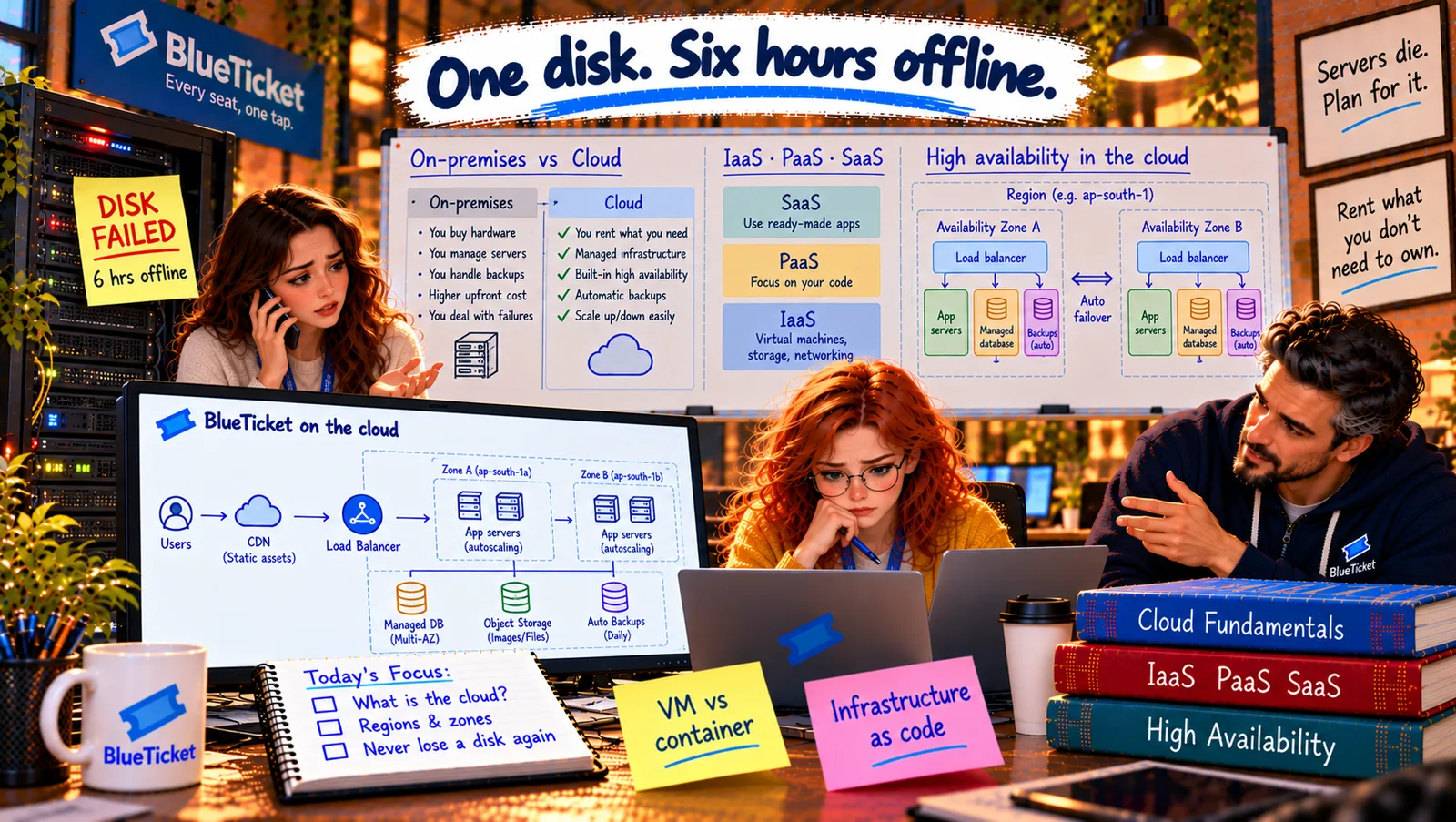
In this chapter
We'll learn the three main ways to use the cloud — IaaS, PaaS and SaaS — and how much each one does for you, explained as making pizza at home from rented kitchen space, ordering pizza delivery, or eating at a pizza restaurant.
The Problem in Real Life
Liam is excited: "Let's just rent virtual servers in the cloud and copy everything over exactly as it is." John isn't so sure. "We could. Then we'd still be patching operating systems, setting up database backups and replacing broken things ourselves — just in someone else's building."
He draws three boxes on the whiteboard: IaaS · PaaS · SaaS. "The cloud sells the same thing at three different levels of 'done for you'. The trick is choosing the right level for each part."
Rent what you don't need to own. Build only what makes us special.
John
Doing Everything Yourself vs. Letting the Provider Do More
Many layers to manage
Hardware, operating system, runtime, database, your code — someone has to look after each layer.
A small team
BlueTicket has a handful of engineers. Every layer they manage themselves is time not spent on features.
Different parts, different needs
The ticketing app, the database and the team's email don't need the same kind of service.
IaaS, PaaS and SaaS
The pizza analogy: there are three ways to get a pizza without owning a restaurant. Rent a kitchen and make it yourself: the kitchen and oven are provided, but you buy the ingredients, make the dough, cook it and clean up. Order delivery: you choose what you want, and the pizzeria makes and delivers it — you just set the table. Go to a restaurant: everything is done for you; you just eat. The cloud's three service models work the same way.
- IaaS (Infrastructure as a Service) — renting the kitchen: the provider gives you raw building blocks: virtual machines, disks and networks. You install and manage everything on top: the operating system and its updates, the runtime (Node.js), your app, monitoring. Most control, most work. Examples: AWS EC2, Azure Virtual Machines, Google Compute Engine.
- PaaS (Platform as a Service) — ordering delivery: you give the platform your code (or your container), and it runs it: servers, operating system, scaling, load balancing and deployments are handled for you. You manage only your app and its settings. Examples: Heroku, Google App Engine, AWS Elastic Beanstalk, Vercel, Render. Managed databases (like AWS RDS) work the same way for databases: you get a working PostgreSQL; the provider handles backups, updates and failover.
- SaaS (Software as a Service) — eating at the restaurant: a complete application you simply use, usually in a browser, paying a subscription. Nothing to install or run. Examples: Gmail, Slack, Google Docs, Salesforce, GitHub. BlueTicket itself is a SaaS for venues. Its payment provider and SMS provider are SaaS it uses through APIs.
- The trade-off — control vs. effort: going from IaaS to PaaS to SaaS, you manage less and the provider manages more. You gain time and safety, but you lose some control and flexibility, and you depend more on that provider.
| Layer | On-premises | IaaS | PaaS | SaaS |
|---|---|---|---|---|
| Your app's features and data | You | You | You | Provider (you use it) |
| Your code | You | You | You | Provider |
| Runtime (Node.js) and scaling | You | You | Provider | Provider |
| Operating system and updates | You | You | Provider | Provider |
| Virtual machines, storage, network | You | Provider | Provider | Provider |
| Physical hardware, power, building | You | Provider | Provider | Provider |
| Model | Pizza version | Examples | BlueTicket uses it for |
|---|---|---|---|
| IaaS | Rented kitchen | AWS EC2, Azure VMs, Google Compute Engine | (Nothing directly, after the move) |
| PaaS | Delivery | Heroku, Vercel, App Engine, managed databases | PostgreSQL, Redis, the container platform |
| SaaS | Restaurant | Gmail, Slack, GitHub, Salesforce | Team tools, payments, SMS |
BlueTicket's choices: the team decides, part by part. The database: PaaS — a managed PostgreSQL service, because backups, failover and updates are exactly what failed on Sunday, and doing them well is hard. Redis: a managed Redis service, for the same reasons. The app servers: a container platform (between IaaS and PaaS — Act 21), so the team controls how the app runs without patching operating systems. Email, chat, documents, code hosting: SaaS — already Gmail, Slack and GitHub. Payments and SMS: stay with SaaS providers through their APIs.
Why not IaaS for everything? "We'd be rebuilding by hand the things the provider already does better," Anna writes in her notes. "Our special thing is selling tickets, not running databases."
Key Takeaway
The cloud is sold at three levels, like pizza: IaaS is renting the kitchen (virtual machines, disks, networks — you manage the OS and everything above), PaaS is ordering delivery (you bring the code; the platform runs it — managed databases work the same way), and SaaS is the restaurant (a finished app you just use, like Gmail or Slack). Moving from IaaS to SaaS you manage less, gain time and safety, and give up some control.
Why This Matters
Teams make IaaS-versus-PaaS-versus-SaaS decisions all the time, and the right choice can save a small team months of work — or prevent outages like BlueTicket's. As a developer, knowing which layer you're responsible for tells you what you need to look after: on PaaS you won't patch servers, but you still own your code, settings and data.
"A container platform" for the app servers — Anna has heard "containers" many times and nodded along. Before the team moves anything, John wants her to understand the two ways the cloud shares one big physical machine between many customers.