

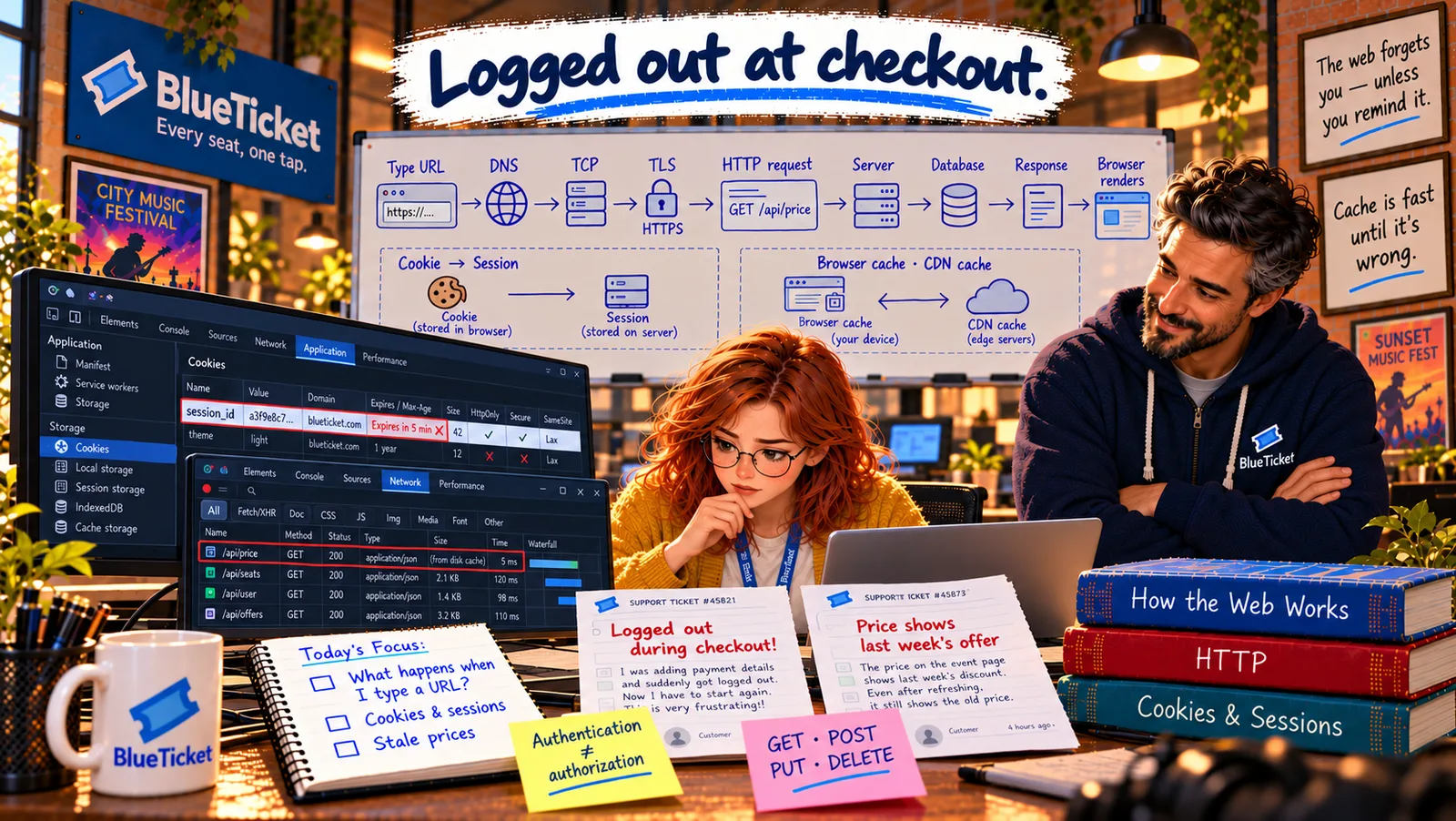
In this chapter
We'll follow everything that happens in the first half-second after you type a web address and press Enter — DNS lookup, TCP connection and TLS handshake — joined into one timeline, like ordering a pizza by phone.
The Problem in Real Life
Week twelve brings two strange complaints in one morning. First: "I got logged out in the middle of checkout — twice!" Second: "The festival page shows last week's price, but checkout charges the new one."
Anna can't reproduce either one. On her laptop, everything looks right. "Both of these happen somewhere between a fan typing our address and seeing our page," John says. "So let's walk that whole journey, from the very first key press."
It's the most famous question in web interviews: "What happens when you type a URL into the browser and press Enter?" Last week, at Northgate, Anna learned the separate pieces. Today she'll put them in order.
If you can explain the whole journey, you can find the step where anything breaks.
John
"The Page Just Appears" vs. a Chain of Steps
Many steps, one moment
Loading a page feels instant, but it's a chain of steps, each of which can fail or be slow.
Pieces from Act 11
DNS, TCP, TLS and HTTP are separate pieces — they only make sense together in order.
Every step costs time
Each step adds milliseconds; knowing them shows where slowness comes from.
What Happens When You Type a URL
The pizza-by-phone analogy: imagine ordering a pizza by phone from a shop you've never called. First, you look up its number in the phone book. Then you call and wait for someone to pick up. Then you check you're really talking to the right shop, not a prank caller. Only then do you place your order. The pizza arrives later. Loading a web page follows exactly the same order.
Let's follow a fan who types blueticket.example/events/festival and presses Enter.
- Step 0 — the browser reads what you typed: it decides whether it's a web address or a search. It sees a domain, adds
https://in front, and splits the URL into its parts (Act 11): hostblueticket.example, path/events/festival. - Step 1 — DNS lookup (find the number): the browser needs the IP address for
blueticket.example. It checks its own memory, then the computer's, then asks the DNS resolver (Act 11). Answer:203.0.113.10. If the answer is cached, this takes almost no time; if not, it can take 20–100 milliseconds. - Step 2 — TCP connection (call and wait for someone to pick up): the browser opens a connection to
203.0.113.10on port 443, with TCP's three-way handshake: "Can we talk?" — "Yes, can you hear me?" — "Yes." One round trip across the network. - Step 3 — TLS handshake (check it's the real shop): inside that connection, the browser and server set up encryption. The server shows its certificate; the browser checks it's valid and really for
blueticket.example; they agree a secret key. Now the line is private. - Step 4 — the HTTP request (place the order): only now does the browser send the actual request:
GET /events/festival, with headers — including any cookies it has for this site (chapter 4).
| Ordering a pizza | Loading a page | Rough time |
|---|---|---|
| Look up the shop's number | DNS lookup | 0–100 ms (0 if cached) |
| Call and wait for an answer | TCP handshake | One round trip, ~20–80 ms |
| Make sure it's the real shop | TLS handshake | One or two round trips |
| Place your order | HTTP request | Sent instantly |
| Pizza is made and delivered | Server work + response + rendering | Next chapter |
| You see | The journey stopped at |
|---|---|
| "This site can't be found" / DNS error | Step 1 — DNS |
| "Connection refused" or "timed out" | Step 2 — TCP (server down, wrong port, firewall) |
| "Your connection is not private" | Step 3 — TLS (certificate problem) |
| 404, 500, 503 and other codes | Step 4 and after — HTTP, the server answered |
The first half-second after pressing Enter
Parse the URL
https · blueticket.example · /events/festival
DNS lookup
blueticket.example → 203.0.113.10 (cached? instant)
TCP connection
three-way handshake to port 443
TLS handshake
check the certificate, agree a key
HTTP request
GET /events/festival + headers + cookies
Everything from the next step onwards — the server cooking the answer and the browser turning it into a page — is the next chapter. But notice how much happened before the server even knew what page you wanted: a lookup, a connection, and a security check.
Why the order matters for debugging: each step depends on the one before it. If DNS fails, you never connect ("site can't be found"). If TCP fails, you never get to TLS ("connection refused" or "timed out"). If TLS fails, you see a certificate warning and no page. If HTTP fails, you get a status code like 404 or 500. The error message tells you how far the journey got.
Shortcuts that make it fast: browsers try hard to skip steps. The DNS answer is cached (chapter 3). An open connection is kept alive and reused for the next requests to the same site, so the TCP and TLS handshakes happen only once. That's why the second page you open on a site loads faster than the first.
Anna draws the timeline on the whiteboard with rough times. The first four steps take maybe 100–200 milliseconds in total. Neither of the morning's complaints is about these steps — the fans do reach BlueTicket. So the problems must be in what happens after: the answer, how it's remembered, and how the server knows who you are.
Key Takeaway
Typing a URL starts a chain: the browser parses the address, DNS finds the IP (look up the number), TCP opens a connection (call and wait for an answer), TLS checks the server and encrypts the line (make sure it's the real shop), and only then is the HTTP request sent (place the order). Each step depends on the previous one, so an error tells you how far the journey got.
Why This Matters
"What happens when you type a URL?" is one of the most common interview questions in IT, because it tests whether you understand the whole web at once. More importantly, it's the map you'll use every time a page is slow or broken: find the step, and you've found where to look.
The request has arrived at BlueTicket's server. Now the server has to cook the answer — and the browser has to turn that answer into the page the fan actually sees.