

In this chapter
We'll open up a computer and meet the rest of its parts — the GPU, motherboard, power supply and network card — plus the input, output and peripheral devices that connect it to the world.
The Problem in Real Life
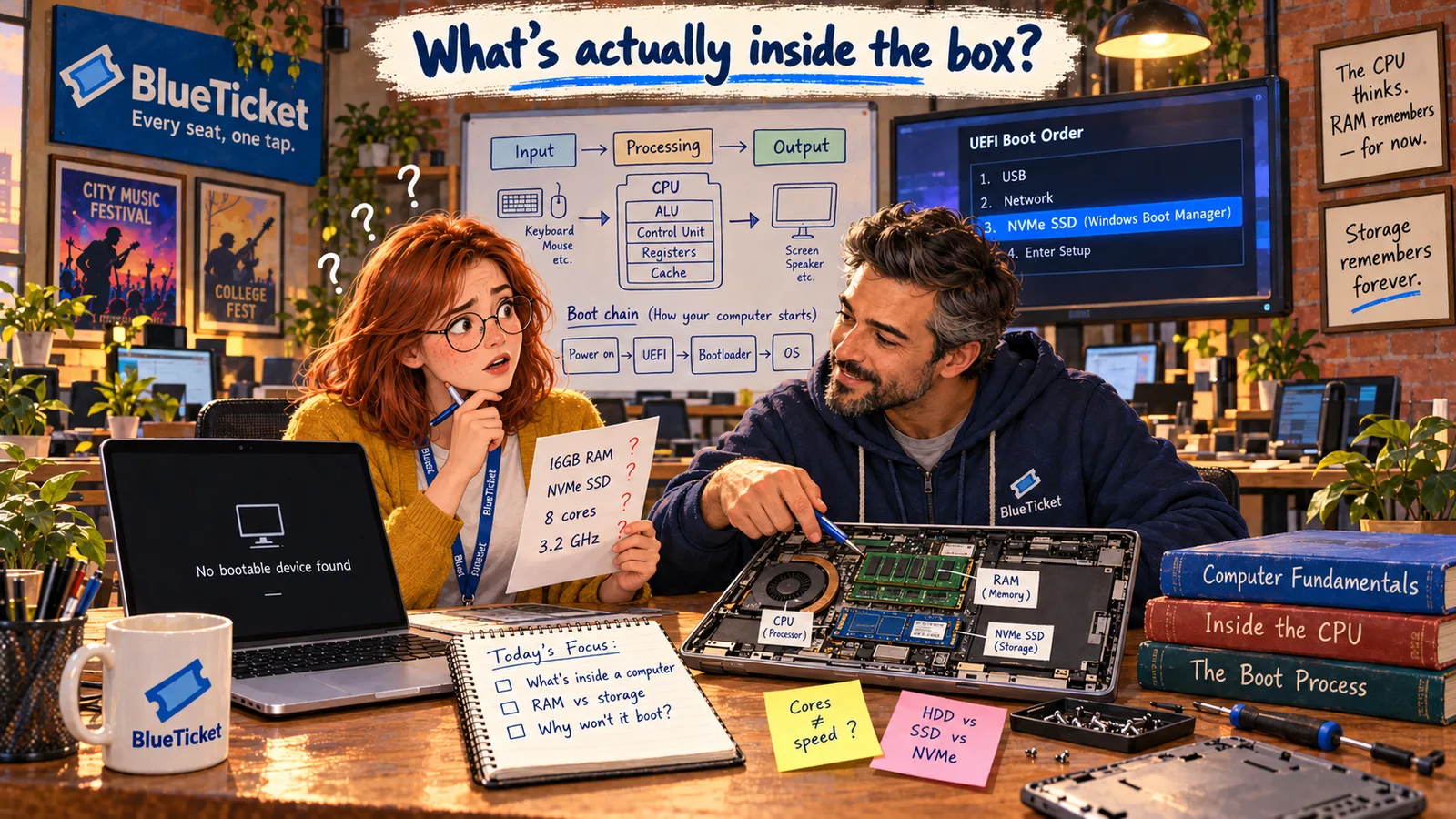
John brings an old office laptop from the storage room and a small screwdriver. "Reading about parts is fine. Seeing them is better." He removes the back cover.
Inside, Anna sees a big green board covered in tiny chips, a fan, a flat battery, a small card with an antenna wire, and two little slots holding sticks with chips on them. "Okay," she says. "I recognise nothing."
Every part in here has one job. Learn the job, and the part makes sense.
John
"A Box of Chips" vs. a Team of Parts
Many parts, one machine
A computer is a team of parts. Each one has a clear job, and they all connect through one main board.
Inside and outside
Some parts live inside the case; others — keyboards, screens, printers — plug in from outside.
The Parts of a Computer and What They Do
John points at each part with the screwdriver and explains its job in one or two sentences. We already know the CPU, RAM and storage. Here are the others.
- Motherboard — the big main board everything plugs into. It connects the CPU, RAM, storage and every other part, and carries data and power between them. Think of it as the roads and wiring of a city: every building is connected through it.
- GPU (Graphics Processing Unit) — a processor built for drawing images on the screen. Where a CPU has a few powerful cores, a GPU has thousands of small, simple cores that work at the same time. That makes it great for graphics, video and games — and today also for AI, which needs huge numbers of simple calculations at once. An integrated GPU is built into the CPU chip and is fine for everyday work. A dedicated GPU is a separate, more powerful chip for heavy graphics or AI.
- PSU (Power Supply Unit) — turns electricity from the wall into the steady, low voltages the parts need. In a laptop, this job is split between the charger and the battery.
- Network card (NIC — Network Interface Card) — lets the computer talk to other computers. A wired one has a socket for a network cable (Ethernet); a wireless one uses Wi-Fi, which is the little card with the antenna wire Anna saw. Today it's usually built into the motherboard.
- Cooling (fans and heat sinks) — the CPU and GPU get hot when they work hard. Fans and metal heat sinks carry that heat away. If cooling fails, the computer slows itself down to avoid damage.
| Part | Its job | If it fails... |
|---|---|---|
| Motherboard | Connects every part | Nothing works at all |
| CPU | Runs instructions | The computer can't start |
| RAM | Holds open apps and files | Crashes, or no start at all |
| Storage (SSD/HDD) | Keeps files and the operating system | "No bootable device" or lost files |
| GPU | Draws images on the screen | Black screen or broken graphics |
| PSU / battery | Supplies power | Won't turn on, or shuts down suddenly |
| Network card | Connects to networks | No internet or Wi-Fi |
| Fans / cooling | Removes heat | Gets hot and slows down |
| Device | Input or output? | Example at a ticketing company |
|---|---|---|
| Keyboard, mouse | Input | Typing code or support replies |
| QR scanner | Input | Scanning tickets at the venue gate |
| Monitor | Output | Showing the seat map |
| Printer | Output | Printing paper tickets |
| Touchscreen | Both | The ticket kiosk at the venue |
| External drive | Both (storage peripheral) | Office backups |
Then there are the parts outside the box — the ones you actually use to talk to the computer.
Input devices send information into the computer: keyboard, mouse, touchpad, touchscreen, microphone, camera, QR or barcode scanner. Output devices bring results out of the computer: screen, speakers, headphones, printer. Some devices do both — a touchscreen is input and output at the same time.
Peripheral devices (or just peripherals) is the general name for any extra device connected to a computer from outside: a printer, an external hard drive, a webcam, a second monitor. They connect through ports like USB, HDMI or Bluetooth.
Now the last line of the spec sheet makes sense too. "Integrated GPU" means the graphics chip is part of the CPU. For a designer doing heavy photo or video work, John says, a laptop with a dedicated GPU might be the better choice.
Key Takeaway
A computer is a team: the motherboard connects everything, the CPU and GPU process, RAM and storage hold data, the PSU powers it, the network card connects it to other computers, and input, output and peripheral devices connect it to people.
Why This Matters
Knowing the parts turns "my computer is broken" into a real question: which part, and what are the signs? It also explains server choices later. The machines that run BlueTicket have no screen or keyboard at all — just CPU, RAM, storage and very fast network cards — because their whole job is processing requests from the network.
The spec sheet is fully decoded, and the old office laptop is back in one piece. One mystery is left: Anna's own laptop, still showing "No bootable device found." To fix it, she needs to know what a computer does in the first seconds after you press the power button.