

In this chapter
Before we can read a laptop's spec sheet, we need the basic idea: what a computer really is, the simple Input → Processing → Output pattern every computer follows, and the difference between hardware and software.
The Problem in Real Life
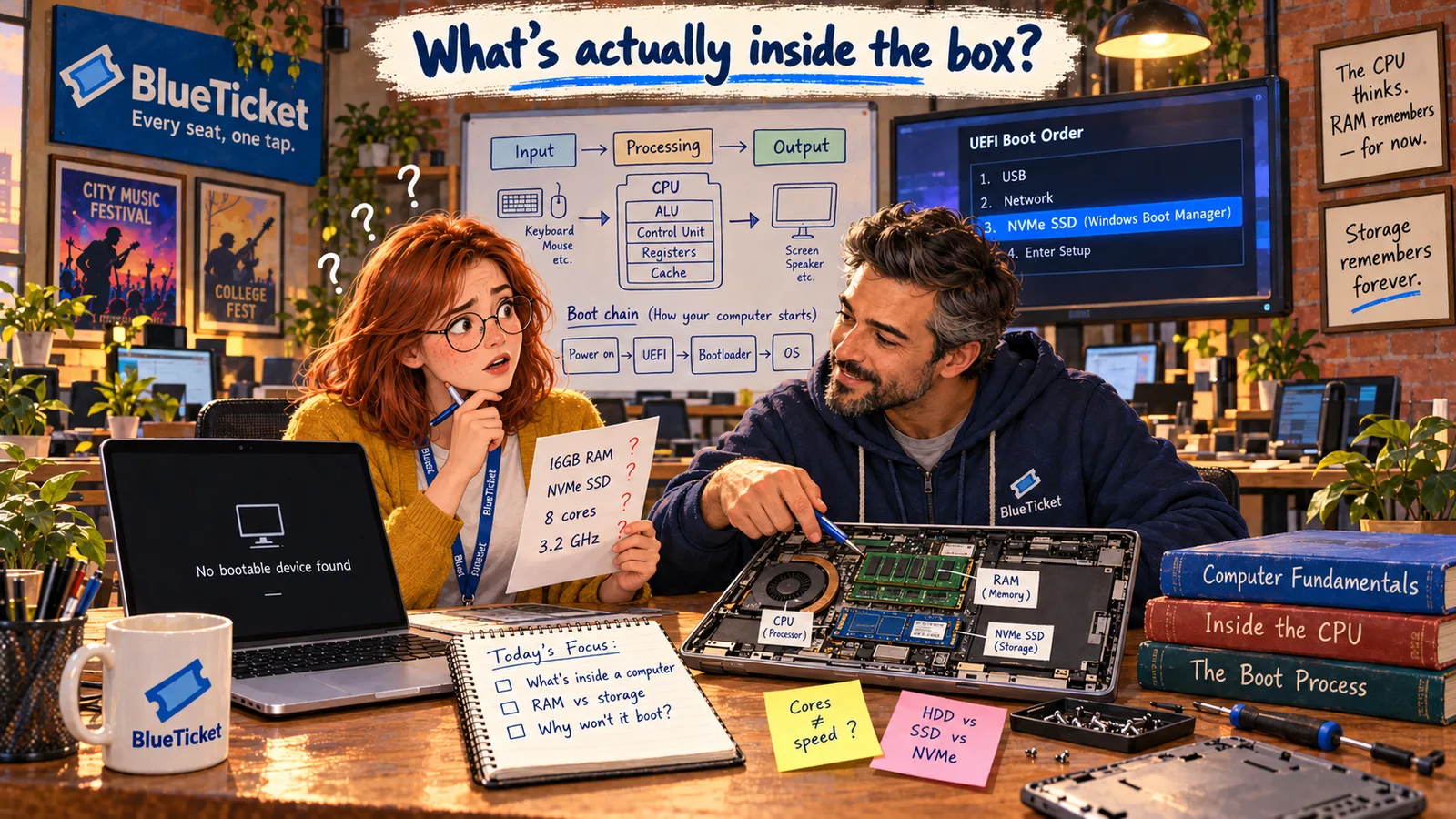
It's Anna's second week at BlueTicket. A new designer joins on Monday, and John drops a printed page on her desk. "Can you pick a laptop for her? Here's the one IT suggested. Tell me if it's right."
The page says: 16 GB RAM · 512 GB NVMe SSD · 8-core CPU · 3.2 GHz · integrated GPU. Anna reads it three times. She has used computers every day for ten years. She has no idea what any of this means.
To make things worse, her own old laptop — the one she brought from college — stopped starting this morning. The screen just says "No bootable device found."
| Line on the sheet | What Anna thinks it means |
|---|---|
| 16 GB RAM | Some kind of memory? Is more better? |
| 512 GB NVMe SSD | Storage... but what is NVMe? |
| 8-core CPU, 3.2 GHz | Speed? Two different speeds? |
| Integrated GPU | Something about graphics? |
By the end of this Act, every line on this sheet will make sense.
I've used a computer my whole life. How do I not know what's inside one?
Anna
Using a Computer vs. Understanding One
Using is not understanding
Most people use computers every day without ever learning what happens inside them.
A spec sheet is a list of parts
Each line is one part of the computer. You can't judge the list until you know what each part does.
Two halves
A computer is physical parts (hardware) plus instructions (software). Problems can live in either half.
What Is a Computer?
John sits down next to her. "Forget the spec sheet for ten minutes. Let's start with the simplest question: what is a computer?"
A computer is a machine that takes in information, works on it by following instructions, and gives back a result. That's the whole idea. Everything else — chips, memory, screens — exists to do those three things faster or better.
Computers are everywhere, not only on desks. Your phone is a computer. So is a smartwatch, a ticket scanner at a concert gate, a car's dashboard and the server that runs BlueTicket's website. They look very different, but they all follow the same simple pattern.
- Input — information goes in. You type on a keyboard, tap a screen, scan a QR code, or a message arrives over the internet.
- Processing — the computer works on that information by following instructions. It might add numbers, check a password, or decide if a seat is still free.
- Output — a result comes out. Text on a screen, a sound, a printed ticket, or a message sent back over the internet.
- Storage — most computers also keep information so it can be used later: your files, photos, and the list of tickets already sold. Storage is often added as a fourth step to the pattern.
| Step | What happens when a fan buys a ticket |
|---|---|
| Input | The fan taps "Row C, Seat 14" and enters card details |
| Processing | The server checks the seat is free and the payment is approved |
| Output | A confirmation screen and an email with a QR code |
| Storage | The sale is saved so nobody else can buy that seat |
| Feature | Hardware | Software |
|---|---|---|
| What it is | Physical parts | Instructions and data |
| Can you touch it? | Yes | No |
| Examples | CPU, screen, keyboard, battery | Windows, Chrome, a ticketing app |
| How it is fixed | Repair or replace the part | Update, reinstall or fix the code |
| Typical problem | Cracked screen, dead battery | App crashes, wrong result |
The pattern every computer follows
Input
keyboard, touch, scanner, network
Processing
follow instructions on the data
Output
screen, sound, printer, network
Storage
keep data to use later
Next, John explains the two halves of every computer.
Hardware is every physical part you could touch: the keyboard, the screen, the chips inside, the battery. Software is the set of instructions that tells the hardware what to do: the operating system (like Windows or macOS), the browser, the BlueTicket app. Software has no weight and you can't touch it — it is information stored on the hardware.
The two always work together. Hardware without software is a box that can't do anything useful. Software without hardware has nowhere to run. A simple way to remember it: hardware is the body, software is the thoughts.
This also helps when something goes wrong. A cracked screen is a hardware problem. An app that crashes is usually a software problem. And sometimes — like Anna's laptop this morning — it's the meeting point between the two. We'll come back to that in the last chapter of this Act.
Key Takeaway
Every computer, from a phone to a giant server, does the same three things: take input, process it by following instructions, and produce output. Hardware is the physical machine; software is the instructions that make it useful.
Why This Matters
Every later part of this course sits on this idea. Programming (Part 2) is writing the processing instructions. The internet (Part 3) is input and output between computers. Databases are storage. When Anna debugs anything this year, the first question will often be: is this a hardware problem or a software problem — and which step went wrong: input, processing, output or storage?
Anna now knows what a computer is. But the spec sheet still talks about a "CPU" with "cores" and "GHz." That's the part that does the processing — and it's where John goes next.