

In this chapter
We'll learn how the web keeps copies to go faster — DNS cache, browser cache and CDN cache, the three "fridges" — how a copy decides when it's too old, and how a cached price caused fans to see last week's price.
The Problem in Real Life
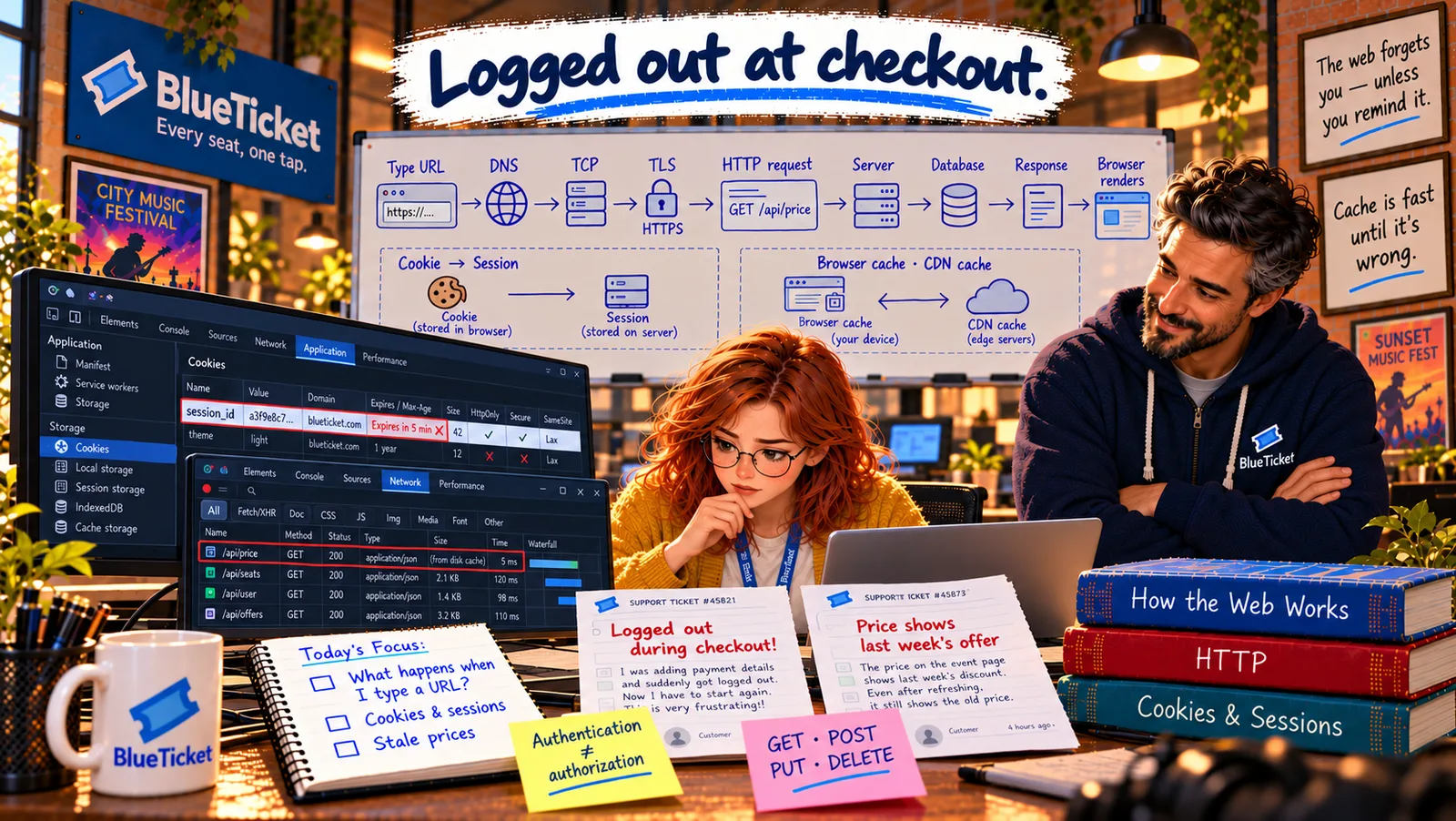
Anna shows John the price request: x-cache: HIT, age: 518400. He winces. "That's our CDN. It answered with a copy it saved six days ago — and it never asked our server whether the price had changed."
Last Tuesday, Samantha raised the festival price from 45.00 to 49.99. Fans whose requests hit a CDN copy still see 45.00 on the event page. But checkout always asks the server directly — so it charges 49.99. Same fan, two different prices.
Caching makes everything fast. It also makes things wrong, if a copy lives longer than the truth.
John
Fetching Fresh Every Time vs. Keeping a Copy Nearby
Copies make the web fast
Without saved copies, every page would download everything from scratch, every time.
Every copy can go stale
A saved copy is only right until the original changes.
Several places keep copies
Your browser, a CDN and DNS resolvers all keep their own copies — each with its own timer.
Web Caching: DNS Cache, Browser Cache and CDN Cache
The fridge analogy: you don't go to the shop every time you want milk. You keep some in the fridge, because it's much faster. But milk has an expiry date: after that, you throw it out and buy fresh. And if the shop changes something — say, a recall — your fridge doesn't know. A cache is exactly this: a saved copy of something, kept close by so it's fast to get, with an expiry date.
The web has three main fridges between a fan and BlueTicket's server:
- DNS cache — the fridge for addresses: browsers, computers and resolvers keep DNS answers for their TTL (Act 11). That's why most page loads skip the DNS lookup — and why Northgate got stuck with an old address.
- Browser cache — the fridge in the fan's own kitchen: the browser saves files it downloaded — images, styles, scripts — on the fan's device. Next time, if the copy is still fresh, it uses it without asking the network at all. That's a big part of why a site's second visit is faster.
- CDN cache — the shop's local branches: a CDN (Act 11) keeps copies on servers near fans around the world. When a fan in another city asks for the festival poster, the nearby CDN server answers from its copy ("cache HIT"), and BlueTicket's own server never sees the request. If it doesn't have a copy ("cache MISS"), it asks BlueTicket's server, then keeps the answer for next time.
| Cache | Fridge version | Where it lives | Shared by |
|---|---|---|---|
| DNS cache | A fridge for addresses | Browser, computer, resolver | Everyone using that resolver |
| Browser cache | The fan's own kitchen fridge | The fan's device | Just that fan |
| CDN cache | The shop's local branch | CDN servers near users | Everyone in that area |
| Header | Means |
|---|---|
| max-age=31536000 | Keep and reuse this for a year |
| max-age=60 | Keep and reuse this for one minute |
| no-cache | You may keep it, but check with the server before each use |
| no-store | Never keep a copy at all |
| private | Only the user's browser may keep it, not a shared CDN |
| Content | Changes | Rule |
|---|---|---|
| Images, styles, scripts with versioned names | Never (new version = new name) | Cache for 1 year |
| Event description, venue info | Sometimes | Cache for 60 seconds |
| Prices, seat availability | Any moment | no-store — always from the server |
| A fan's own bookings and account | Personal | private, no-store |
Three fridges between a fan and the server
Browser cache
on the fan's device — fastest, private to them
CDN cache
a nearby copy shared by everyone in the area
BlueTicket's server
the truth — builds a fresh answer
DNS cache
used along the way for the address itself
The expiry date — how a copy knows when it's too old: the server decides, by adding a header to its response. Cache-Control: max-age=3600 means "this copy may be reused for 3,600 seconds (one hour)." Cache-Control: no-store means "never keep a copy." no-cache (confusingly named) means "you may keep it, but check with me before using it." The response's age header shows how old a copy already is.
Checking instead of re-downloading: when a copy expires, the browser doesn't have to download it again. It can ask, "I have version X — has it changed?" (using a header called ETag). If not, the server answers 304 Not Modified with no body — just "your copy is still good." That's the 304s Anna saw in the Network tab in Act 11.
What went wrong: months ago, someone set the CDN to keep everything under /api/ for seven days, to reduce load during a busy sale. That's fine for a poster that never changes. It's terrible for a price, which can change any day. So the CDN kept serving a six-day-old price, while checkout — which asks the server directly — used the real one.
The fix — cache by how often something changes: Anna and John sort BlueTicket's content into three groups. Things that never change once published — images, styles and scripts with a version number in their file names, like app.3f9a2c.js — get cached for a whole year, because a new version gets a new name. Things that change sometimes, like the event description, get a short cache, like 60 seconds. Things that must always be current — prices, seat availability, a fan's own bookings — are marked no-store and always come from the server. Then they purge (clear) the CDN's old price copies. Within a minute, every fan sees 49.99.
There's a famous joke among programmers: "There are only two hard things in computer science: cache invalidation and naming things." Today, Anna learned why the first one is on the list.
Key Takeaway
A cache is a saved copy kept nearby for speed, like milk in the fridge — with an expiry date. The web caches in three places: DNS answers, the browser's own copies, and CDN copies near users. The server sets each copy's lifetime with Cache-Control. Cache things that never change for a long time, things that sometimes change briefly, and never cache things like prices that must always be current.
Why This Matters
Caching is one of the biggest reasons the web is fast — and one of the biggest sources of "but I already fixed it!" bugs. On Sale Day, the CDN will absorb most of the 50,000 fans' requests for images and pages, protecting BlueTicket's servers (Act 14) — but only if prices and seats are never cached. Knowing which fridge a copy came from is a daily debugging skill.
One complaint down. The other — fans logged out in the middle of checkout — has nothing to do with old copies. It's about how BlueTicket's server remembers who someone is, from one request to the next.