

In this chapter
We'll learn how to find the main systems inside a codebase — database access and migrations, API routes, authentication, logging and tests — explained as finding a house's plumbing, doors, locks, cameras and smoke alarms.
The Problem in Real Life
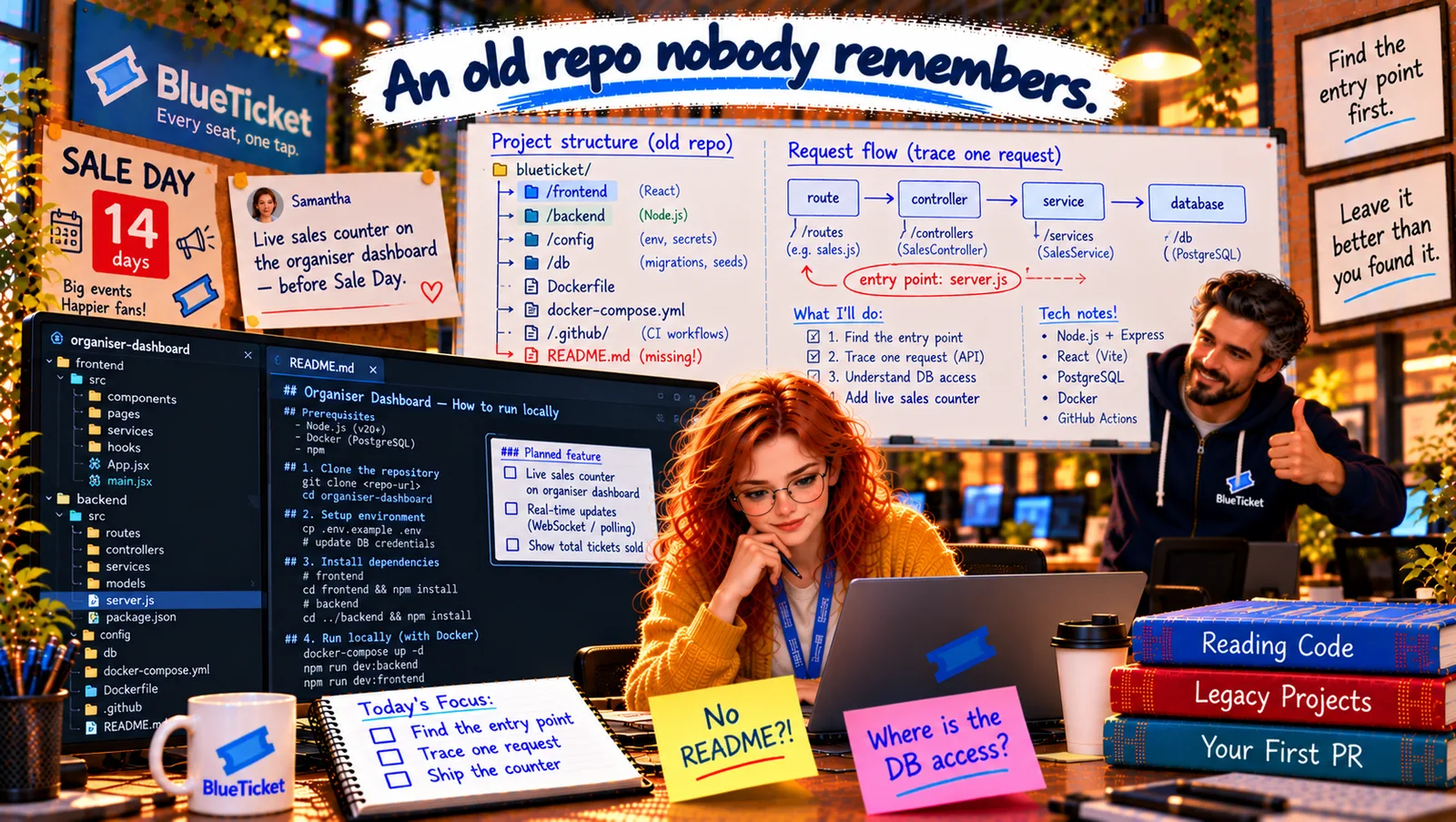
Anna's next sticky note says: "Where is the DB access?" The live counter needs one number — tickets sold so far for an event — and she wants to know how this old code talks to the database before she touches anything.
John shows her the most useful tool for the job: the editor's search across all files. "In an unfamiliar codebase, search is your torch. You know what things are called — query, router, jwt, logger, test. Search for them."
I don't need to read the whole house. I need to find the pipes.
Anna
Guessing Where Things Are vs. Searching for Their Fingerprints
Every project is organised differently
The same systems hide in different folders and files in every codebase.
Easy to break the wrong thing
Changing code without knowing how auth or the database works can open a security hole.
Is there a safety net?
Before changing anything, you need to know which tests exist — and which don't.
Database, APIs, Authentication, Logging and Tests in a Codebase
The house systems analogy: every house has the same hidden systems: plumbing (water in and out), doors (ways in), locks (who may enter), security cameras (a record of what happened) and smoke alarms (warnings before disaster). Every web backend has the same five: the database, the API routes, authentication, logging and tests. Each one leaves recognisable fingerprints you can search for.
- Database — the plumbing: search for the database library from
package.json(pg,mysql2,prisma,sequelize,mongoose) and forquery(,SELECT,INSERT. Here,backend/db/index.jscreates one shared connection pool (Act 13) and exports aqueryfunction; every database call goes through it. The migrations folder (db/migrations/) is the history of the schema — read the files in order and you see every table being created and changed (Act 13). There's alsodb/seed.js, which fills a local database with fake events and orders. - APIs — the doors: search for how routes are defined:
router.get(,app.post(in Express;@app.routein Flask;@GetMappingin Spring. Here,backend/routes/hasevents.jsandsales.js, andserver.jsmounts them under/api. Anna lists every endpoint in her notes in two minutes — that's the API's real documentation, written by the code itself. - Authentication — the locks: search for
jwt,auth,session,passport,middleware. Here,backend/middleware/auth.jsreads a JWT from theAuthorizationheader (Act 22), checks its signature withAUTH_SECRET, and puts the organiser's ID onreq.user. Every route insales.jsuses it. Important for her change: the counter must only show an organiser their own events (authorization, Act 22). - Logging — the cameras: search for
logger,console.log,winston,pino,morgan. Here,middleware/logger.jslogs each request with its method, URL, status and time (Act 17). Knowing the log format means she'll know how to find her own requests later. - Tests — the smoke alarms: look for
tests/,__tests__/, files ending in.test.jsor_test.py, and thetestscript inpackage.json. Here:backend/tests/sales.test.jswith three tests — one marked as skipped (.skip), with a comment:// TODO fix after export change. She runs them: two pass. The safety net exists, but it has a hole.
| System | House version | Search for | Found in organiser-dashboard |
|---|---|---|---|
| Database | Plumbing | pg, prisma, query(, SELECT | backend/db/index.js, db/migrations/ |
| API routes | Doors | router.get(, app.post( | backend/routes/events.js, sales.js |
| Authentication | Locks | jwt, auth, session, middleware | backend/middleware/auth.js |
| Logging | Cameras | logger, console.log, morgan | backend/middleware/logger.js |
| Tests | Smoke alarms | .test.js files, a tests folder, the test script | backend/tests/sales.test.js (1 skipped) |
grep -rn "router\.\(get\|post\|put\|delete\)" backend/routes # every endpointgrep -rn "db.query" backend # every database callgrep -rn "process.env" backend config # every setting readgrep -rn "\.skip\|TODO" backend/tests # holes in the safety net
Your editor's "search in all files" does the same with a click — use whichever is faster for you.
// backend/middleware/auth.jsmodule.exports = function requireOrganiser(req, res, next) {const token = (req.headers.authorization || "").replace("Bearer ", "");try {const payload = jwt.verify(token, process.env.AUTH_SECRET);req.user = { organiserId: payload.sub };next();} catch {res.status(401).json({ error: "unauthorized" });}};
Anna's notes, after an hour: "DB: db/index.js (pg pool) — all queries via db.query. Schema: 7 migrations; orders has event_id, status, quantity. API: 6 endpoints under /api, listed. Auth: JWT middleware → req.user.organiserId; sales queries filter by organiser. Logging: request logger, no request IDs. Tests: 3 (1 skipped, 2 pass) — only for sales." Five lines that would have taken Mark ten minutes to write in a README. She keeps them; they'll become exactly that.
Key Takeaway
Every backend has the same hidden systems, like a house: the database (plumbing), API routes (doors), authentication (locks), logging (cameras) and tests (smoke alarms). Find each by searching for its fingerprints — the database library and query calls, router definitions, jwt/auth/middleware, logger, and test files ending in .test.js — then read migrations for the schema, list every endpoint, note how authorization is enforced, and run the tests to see how strong the safety net is.
Why This Matters
When you change code you didn't write, the dangerous mistakes come from not knowing how the hidden systems work — bypassing authorization, writing a query that skips the shared pool, or changing code with no tests. Knowing where to look for each system, and how to find them by search, makes you safe and fast in any codebase.
Anna knows how the app works when it runs. But how does it get built and deployed? Three files at the root — Dockerfile, docker-compose.yml and a CI workflow — hold the answer, and one of them has a surprise.