

In this chapter
We'll learn what API keys and other secrets are, what to do — in order — when one leaks, how to stop leaks happening, and why least privilege limits the damage, using Thursday's payment key leak and a hotel's keycards.
The Problem in Real Life
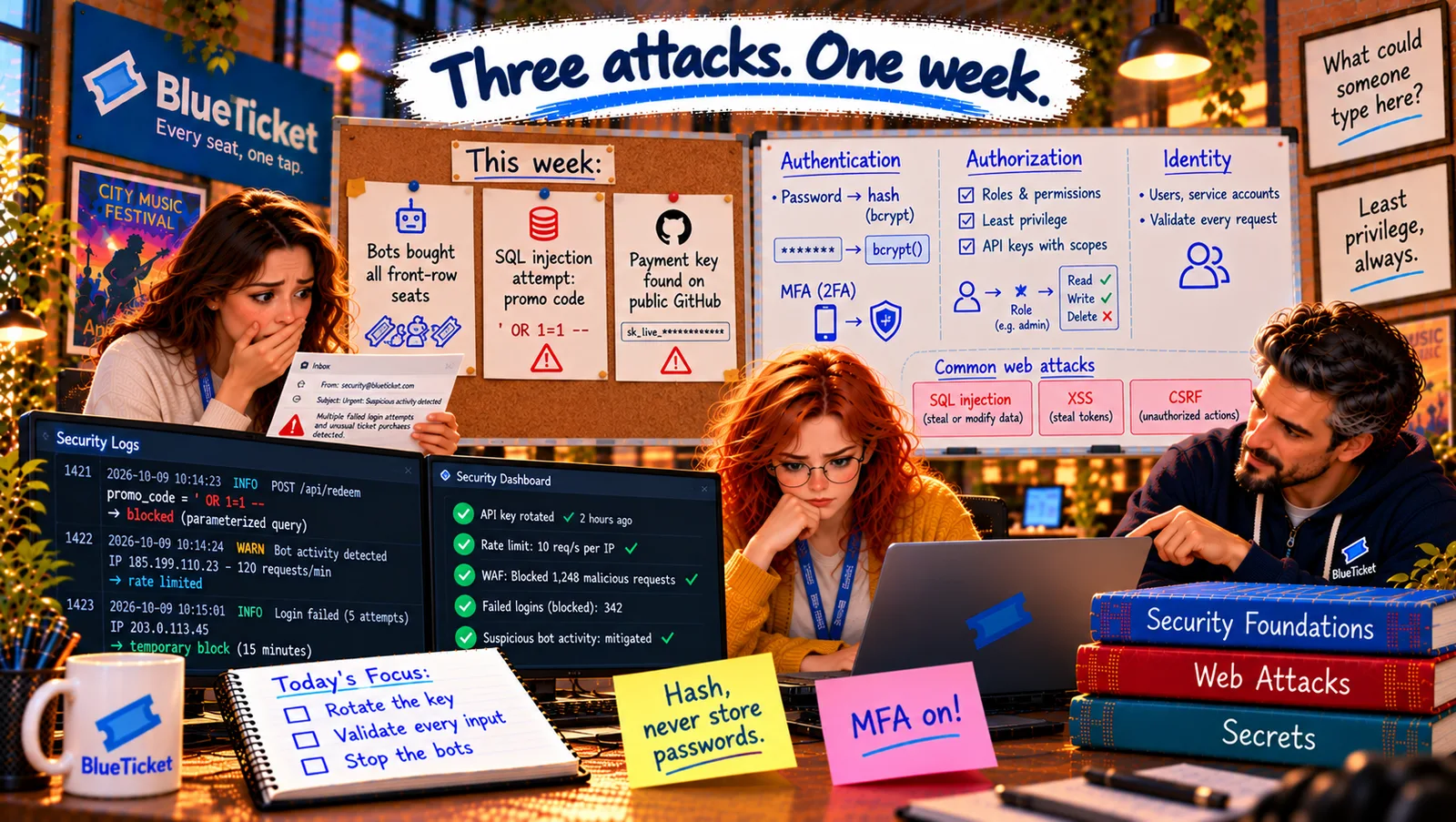
Thursday, 8:40 AM. The payment provider's email includes a link. It leads to a public GitHub repository called blueticket-test-scripts, owned by a contractor who helped BlueTicket a year ago. In a file named config.js: PAYMENT_API_KEY = "sk_live_••••••••" — the live key. It's been public for eleven months.
Anna remembers John's warning from Act 16: "One day someone will push a key to GitHub anyway. Rotate the key first, then fix the history." John is already on the phone with the payment provider. "Exactly. Rotate first. Everything else after."
A leaked secret is a used secret. Assume someone already has it.
John
One All-Powerful Key That Lives Forever vs. Small Keys That Can Be Replaced
Public means found
Bots scan public code for keys around the clock. A pushed key is usually found within minutes.
Too much power
The leaked key could charge, refund and read every payment — far more than the scripts needed.
Keys that never change
The same key had been in use for three years, copied into who-knows-how-many places.
Secrets, API Keys, Permissions and Least Privilege
The hotel keycard analogy: in a good hotel, a guest's keycard opens their room, for their stay, and nothing else. Cleaners' cards open rooms on their floor during working hours. Only the manager has a master card — and it's kept in a safe. If a card is lost, the hotel cancels it and issues a new one in seconds. Secrets and permissions in software should work the same way.
- Secrets — anything that grants access: a secret is any value that proves you're allowed in: database passwords, API keys, signing keys for JWTs, encryption keys, tokens for the pipeline (Acts 16, 19, 20). Whoever holds the secret is you, as far as the system knows.
- API keys — keycards for programs: an API key is a secret a program sends to another company's API (Act 12) to prove who it is: BlueTicket's app sends its payment key with every charge request. Providers usually issue separate test and live keys (Act 16).
- When a secret leaks — the order matters: 1. Rotate — create a new key, switch production to it, and revoke the old one, so the leaked copy stops working. 2. Investigate — check the provider's logs: was the old key used by anyone but us? 3. Remove — delete it from the code and history (and ask the repository owner to delete the repo). 4. Learn — a blameless review (Act 19): how did it get there, and how do we stop the next one? Removing it from GitHub first is useless — copies may already exist.
- Stopping leaks — catch them before they leave: secrets live in a secrets manager (Act 16, Act 20), never in code. Secret scanning tools (GitHub has one built in; others run as a pre-commit check) block commits that contain things that look like keys. Contractors and every service get their own keys, so a key can be cancelled without breaking anything else. And keys are rotated regularly, so an old leaked copy expires on its own.
- Permissions — what each keycard opens: a permission is a specific allowed action: "create charges", "issue refunds", "read payment history". Good systems let you choose exactly which permissions each key, user or service gets.
- Least privilege — the smallest keycard that does the job: least privilege (Act 20) means giving every person, key and service only the permissions it needs, for only as long as it needs them. A leaked key that can only create charges for BlueTicket's own account is a small problem. A leaked key that can also refund to any card is a disaster.
| Key | Used by | Can do | Rotated |
|---|---|---|---|
| Old live key (revoked) | Everything, for 3 years | Charge, refund, read all | Never |
| checkout key | Checkout service | Create charges only | Every 90 days |
| refunds key | Refunds service | Refund only | Every 90 days |
| finance key | Finance dashboard | Read only | Every 90 days |
| test key | Test scripts | Test mode only — no real money | Every 90 days |
| Step | What to do | Why this order |
|---|---|---|
| 1. Rotate and revoke | New key in, old key off | The leaked copy stops working right away |
| 2. Investigate | Check the provider's logs for misuse | Know if damage was done |
| 3. Remove | Delete from code, history, the repo | Tidy up — but copies may exist already |
| 4. Learn | Blameless review, add scanning | Stop the next one |
Thursday, minute by minute: 8:45 — John creates a new restricted key in the payment provider's dashboard and puts it in the secrets manager; 8:52 — the pipeline redeploys with it (Act 19); 8:55 — the old key is revoked; 9:00–11:00 — Anna and John check eleven months of the provider's logs: the old key was only ever used from BlueTicket's own servers. Lucky. 11:30 — the contractor deletes the repo; GitHub secret scanning is turned on for every BlueTicket repository.
Least privilege, applied: the old key could do everything. Now there are four keys: the checkout service can only create charges; the refunds service can only refund; the finance dashboard can only read; the test scripts get a test key. All are rotated every 90 days. Anna writes "Least privilege, always" on the whiteboard, and nobody erases it.
Key Takeaway
A secret is anything that grants access — whoever holds it is you. When one leaks, rotate and revoke first, then investigate its use, then remove it, then learn without blame. Prevent leaks with a secrets manager, secret scanning and separate keys per service, and rotate keys regularly. Least privilege — like hotel keycards — gives every key, person and service only the permissions it needs, so a leak stays small.
Why This Matters
Leaked secrets are among the most common causes of real breaches, and nearly every developer handles keys and passwords. Knowing the right order of response — rotate first — and building with least privilege from the start keeps a small mistake from becoming a disaster.
The key is rotated. Back to Tuesday's mystery: ' OR 1=1 -- in the promo-code box. The attack was blocked — but while checking why, Anna finds one place in the code where it wouldn't have been.