

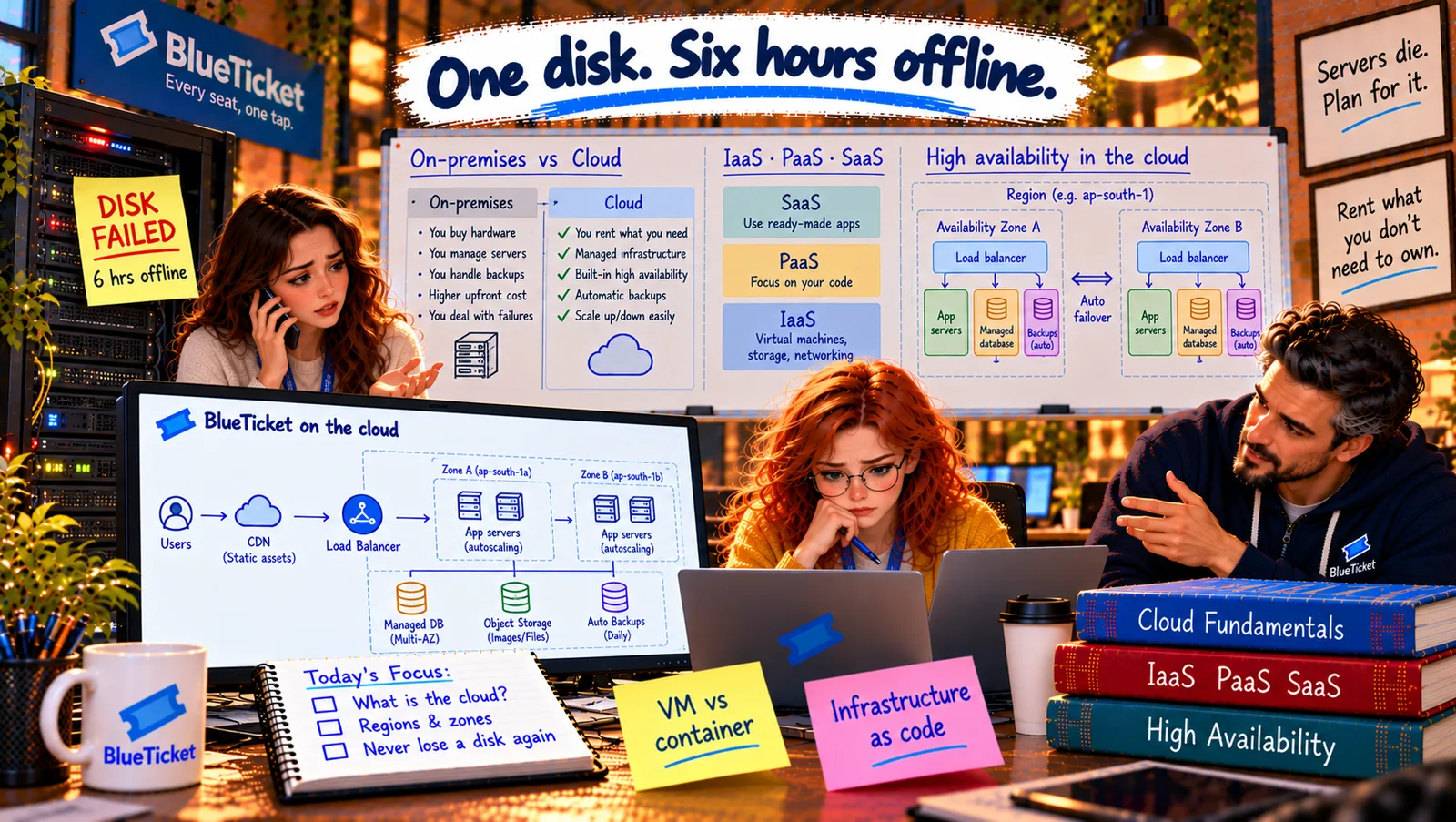
In this chapter
We'll learn the two ways one physical server is shared between many apps — virtual machines and containers — and how they differ, explained as separate flats in an apartment building versus standard shipping containers on a ship.
The Problem in Real Life
Anna asks the question she's been avoiding: "When we rent a 'server' in the cloud, is it a real computer? Just for us?" John laughs. "Almost never. It's a slice of a much bigger real computer, shared with strangers — and it feels exactly like your own."
"There are two ways to make those slices. One you've been using without knowing — and the other is how we'll run BlueTicket from now on."
So my "server" is a pretend computer inside a real one?
Anna
One App per Physical Machine vs. Many Apps Sharing It Safely
Big machines, small apps
A modern server is far more powerful than one small app needs. Most of it would sit idle.
Strangers on one machine
Apps from different customers share hardware — they must not see or disturb each other.
"Works on my machine" again
An app needs the right runtime and libraries everywhere it runs — laptop, staging and production.
Virtual Machines, Containers, and How They Differ
The housing and shipping analogy: a big building can be split into flats: each has its own front door, kitchen, bathroom and electricity meter. Tenants never share a kitchen. That's a virtual machine. A shipping container is different: a standard box that holds one company's goods, packed exactly as needed, and thousands of them share the same ship, the same engine and the same crew. That's a container.
- Virtual machine (VM) — a flat with its own kitchen: a virtual machine is a complete pretend computer created by software called a hypervisor on a real physical server. Each VM has its own full operating system (Act 05), its own virtual CPU, memory and disk. A physical server might run 20 VMs for 20 different customers, all isolated from each other. Cloud "servers" (IaaS) are VMs.
- VMs are strong but heavy: because each VM carries a whole operating system, it uses gigabytes of disk and memory just to exist, and takes a minute or more to start. Isolation is very strong — like real walls between flats.
- Container — a standard box on a shared ship: a container packages one app with everything it needs — the runtime (Node.js 20), libraries, files, settings — into a standard unit. Containers on the same machine share the host's operating system kernel (the core of the OS) instead of each carrying a full OS. Each container still gets its own isolated view of files, processes and network.
- Containers are light and fast: no full OS inside means a container image is often tens or hundreds of megabytes, and it starts in seconds. One machine can run dozens or hundreds of containers.
- Containers solve "works on my machine": the same container image runs identically on a laptop, in the pipeline, on staging and in production, because everything the app needs is inside the box (Act 16's version problems, solved once). That makes the container image an excellent build artifact (Act 19). Act 21 shows how to build and run them with Docker.
- Often both together: in the cloud, containers usually run inside VMs: the VMs give strong isolation between customers, and containers pack many apps efficiently inside each VM. Container platforms manage this for you.
| Feature | Virtual machine | Container |
|---|---|---|
| Analogy | A flat with its own kitchen | A shipping container on a shared ship |
| Contains | Full operating system + app | App + runtime + libraries only |
| Size | Gigabytes | Megabytes to a few hundred MB |
| Start time | A minute or more | Seconds |
| Isolation | Very strong (separate OS) | Good (shared kernel) |
| Per physical server | Tens | Hundreds |
| Typical use | Running whole servers, different OSes | Packaging and running apps |
VMs vs. containers on one physical server
VM 1: full OS + app
own kitchen
VM 2: full OS + app
own kitchen
Container A · B · C · D
apps only — shared kernel
Hypervisor
splits the machine into VMs
Container runtime on one OS
runs many containers
One physical server
CPU, memory, disks in a data centre
BlueTicket's app becomes a container: Anna and John package the app into a container image: blueticket-app:2.9.0, with Node.js 20 and every dependency inside. The pipeline from Act 19 now builds this image once and sends the same image to staging and production. A new copy of the app starts in about five seconds — so on Sale Day, the platform can add copies quickly when traffic jumps.
Why not VMs, like before? Each of the old servers took a few minutes to set up and needed its operating system patched by the team. With containers on a managed platform, the provider patches the machines underneath, and the team ships only its app.
Key Takeaway
A virtual machine is a complete pretend computer with its own operating system, created by a hypervisor on a real server — like a flat with its own kitchen: strong isolation, but heavy and slower to start. A container packages one app with exactly what it needs and shares the host's OS kernel — like a standard shipping container on a shared ship: light, starts in seconds and runs the same everywhere. In the cloud, containers usually run inside VMs.
Why This Matters
Virtually every modern deployment uses VMs, containers or both. Containers in particular are now a standard way to package and ship applications, and they appear in most backend and DevOps job descriptions. Understanding why they're light and why they run the same everywhere prepares you for Docker and Kubernetes later.
Containers and managed services make the app easy to run. But they don't, on their own, answer Samantha's question. On Sunday, the problem wasn't how the app was packaged — it was that everything lived in one building. The cloud's answer to that has two strange names: regions and availability zones.