

In this chapter
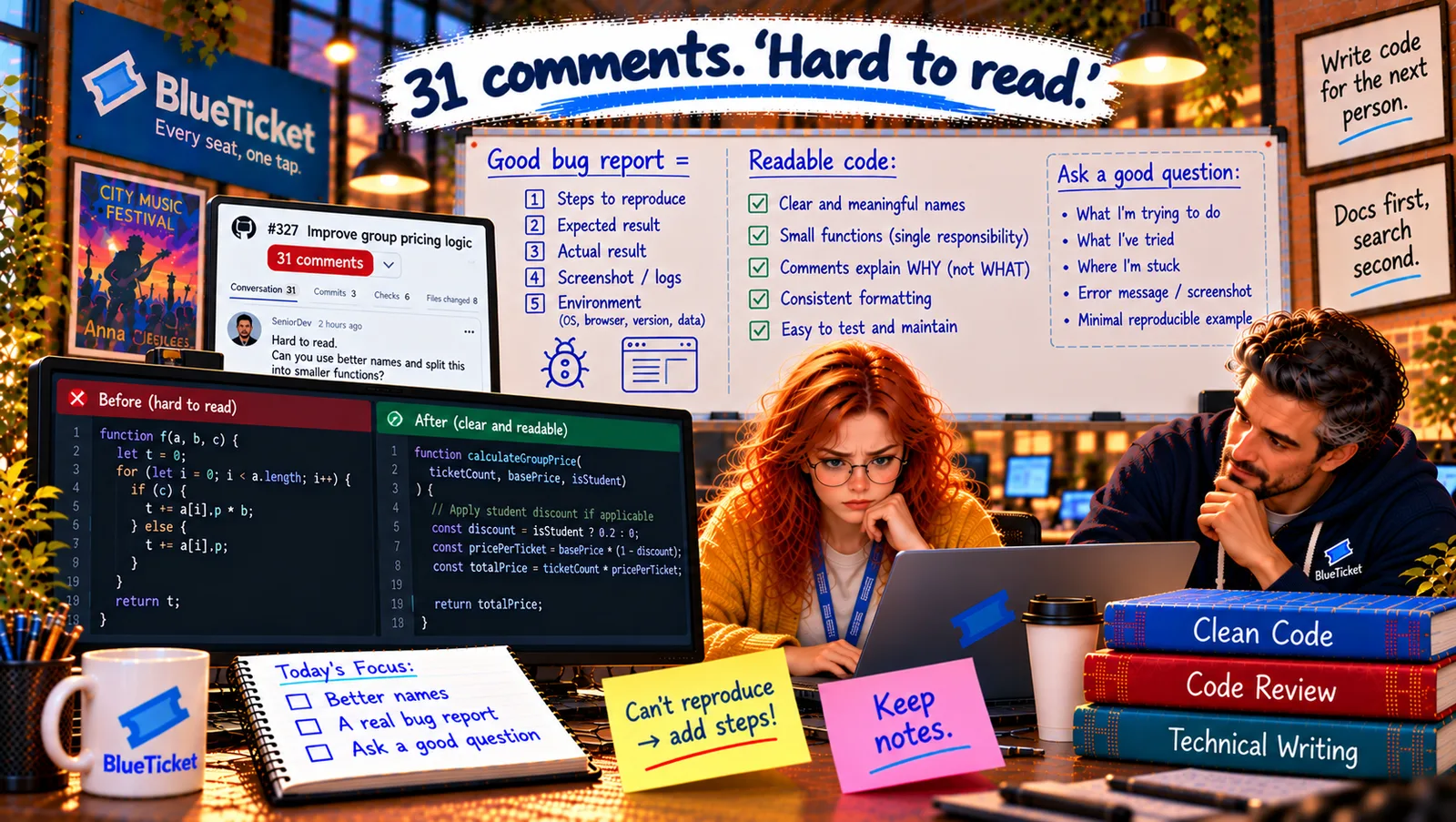
We'll learn code review from both sides — how to make your pull request easy to review and how to review others' well — and how to write issues and bug reports someone can actually act on, explained as a house inspection and a doctor's notes, using Anna's 31 comments and her "Can't reproduce" bug report.
The Problem in Real Life
Anna's bug report to the mobile team said: "Seat map broken on iPhone. Please fix ASAP." Liam's reply: "Can't reproduce. Works on mine. Closing." She's annoyed — it is broken; she saw it.
John reads both the report and her 31-comment pull request side by side. "Same lesson, twice. In both cases you knew things the reader didn't. Your PR didn't say what it changed or why. Your bug report didn't say which iPhone, which screen, or what 'broken' looked like. The reader had to guess — and guessing is slow, or impossible."
"Can't reproduce" usually means "you didn't tell me enough".
John
Making the Reader Guess vs. Giving Them Everything They Need
Huge, unexplained PRs
A big change with no description takes hours to review — and gets 31 comments.
Reviews that hurt or don't help
Vague or harsh comments slow everyone down; so do reviews that just say "LGTM".
Bug reports nobody can act on
"It's broken" can't be fixed — the developer needs to see it happen.
Code Review, Pull Requests, Issue Tracking and Bug Reports
The house inspection analogy: a good house inspector gets a clear plan of what was built and what changed. They check the important things first (wiring, foundations), point out problems clearly with a suggested fix, separate "must fix" from "nice to have", and also say what was done well. Code review is a house inspection — and both the builder and the inspector have a job to do (Act 18 introduced the basics).
- As the author — make it easy to inspect: keep PRs small (one idea per PR; under a few hundred lines when possible). Review your own diff first — you'll catch half the comments yourself. Write a description: what changed, why, how to test, screenshots, and anything you're unsure about (Act 18's PR template). Answer every comment — fix it, or explain politely why not — and don't take comments personally.
- As the reviewer — inspect what matters: review soon (waiting days blocks people); read the description first; look at correctness, tests, readability, security before style (formatters handle style — Act 07). Ask questions instead of giving orders ("What happens if
ticketCountis 0?"). Mark priority: blocking vs "nit:" (optional). Suggest a fix. Say what's good. If a thread goes back and forth more than twice, talk instead. - What 31 comments really meant: Anna's PR was 900 lines, mixing three features, with a one-line description. Most comments were about names (chapter one) and missing "why" (chapter two). Split into three PRs with good descriptions, the same work would probably have had a handful of comments.
- Issue tracking — the team's to-do system: teams track work as issues (tickets) in tools like Jira, Linear or GitHub Issues (Act 18's stories, tasks and bugs). Each has a type, priority, labels (
mobile,payments), an assignee and a status. PRs link to the issue they solve (Fixes #412), so the history connects the problem, the discussion and the code. - Bug reports — the doctor's notes: a doctor can't treat "I feel bad". They need: where it hurts, since when, what makes it worse, what you've already tried. A bug report someone can act on contains: a clear title (what, where); steps to reproduce (numbered, exact); expected vs actual result (Act 17); environment (device, OS, browser, app version, account type, test or production); evidence (screenshot, screen recording, error message, log excerpt with request ID); frequency (every time? 1 in 5?); and impact (how many users, how bad).
| Part | Before | After |
|---|---|---|
| Title | Seat map broken on iPhone | Seats in rows A–C can't be tapped on iPhone SE |
| Steps | (none) | 1. App v4.2.0 on iPhone SE, iOS 18.1 · 2. Riverside show · 3. Tap row A–C |
| Expected / actual | "broken" | Seat selected / nothing happens; rows D+ work |
| Environment | "iPhone" | iPhone SE, iOS 18.1, app 4.2.0, production |
| Evidence | (none) | Screen recording |
| Frequency | (none) | Every time on SE; fine on iPhone 15 |
| Impact | "ASAP" | ~8% of iOS fans; most expensive seats |
| Comment | Priority |
|---|---|
| This returns a negative price when ticketCount is 0 — could we return 0 or throw? | Blocking |
| There's no test for exactly 10 tickets (the group boundary). | Blocking |
| nit: maybe groupPrice instead of priceForGroup? Either is fine. | Optional |
| Nice — splitting the discounts into small functions makes this very easy to follow. | Praise |
Anna's rewritten bug report: Title: Seat map: seats in rows A–C can't be tapped on iPhone SE (small screen). Steps: 1. Open the app (v4.2.0) on an iPhone SE, iOS 18.1. 2. Open any Riverside Arena show. 3. Tap any seat in rows A–C. Expected: the seat is selected. Actual: nothing happens; rows D and below work. Frequency: every time on iPhone SE; works on iPhone 15. Evidence: a screen recording, and a note that the "Back" bar seems to cover the top rows. Impact: about 8% of iOS fans use small iPhones; front rows are the most expensive seats.
The result: Liam reproduces it in two minutes on a simulator set to iPhone SE — an invisible bar was sitting over the top rows on small screens. Fixed the same day. He reopens the issue, links his PR (Fixes #412), and writes: "Perfect report. Thank you."
Key Takeaway
Code review is a house inspection with two jobs. Authors keep PRs small, review their own diff first, explain what, why and how to test, and answer every comment. Reviewers respond soon, check correctness, tests, readability and security before style, ask questions, mark blocking vs nit, suggest fixes and praise good work. Issues are tracked with type, priority, labels and links. A bug report someone can act on has a clear title, exact steps, expected vs actual, environment, evidence, frequency and impact.
Why This Matters
Pull requests, reviews and issues are where most professional communication about code happens. Being easy to review, reviewing kindly and usefully, and writing bug reports that get fixed the same day make you someone everyone wants to work with — and they save the whole team hours every week.
The bug report worked because Anna wrote it for her reader. John points out that the same is true of every message she sends — to developers, to Samantha, and when she's stuck and needs help.