

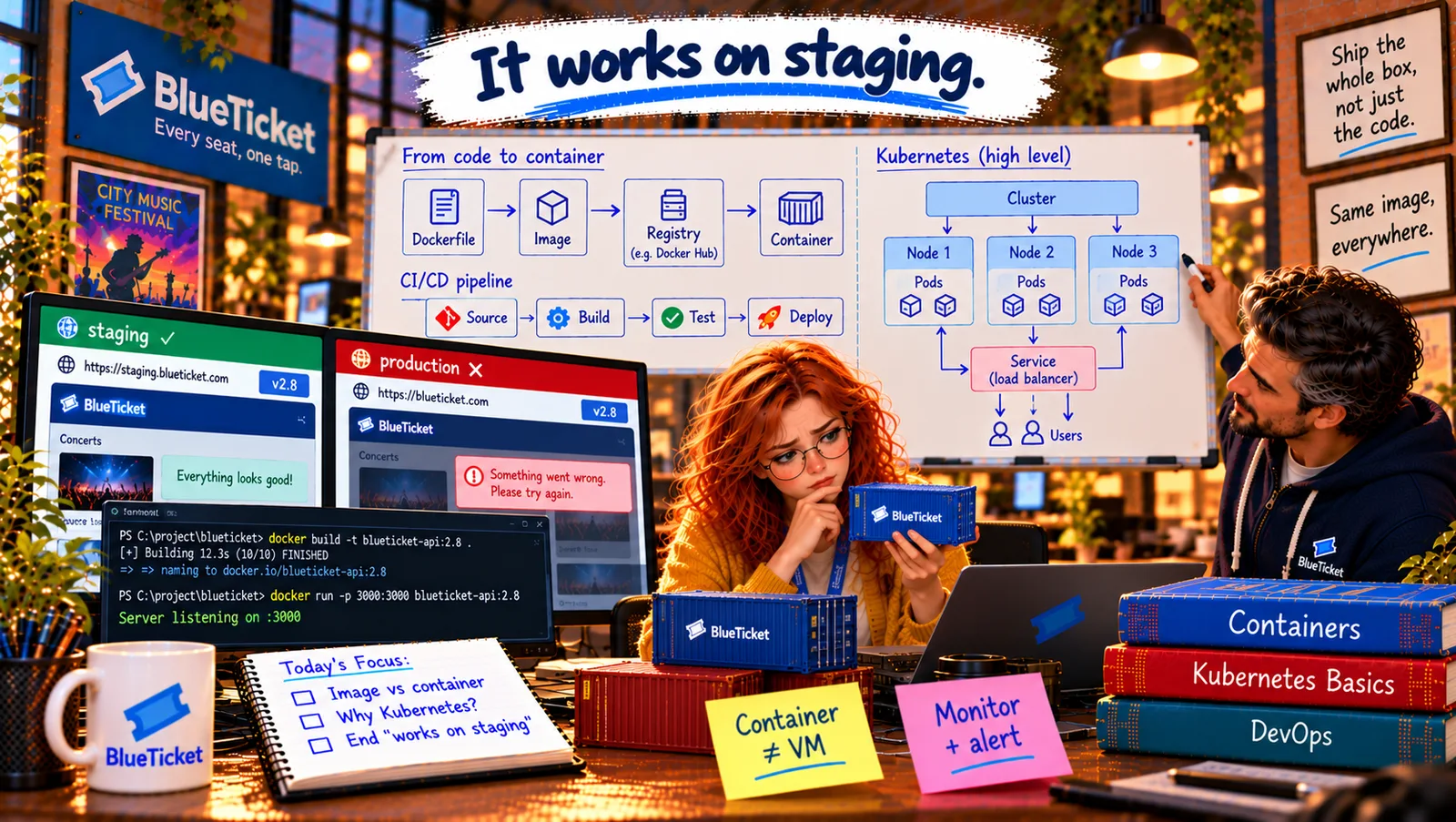
In this chapter
We'll learn the five Kubernetes words you'll hear everywhere — cluster, node, pod, deployment and service — at map level, explained as a port, its ships, the containers on board, the shipping order and the port's fixed office address.
The Problem in Real Life
On the whiteboard, under Cluster, Node, Pod, Service, John adds one more word: Deployment. "Five words. With these, you can follow ninety percent of any conversation about Kubernetes. The other ten percent is what the Kubernetes course is for."
Anna draws a port with ships on it. "Let me guess. It's still the harbour?" "It's still the harbour."
Five words. I can do five words.
Anna
A Wall of Jargon vs. Five Words on a Map
Jargon everywhere
Pods, nodes, services, deployments — the words make simple ideas sound hard.
Containers come and go
Containers are replaced all the time and get new addresses. Others still need to find them.
What contains what?
You need to know how the pieces fit inside each other before any of it makes sense.
Clusters, Nodes, Pods, Deployments and Services
The port analogy, piece by piece: the whole port is the cluster. Each ship is a node. The containers on a ship are pods. The shipping order — "always keep 20 of these on the move" — is a deployment. And the port office with a fixed address, which knows where every container currently is, is a service.
- Cluster — the whole port: a cluster is the whole Kubernetes system: a group of machines working together, plus the control plane — the harbour master's office — which stores the desired state and makes all the decisions. You talk to the cluster, not to individual machines.
- Node — a ship: a node is one machine in the cluster (usually a cloud VM, Act 20) that runs containers. A cluster might have 3 nodes on a quiet day and 15 on Sale Day. If a node dies, its work moves to other nodes.
- Pod — a container (or a few) on a ship: a pod is the smallest thing Kubernetes runs: usually one container, sometimes a few that must always live together and share a network address. Each pod gets its own IP address. Pods are temporary: they're created, killed and replaced all the time, and a replacement gets a new address.
- Deployment — the shipping order: a Deployment describes the desired state for a set of identical pods: which image, how many copies (replicas), how much CPU and memory. It keeps that number running (self-healing), and when you change the image version, it performs a rolling update — and can roll back (Act 19). You almost never create pods by hand; you create a Deployment and it manages the pods.
- Service — the port office with a fixed address: since pods keep changing addresses, other parts of the system need something stable. A Service gives a set of pods one fixed name and address and spreads requests across whichever pods are currently healthy — a built-in load balancer (Act 14). The email worker doesn't need to know where the Redis pods are today; it just connects to the Service named
redis.
| Word | Port version | What it is | BlueTicket example |
|---|---|---|---|
| Cluster | The whole port | Machines + control plane | The London cluster |
| Node | A ship | One machine that runs pods | A VM in zone A |
| Pod | A container on a ship | Smallest runnable unit (usually 1 container) | One web app copy |
| Deployment | The shipping order | Desired image and number of replicas | web: 4 × blueticket-web:3.1.0 |
| Service | The port office address | Stable name + load balancing to pods | web, redis |
BlueTicket in Kubernetes words
Load balancer
from the internet
Service: web
fixed name, spreads requests
Node 1 (zone A)
web pod · web pod · email-worker pod
Node 2 (zone B)
web pod · web pod · email-worker pod
Managed database + Redis
outside the cluster (Act 20)
apiVersion: apps/v1kind: Deploymentmetadata:name: webspec:replicas: 4 # always keep 4 copies runningtemplate:spec:containers:- name: webimage: registry.blueticket.example/blueticket-web:3.1.0ports:- containerPort: 3000resources:limits: { cpu: "1", memory: "1Gi" }
This is desired state: it says what should exist, not how to start it. Change replicas to 20 on Sale Day, or the image tag to 3.2.0 for a rolling update.
BlueTicket drawn in Kubernetes words: a cluster in Europe (London), with nodes spread across two availability zones (Act 20). A Deployment web with 4 replicas of blueticket-web:3.1.0 (scaling to 20 on Sale Day) and a Service web in front of them, reached from the internet through the load balancer. A Deployment email-worker with 2 replicas of blueticket-worker:1.4.1. The database stays a managed service outside the cluster (Act 20) — the pods reach it with its connection string.
Reading it as a story: "Fans hit the load balancer, which forwards to the web Service, which picks a healthy web pod on one of the nodes. If that node dies, the web Deployment notices it has 3 pods instead of 4 and starts one on another node; the Service stops sending traffic to the dead one." Anna reads it out loud twice. It makes sense.
Key Takeaway
A cluster is the whole port: many machines plus the control plane that decides. A node is one machine (a ship). A pod is the smallest runnable unit — usually one container — with its own temporary address. A Deployment is the shipping order: which image, how many replicas; it self-heals and does rolling updates and rollbacks. A Service gives a changing set of pods one fixed name and address and load-balances across them.
Why This Matters
These five words — cluster, node, pod, deployment, service — come up in almost every conversation about how modern backends run. Knowing what contains what lets you read deployment dashboards, follow incident discussions ("the pods are crash-looping on node 3") and pick up the Kubernetes course on this site much faster.
Images, registries, deployments by image version — Anna realises the Act 19 pipeline needs an upgrade to work with containers. And John realises the worker incident would never have happened if the workers had been in the pipeline at all.