

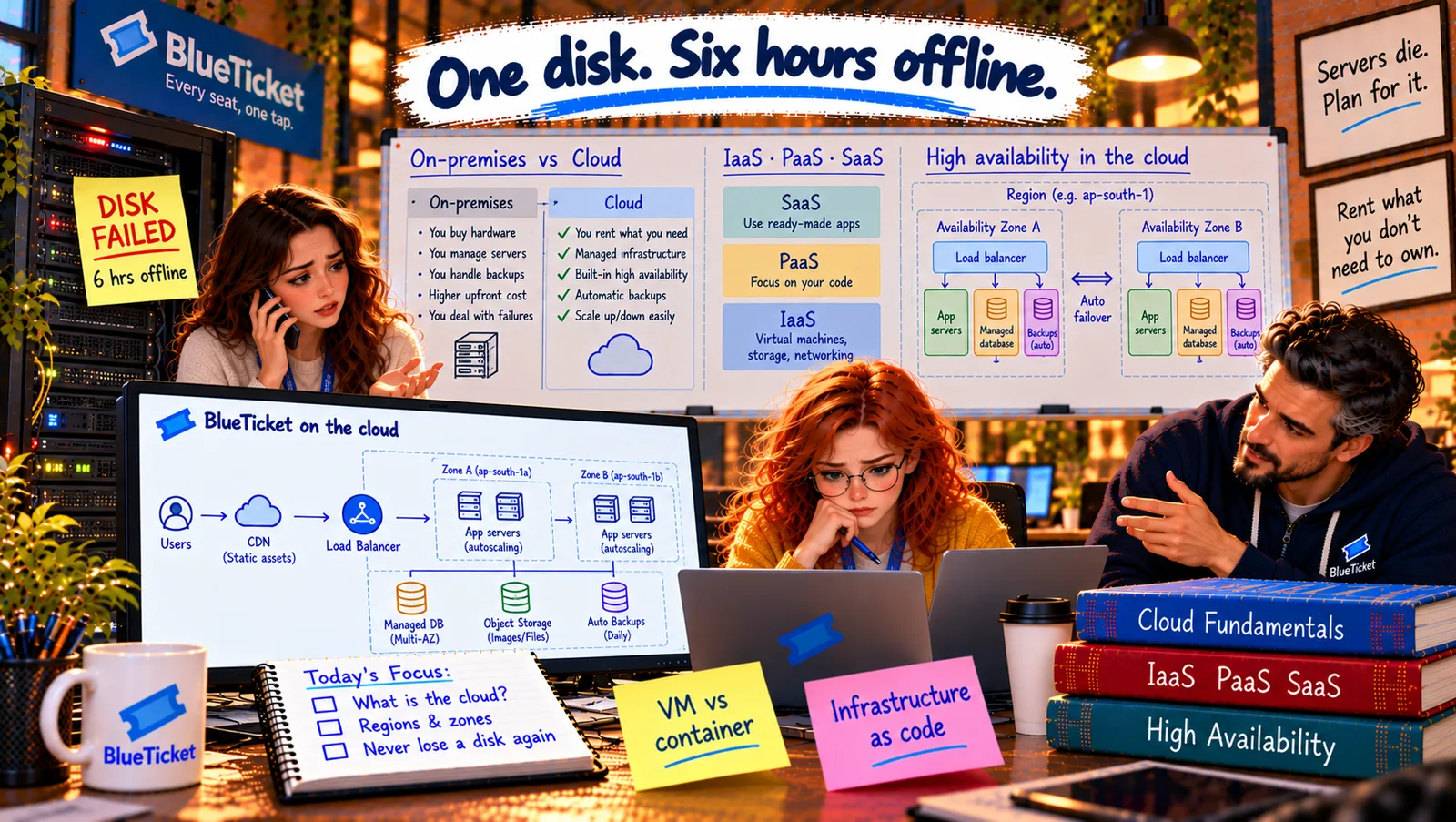
In this chapter
We'll learn how teams build cloud infrastructure from code instead of clicks — Infrastructure as Code and automation — and the basics of keeping a cloud account safe: shared responsibility, least-privilege access, private resources and encryption, explained as a building's blueprint and its keycards.
The Problem in Real Life
A week after the move, Liam wants to test something and creates a copy of the production database in the cloud console. To make it easy to reach, he ticks "Publicly accessible". John spots it in the morning's security report and deletes it within minutes. Nobody outside had found it — this time.
"Two lessons in one," he says. "First: if our infrastructure only exists as a history of clicks, nobody can review it, repeat it or see what changed. Second: in the cloud, one checkbox can put customer data on the internet."
If it isn't in code, it isn't reviewed. If it isn't reviewed, it isn't safe.
John
Clicking Around a Console vs. Infrastructure Built From Reviewed Code
Nobody remembers the clicks
Infrastructure created by hand can't be rebuilt exactly, and nobody knows why each setting is there.
One checkbox, big damage
A public database or storage bucket can expose every customer's data.
Too many keys
If everyone has full access to everything, every mistake and every stolen password is a disaster.
Infrastructure as Code, Automation and Cloud Security Basics
The blueprint analogy: an architect doesn't tell builders "put some walls roughly here". There's a blueprint: every wall, door and pipe written down, reviewed and approved. If the building burns down, you can build the same one again from the blueprint. If someone wants to add a door, they change the blueprint first, and someone checks it. Infrastructure as Code is a blueprint for your cloud.
- Infrastructure as Code (IaC) — the blueprint: instead of clicking in the console, you describe your infrastructure — networks, load balancers, databases, storage, permissions — in text files in a Git repository. A tool reads the files and creates or changes the real resources to match. Common tools: Terraform (works with any cloud), AWS CloudFormation, Pulumi.
- Why the blueprint matters: it's repeatable (create an identical staging and production, or rebuild everything after a disaster); reviewable (infrastructure changes go through pull requests, Act 18); versioned (Git shows who changed what and why, and you can go back — Act 15); and documented (the files are the documentation).
- Plan before you apply: IaC tools show a plan first — "I will create 1 database, change 1 security rule, delete nothing" — so a reviewer sees exactly what will happen before it does.
- Infrastructure automation — no hands needed: the pipeline (Act 19) can run IaC too: when an infrastructure change is merged, it applies the plan automatically. Combined with containers and CI/CD, the whole system — infrastructure and app — is built by machines from reviewed code.
- Shared responsibility — landlord and tenant: in the cloud, the provider secures the building: data centres, hardware, the hypervisor, the network underneath. You secure what you put inside: who has access, your settings, your data, your code. Most cloud data leaks aren't the provider being hacked — they're tenants leaving a door open, like Liam's checkbox.
- Identity and access (IAM) — keycards for specific doors: cloud accounts control access with IAM (identity and access management): users, roles and permissions. Follow least privilege (Act 22 goes deeper): give each person and each service only the doors they need. The app's role can read and write its own storage bucket — not delete the database. Developers get read-only production access; changes go through the pipeline. Everyone uses MFA (a second factor, like a code on the phone), and nobody uses the all-powerful root account day to day.
- Private by default, encrypted everywhere: databases and app servers live in private subnets with no public access. Storage buckets are private unless there's a deliberate reason. Data is encrypted at rest (on disk) and in transit (HTTPS/TLS, Act 12). Secrets live in a secrets manager (Act 16), never in IaC files.
- Watch the bill, too: in the cloud, a forgotten test database or a runaway script costs real money every hour. Budget alerts are part of keeping the account healthy.
| Feature | Clicking in the console | Infrastructure as Code |
|---|---|---|
| Rebuild after a disaster | From memory, hopefully | Run the code again |
| Staging the same as production | Probably not | Same files, different settings |
| Who changed what, and why | Unknown | Git history and pull requests |
| Review before changing | No | Plan shown in every PR |
| A public database by mistake | One checkbox | Blocked by review and pipeline checks |
| Provider secures (the landlord) | You secure (the tenant) |
|---|---|
| Data centre buildings and guards | Who can log in (IAM, MFA) |
| Physical servers and disks | Which resources are public |
| Hypervisor and provider network | Firewall rules and security groups |
| Managed service internals | Your data, encryption settings and backups |
| — | Your code and its dependencies (Act 22) |
resource "aws_db_instance" "main" {identifier = "blueticket-db"engine = "postgres"instance_class = "db.m6g.large"multi_az = true # standby in a second availability zonepublicly_accessible = false # never reachable from the internetstorage_encrypted = true # encrypted at restbackup_retention_period = 7 # point-in-time recovery for 7 days# the password comes from the secrets manager, never written here}resource "aws_s3_bucket_public_access_block" "tickets" {bucket = aws_s3_bucket.tickets.idblock_public_acls = trueblock_public_policy = truerestrict_public_buckets = true}
Every important decision from this Act is visible in a few readable lines — and any change to them goes through a pull request.
BlueTicket's new rules: Anna and John write the whole setup as Terraform files in a new infrastructure repository: network, subnets, load balancer, container service, database, Redis, buckets. Any change is a pull request with a plan attached. The database and buckets are declared private, and the pipeline rejects any change that makes them public. Everyone's console access becomes read-only in production, with MFA. A budget alert fires if spending goes 20% above normal.
The close: a month later, Samantha forwards an email from the cloud provider: "One of the availability zones in Europe (London) experienced a power issue for 47 minutes." She'd never have known. The graphs show a short bump as the standby database took over, then nothing. She writes back to the team: "So this is what 'it can't happen again' looks like." Anna corrects her gently: "Not 'can't'. 'Planned for'."
Key Takeaway
Infrastructure as Code describes your cloud in reviewed, versioned files (Terraform, CloudFormation, Pulumi) — a blueprint you can repeat, review, roll back and automate through the pipeline, with a plan shown before every change. In the cloud's shared responsibility model, the provider secures the building and you secure what's inside: least-privilege IAM with MFA, private databases and buckets by default, encryption at rest and in transit, secrets in a secrets manager, and budget alerts.
Why This Matters
Infrastructure as Code is how almost every serious team manages its cloud today, and reading a Terraform file is a very useful skill even for application developers. And because most cloud security incidents come from misconfiguration — public buckets, too-broad permissions, missing MFA — knowing the basics of shared responsibility and least privilege protects your company's customers from your very first week.
BlueTicket is safer, faster to change and ready for festival season. The app now ships as a container — but Anna has only seen containers from the outside. Next, John wants her to build one herself, and to meet the people and practices that keep systems like this running.