

In this chapter
We'll see how databases fit into real applications: when a plain file is still the right choice, when an app truly needs a database, what a database server is, and how the app connects to it — connections, connection strings and connection pools, explained as a taxi stand.
The Problem in Real Life
The kiosk fix is ready to ship. Anna opens the kiosk's new code and finds the line where it connects to the database: DATABASE_URL=postgres://kiosk:••••@db.internal:5432/blueticket. "That looks like a web address," she says. "With a password in it?"
John nods. "It's how every program finds and opens its line to the database. And on Sale Day, how we manage those lines will matter as much as anything else in this Act."
The database is just another server. Your code has to call it, prove who it is, and hang up when it's done.
John
"The App Has a Database" vs. an App Talking to a Database Server
Not everything needs a database
Some data is fine in plain files. Knowing when is a real skill.
The database is a separate program
It runs as its own server, often on its own machine. The app has to connect to it over the network.
Connections are limited
A database can only handle so many open connections. Thousands of requests must share them.
Databases Inside Applications
Database vs. file storage — when is a file still right? Files aren't bad; they're just a different tool. A plain file is perfect when data is written once and read as a whole, by one program at a time: log files (Act 06), configuration files, exported reports, backups. And big things like images and videos live best in files, usually in object storage (a cloud service for files, Act 20) — with the database only storing the file's address.
When does an app need a database? Ask four questions. Do many users read and change the data at the same time? Do you need to search and filter it in many ways? Must it follow rules and stay correct, even during crashes? Does it have relationships (fans, seats, bookings)? If the answer to any of these is yes — as it is for almost every business app — you need a database.
- Database server — the database runs as its own program: PostgreSQL isn't a library inside BlueTicket's code. It's a separate program — a server (Act 11) — that runs all the time, usually on its own machine or as a cloud service, and listens on a port: 5432 for PostgreSQL, 3306 for MySQL, 6379 for Redis. The app is its client.
- Database connection — a phone line to the database: before sending any SQL, the app opens a connection to the database server over the network and logs in with a user name and password. Like a phone call: dial, identify yourself, talk, hang up. Opening a connection takes time (a network round trip, a login, setting up memory on the server), just like the TCP and TLS handshakes in Act 11.
- Connection string — the phone number and login on one line: the address and credentials are usually written as one connection string, like a URL:
postgres://kiosk:password@db.internal:5432/blueticketmeans "PostgreSQL, user kiosk, this password, at host db.internal, port 5432, database blueticket." Because it contains a password, it's a secret: it lives in an environment variable (Act 06), never in the code or in Git — Act 16 shows how. - Connection pool — a taxi stand: opening a new connection for every request is slow, and a database can only handle a limited number of open connections (often around a hundred). So apps keep a connection pool: a small set of connections opened once and reused, like a taxi stand where a few taxis wait. A request takes a free connection, uses it, and returns it to the stand for the next request. If all taxis are busy, the next request waits briefly in line instead of overwhelming the database.
| Data | Best home | Why |
|---|---|---|
| Application logs | Files | Written once, read as a whole, by one program |
| App configuration | Files / environment variables | Small, read at startup |
| Event posters and videos | Object storage (files) + address in the DB | Large binary files |
| Bookings, seats, fans | Relational database | Shared, searched, strict rules, relationships |
| Login sessions | Key-value database | Fast lookups on every request |
| Part | Value | Means |
|---|---|---|
| Scheme | postgres:// | Which kind of database |
| User | kiosk | Who is connecting |
| Password | (secret) | Proof — never stored in code or Git |
| Host | db.internal | Which server |
| Port | 5432 | PostgreSQL's port |
| Database name | blueticket | Which database on that server |
| Approach | Connections to the database | Result |
|---|---|---|
| New connection per request | Thousands, opened and closed constantly | Hits the connection limit; requests refused |
| Connection pool | A few dozen, reused | Thousands of requests per second, smoothly |
How a request reaches the database
Request arrives at the app server
e.g. POST /api/bookings
Connection pool
a few open connections waiting, like taxis at a stand
Database server: PostgreSQL
db.internal:5432 — runs the SQL in a transaction
Result back to the app
connection returned to the pool for the next request
Why the pool matters on Sale Day: 50,000 fans will arrive at once. If every request opened its own connection, the database would hit its connection limit in seconds and start refusing everyone — even though it could easily handle the actual queries. With pooling, a few dozen connections can serve thousands of requests per second. John adds "connection pool size" to the Sale Day checklist for Act 14.
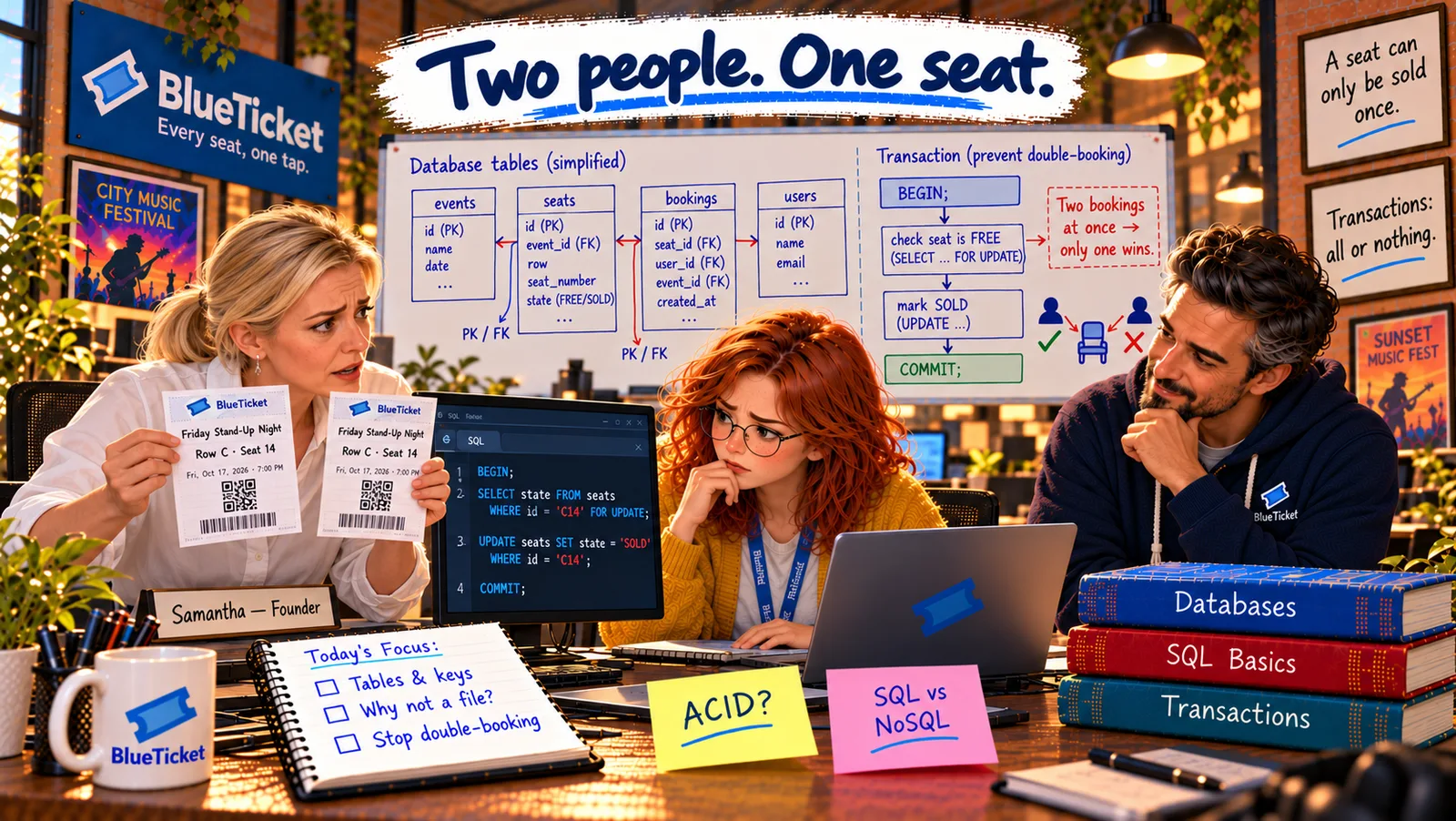
The kiosk, shipped: the kiosk now opens its connections through a pool, reads its connection string from a secret environment variable, and sells seats inside a transaction on the one shared database. Its old file is deleted. The next Friday, Row C, Seat 14 has exactly one person sitting in it.
Key Takeaway
Use plain files for data written once and read whole by one program — logs, configs, exports — and big media in object storage; use a database when many users change data at once, need flexible searching, strict rules or relationships. A database runs as its own server on a port; apps open connections to it using a secret connection string, and reuse a small connection pool — like a taxi stand — instead of opening a new connection for every request.
Why This Matters
Every backend you'll work on connects to a database this way, and many real outages are connection problems, not query problems: a pool too small, too many connections, a wrong or leaked connection string. Getting files-vs-database, connections and pools right is part of building systems that survive real traffic — exactly what BlueTicket needs next.
The venue's double booking will never happen again, and Anna understands databases from the table up to the connection. Before moving on to how the whole system is designed for Sale Day, John asks her to design BlueTicket's core tables from scratch.