

In this chapter
We'll learn how software versions work — semantic versioning explained as changes to a building — why lock files exist (an exact recipe with brand and batch number), what node_modules is, and how virtual environments and version managers keep projects from clashing.
The Problem in Real Life
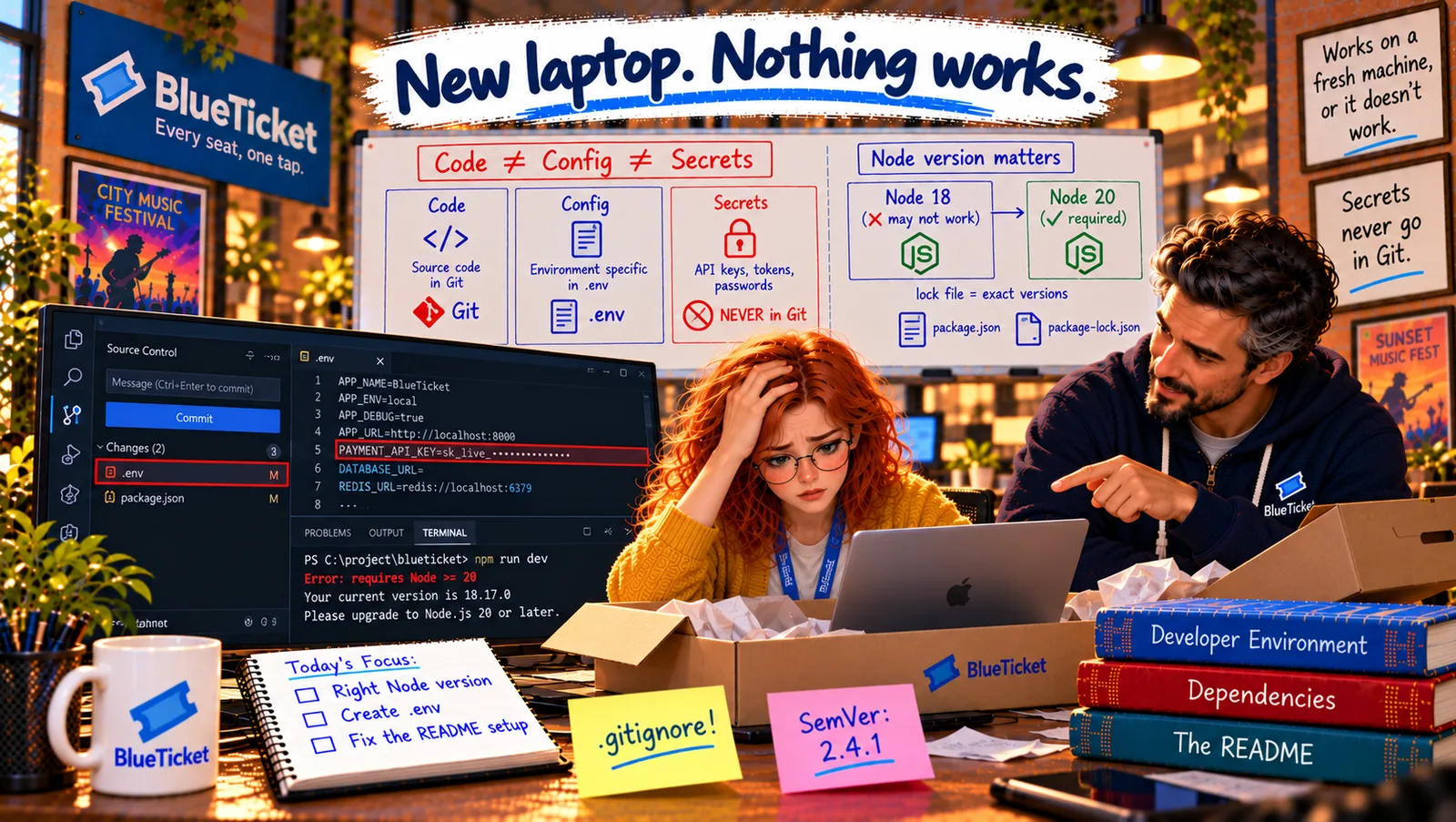
The warning on Anna's laptop: "Unsupported engine: package next@15.0.3 requires node >=20. Current: 18.17.0." And when she finally gets the app running, one page looks slightly different from Liam's. Her install picked up a newer minor version of a date library than his.
"Two problems, one cause," John says. "We let versions float. On a team, everyone's kitchen must have exactly the same ingredients — down to the batch number."
Same code, same command, slightly different app. How?
Anna
"Any Recent Version" vs. Exactly the Same Versions Everywhere
Versions drift
Allowing "any compatible version" means two installs a week apart can get different code.
Some updates break things
A new version can change how a package behaves — you need to know which updates are safe.
Projects need different versions
One project needs Node 20, an older one needs Node 18. Both must live on the same laptop.
Versions, Lock Files and Virtual Environments
Semantic versioning — the building analogy: most packages use semantic versioning (SemVer): three numbers, MAJOR.MINOR.PATCH, like 15.0.3. Each number tells you what kind of change happened — think of updates to a building you live in.
- PATCH (15.0.3 → 15.0.4) — fixing a leaky tap: bug fixes only. Nothing about how you use the building changes. Always safe to take.
- MINOR (15.0 → 15.1) — adding a new room: new features added, but every existing room stays where it was. Your old code keeps working. Usually safe.
- MAJOR (15 → 16) — rebuilding the floor plan: breaking changes — something you relied on was moved or removed. Your code may need changes. Upgrade on purpose, read the release notes, and test.
- Version ranges in package.json:
"^15.0.0"(caret) means "any 15.x.x — patches and minor updates OK, no major.""~15.0.0"(tilde) means "only 15.0.x — patches only.""15.0.3"with no symbol means exactly that version. Ranges are convenient, but they mean two installs on different days can get different versions — exactly Anna's problem.
| Part | Example | Building version | Safe to update? |
|---|---|---|---|
| PATCH | 15.0.3 → 15.0.4 | Fixing a leaky tap | Yes |
| MINOR | 15.0.4 → 15.1.0 | Adding a new room | Usually yes |
| MAJOR | 15.1.0 → 16.0.0 | Rebuilding the floor plan | Only on purpose, with testing |
| Written as | Allows | Example matches |
|---|---|---|
| ^15.0.0 | Minor and patch updates | 15.0.3, 15.2.0 — not 16.0.0 |
| ~15.0.0 | Patch updates only | 15.0.3 — not 15.1.0 |
| 15.0.3 | Exactly this version | 15.0.3 only |
| >=20 | This version or newer | 20, 21, 22... |
| File / folder | Commit it? | Why |
|---|---|---|
| package.json | Yes | The shopping list |
| package-lock.json | Yes | Exact versions — makes everyone identical |
| node_modules/ | No | Rebuilt from the two files above |
| .nvmrc | Yes | Which Node.js version the project uses |
| .venv/ (Python) | No | Each developer creates their own |
cat .nvmrc # 20 <- the Node version this project expectsnvm install # installs Node 20 (reads .nvmrc)nvm use # switch this terminal to Node 20node --version # v20.xrm -rf node_modules # throw out the old pantrynpm ci # install EXACTLY what package-lock.json saysnpm run dev # now identical to Liam's setup
python -m venv .venv # create a private pantry for this projectsource .venv/bin/activate # use it (Windows: .venv\Scripts\activate)pip install -r requirements.txt # install this project's packages into it
Lock file — the exact recipe, with brand and batch number: a shopping list that says "some pasta" gets you different pasta every week. A lock file writes down the exact version of every package that was installed — including all the transitive dependencies — plus a fingerprint (hash) of each file. npm's is package-lock.json (Yarn: yarn.lock, pnpm: pnpm-lock.yaml, Python tools: poetry.lock and others). When the lock file exists, everyone installs the identical set. Commit the lock file to Git — it's how the team and the servers stay identical. On servers and in automated builds, use npm ci, which installs strictly from the lock file and fails if anything doesn't match.
node_modules — the pantry filled from the list: node_modules is the folder where npm puts every installed package — the pantry the shopping arrives in. It can be hundreds of megabytes and is fully rebuilt from package.json + package-lock.json, so it's never committed (it's in .gitignore, Act 15). If it ever gets into a strange state, the classic fix is to delete it and run npm install (or npm ci) again.
Virtual environments — a separate pantry for each project: if two Python projects shared one pantry, project A's Django 4 and project B's Django 5 would clash. A Python virtual environment (python -m venv .venv) gives each project its own private set of installed packages. You "activate" it while working on that project. In Node.js, each project already has its own node_modules, so packages don't clash — but Node itself does: one project needs Node 20, another Node 18. A version manager like nvm (or fnm, Volta) lets you install several Node versions and switch per project, often automatically from a small .nvmrc file in the project.
Anna's fix: she installs nvm, runs nvm install (which reads .nvmrc → Node 20), deletes node_modules, and runs npm ci so she gets exactly the versions in the lock file. Her app now matches Liam's to the last package. John notices the lock file wasn't up to date in Git — someone had added a package without committing the lock file — and fixes that too.
Key Takeaway
Semantic versioning is MAJOR.MINOR.PATCH: patch fixes a leaky tap (safe), minor adds a room (usually safe), major rebuilds the floor plan (breaking). Ranges like ^ allow updates, so a committed lock file records the exact version of every package — install from it with npm ci. node_modules is rebuilt from these files and never committed. Virtual environments (Python) and version managers like nvm (Node) keep each project's versions from clashing.
Why This Matters
"It works on my machine" is very often a version problem. Semantic versioning tells you which updates are safe; committed lock files and npm ci make every laptop and every server install the same thing; version managers and virtual environments let you work on many projects at once. In Act 19, BlueTicket's build pipeline relies on exactly this to make every deployment predictable.
The app runs on Anna's new laptop exactly like everyone else's. It took her most of a morning. She opens the project's README to see why — and finds that its setup instructions are two years old.