

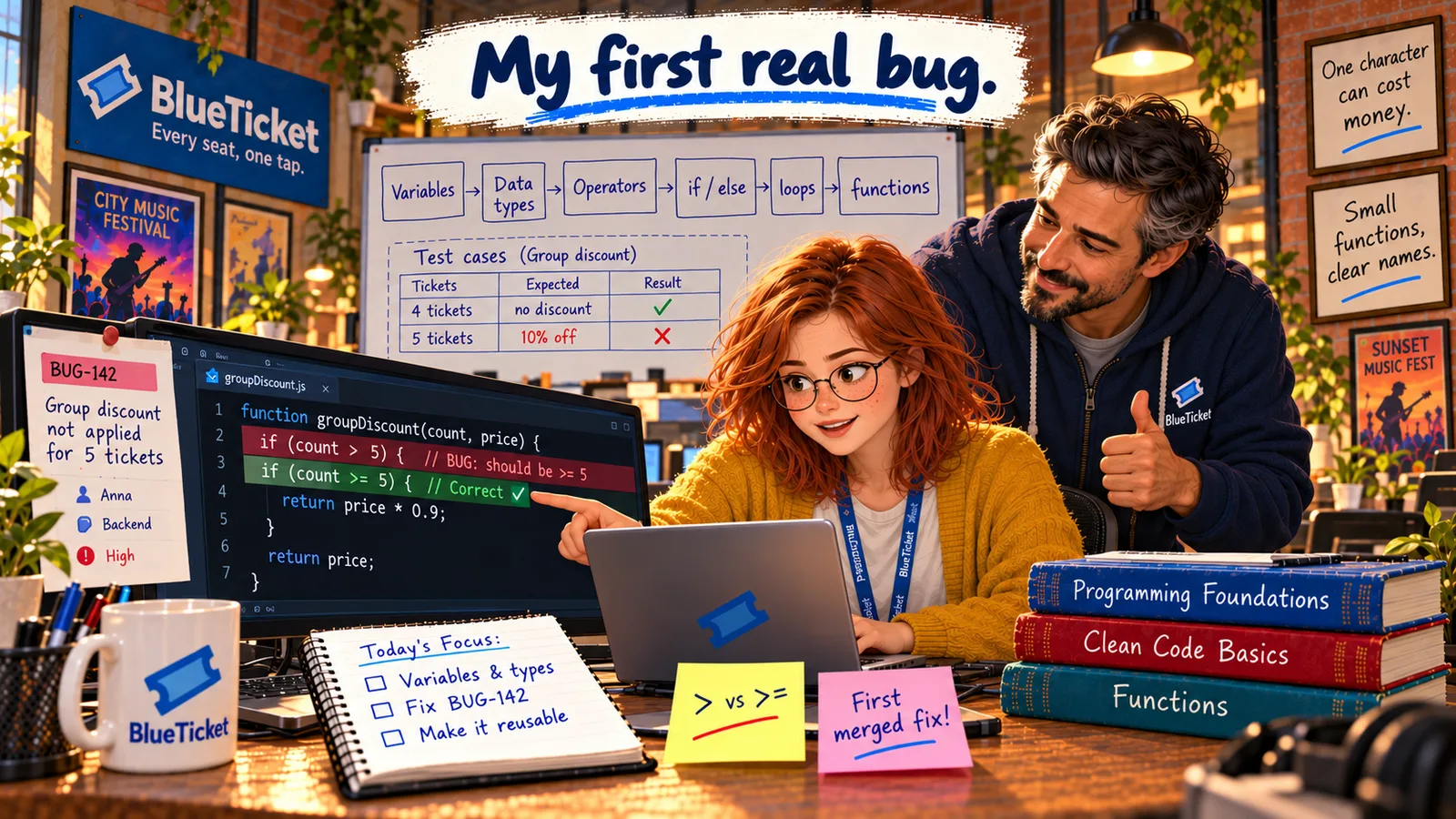
In this chapter
We'll learn how programs remember values — variables and constants — and the basic data types every language has: numbers (integers and floats), strings, booleans, arrays and objects.
The Problem in Real Life
The pricing code starts like this:
const GROUP_SIZE = 5; · let count = order.tickets.length; · let price = event.priceCents; · let isStudent = user.isStudent;
"What are let and const?" Anna asks. "And why does order.tickets.length have dots in it?"
Before code can do anything, it has to remember things. That's what these lines do.
John
"Some Values" vs. Named, Typed Data
Programs need memory
To work with a price or a ticket count, the program must store it somewhere and give it a name.
Not all values are the same kind
A number, a name and a yes/no answer are stored and handled differently.
Mixing types causes bugs
"5" (text) and 5 (a number) look the same to people but not to computers.
Variables, Constants and Data Types
A variable is a named place in memory that holds a value — like a labelled box. You give it a name, put a value in it, and later read or change the value by using the name.
In JavaScript you create one with let: let count = 5; means "make a box called count and put 5 in it." Later, count = 6; replaces the value. The = here does not mean "equals" like in maths — it means "put this value into this box." That's called assignment.
A constant is a box whose value can't be changed after it's set. In JavaScript you use const: const GROUP_SIZE = 5;. Use constants for values that should never change while the program runs — they protect you from changing them by accident, and they give a magic number a meaningful name. Many teams write fixed settings in CAPITAL letters.
Every value has a data type — what kind of value it is. The type decides what you can do with it. Here are the basic types you'll meet in almost every language:
- Integer: a whole number — 5, 0, -12. Used for counts, ages, IDs, and prices in cents (Act 03).
- Float (floating-point number): a number with a decimal point — 0.9, 3.14. Used for measurements and percentages. Remember Act 03: floats can be slightly inexact. (JavaScript uses one
numbertype for both integers and floats; many other languages keep them separate.) - String: text, written in quotes —
"Zoë Adams","C14". Called a string because it's a string of characters. - Boolean: only two possible values —
trueorfalse. Named after the mathematician George Boole. Perfect for yes/no facts:isStudent,isPaid,isSeatFree. - Array: an ordered list of values, in square brackets —
["A12", "A13", "A14"]. Each item has a position number called an index, and counting starts at 0: the first item isseats[0]..lengthtells you how many items there are. - Object: a group of named values that belong together, in curly brackets —
{ name: "Zoë", isStudent: true }. Each name–value pair is a property, and you read one with a dot:user.isStudent. That's what the dots in the pricing code are.
| Type | Example | Used for |
|---|---|---|
| Integer | 5, 4999, -12 | Counts, IDs, prices in cents |
| Float | 0.9, 3.14 | Percentages, measurements |
| String | "Zoë Adams" | Names, text, codes like "C14" |
| Boolean | true / false | Yes/no facts: isStudent, isPaid |
| Array | ["A12", "A13"] | Ordered lists: seats, tickets |
| Object | { name: "Zoë", isStudent: true } | Things with several named details |
| Expression | Result | Why |
|---|---|---|
| 5 + 1 | 6 | Two numbers: addition |
| "5" + "1" | "51" | Two strings: joined together |
| "5" + 1 | "51" | JavaScript turns the number into text |
| Number("5") + 1 | 6 | Convert the string to a number first |
const GROUP_SIZE = 5; // a constant: never changeslet count = 5; // number (integer)let priceCents = 4999; // number: 49.99 stored as centslet discount = 0.9; // number (float)let eventName = "Comedy Night"; // stringlet isStudent = false; // booleanlet seats = ["A12", "A13", "A14"]; // array — seats[0] is "A12"let user = { name: "Zoë", isStudent: true }; // object — user.name is "Zoë"typeof eventName // "string"seats.length // 3
So let count = order.tickets.length; means: "in the order object, take the tickets array, count its items, and store that number in a variable called count."
Why types matter: the same symbol can do very different things with different types. With numbers, 5 + 1 is 6. With strings, "5" + "1" is "51" — the text is stuck together. This causes real bugs, because values typed into a web form always arrive as strings, even when they look like numbers. Before doing maths on them, you convert them: Number("5") gives the number 5. JavaScript also lets you check a value's type with typeof.
Some languages (like TypeScript, Java and C#) make you declare each variable's type and check it before running — so a whole class of these bugs is caught early. That's one big reason BlueTicket writes TypeScript.
Anna reads through the variables. count is a number, price is an integer in cents, isStudent is a boolean. Nothing wrong here. The bug must be in what the code does with these values.
Key Takeaway
A variable is a named box holding a value; let creates one you can change, const one you can't. Every value has a data type — integer, float, string, boolean, array or object — and the type decides what operations make sense. Mixing types, like text "5" and the number 5, is a classic source of bugs.
Why This Matters
Every program, in every language, is built on these few types. A ticket is an object; a cart is an array of tickets; a price is an integer; "is this seat free?" is a boolean. Choosing the right type — and noticing when a string sneaks in where a number should be — prevents a huge number of bugs before they ever reach customers.
The values are fine. Anna scrolls down to where the code actually makes a decision about the discount — and the line that compares count with GROUP_SIZE.