

In this chapter
We'll learn what a bug really is — the gap between what software should do and what it does — and the main kinds of bugs you'll meet: syntax, runtime, logical, build, dependency, configuration and network errors, sorted like a doctor sorts symptoms.
The Problem in Real Life
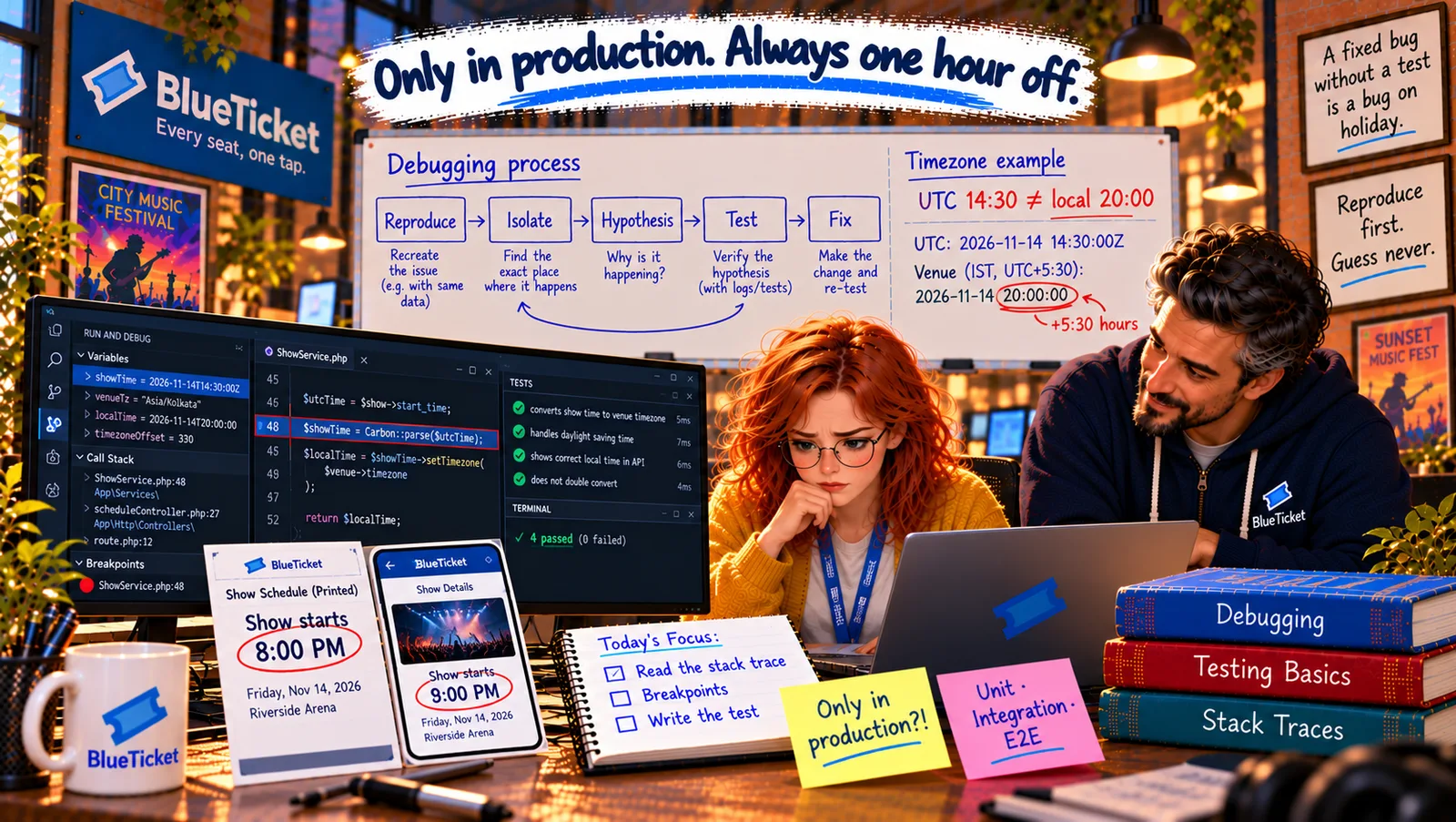
Month eight. A message arrives from the box office at the Riverside Arena in London: "Your app tells fans our Saturday show starts at 9:00 PM. It starts at 8:00 PM. People will miss the first hour." Two more venues report the same thing within the hour.
Anna opens the event page on her laptop. 8:00 PM. Correct. Liam checks on his: 8:00 PM. Then she opens the real website, blueticket.example, on her phone: 9:00 PM. "It's only wrong in production," she says, "and always by exactly one hour."
Samantha stops by: "Three hundred fans have tickets for that show. Find it today, please." John pulls up a chair. "Good. A bug with a pattern is a bug that wants to be found. Let's do this properly."
Reproduce first. Guess never.
John
"It's Broken!" vs. Knowing What Kind of Broken
"It doesn't work" isn't a description
To fix a bug, you first have to say exactly what's wrong: what should happen, and what happens instead.
Bugs come in different kinds
A typo, a crash, a wrong answer and a missing setting are found in completely different ways.
The symptom isn't the cause
"Wrong time on the page" is what you see. Why it's wrong is the real question.
What Is a Bug, and What Kinds Are There?
A bug is a gap: a bug is any difference between what the software should do and what it actually does. "The show starts at 8:00 PM, but the page says 9:00 PM" is a perfect bug description: expected result, actual result. Everything in debugging starts from that gap.
The doctor analogy: a good doctor doesn't just say "you're ill". They first ask what kind of problem it is — an infection, a broken bone, an allergy — because each kind is found and treated differently. Bugs are the same. Knowing the kind of bug tells you where to look first.
- Syntax error — a spelling mistake in the recipe: the code breaks the language's grammar rules (Act 07): a missing bracket, a misspelled keyword. The program won't even start, and the error message usually points to the exact line. Easiest kind to fix.
- Runtime error — the recipe crashes while cooking: the code is valid, but something goes wrong while it runs: reading a property of something that doesn't exist, dividing by zero, a file that isn't there. The program stops with an error and a stack trace (next chapter).
- Logical error — the recipe works but the dish tastes wrong: no crash, no error message — just the wrong result. Act 07's BUG-142 (a wrong discount) was one. These are the hardest, because nothing tells you something is wrong; only a person or a test notices.
- Build error — the kitchen can't even prepare the dish: the code can't be turned into a runnable app: a TypeScript type error, a missing import, a failed compile step (Act 19's pipeline stops here).
- Dependency error — a wrong or missing ingredient: a package is missing, the wrong version, or incompatible with your Node version — exactly what Anna fought on her new laptop in Act 16.
- Configuration error — the right recipe in the wrong kitchen settings: the code is fine, but a setting is wrong or missing: a wrong database URL, a missing environment variable, a wrong timezone on a server (Act 16).
- Network error — the delivery never arrives: the code is fine, but talking to another machine fails: a timeout, DNS failure, a refused connection (Acts 11 and 12).
| Kind | Kitchen version | What you see | Example |
|---|---|---|---|
| Syntax | Spelling mistake in the recipe | Won't start; error points to a line | Missing closing bracket |
| Runtime | Crashes while cooking | Error + stack trace while running | Reading .name of null |
| Logical | Dish tastes wrong | Wrong result, no error at all | Wrong discount, wrong time |
| Build | Can't prepare the dish | Build or compile step fails | TypeScript type error |
| Dependency | Wrong ingredient | Install or import fails | Package needs Node 20 |
| Configuration | Wrong kitchen settings | Works in one place, not another | Missing DATABASE_URL |
| Network | Delivery never arrives | Timeouts, connection refused | Payment API unreachable |
| Field | Value |
|---|---|
| Title | Show times one hour late in production |
| Steps to reproduce | Open the Riverside Arena event page on blueticket.example |
| Expected | Show starts 8:00 PM |
| Actual | Show starts 9:00 PM |
| Where | Production only — correct on developer laptops |
| Scope | Every show checked, at every venue |
One bug can involve two kinds: real bugs don't always fit neatly into one box. BlueTicket's hour bug has no crash and no error message — so it's a logical error (wrong result). But it appears only in production, which is a big clue that a configuration difference between laptops and servers is involved. Keep that clue in mind; it will matter in chapter four.
Writing the bug down properly: before touching any code, Anna writes the ticket. Title: Show times one hour late in production. Steps: open the Riverside Arena event page on blueticket.example. Expected: 8:00 PM. Actual: 9:00 PM. Where: production only — local and Liam's laptop are correct. How many: every show at every venue checked so far. That last line is important: a bug that affects every show is not about one bad record in the database.
Key Takeaway
A bug is the gap between what software should do and what it does — so always write down the expected result and the actual result. Like a doctor sorting symptoms, sort bugs by kind: syntax (won't start), runtime (crashes while running), logical (wrong result, no error), build, dependency, configuration and network errors. The kind tells you where to look first; "only in production" points towards configuration.
Why This Matters
Every developer spends a big part of their working life debugging. Juniors who can describe a bug clearly — expected, actual, where, how many — and guess its kind are far more useful than those who just say "it's broken". A clear ticket is often half of the fix.
No crash, so no error message to read for this bug. But John wants Anna to look at the production logs anyway — logs often contain clues nobody was looking for. And they do: a line about the server's timezone, and, a few lines above it, a red error she has never seen before.