

In this chapter
We'll learn how computers find each other: IP addresses (the postal address of a building), IPv4 and IPv6, MAC addresses (a device's name tag inside the building), ports (the apartment or desk number) and sockets (one specific conversation).
The Problem in Real Life
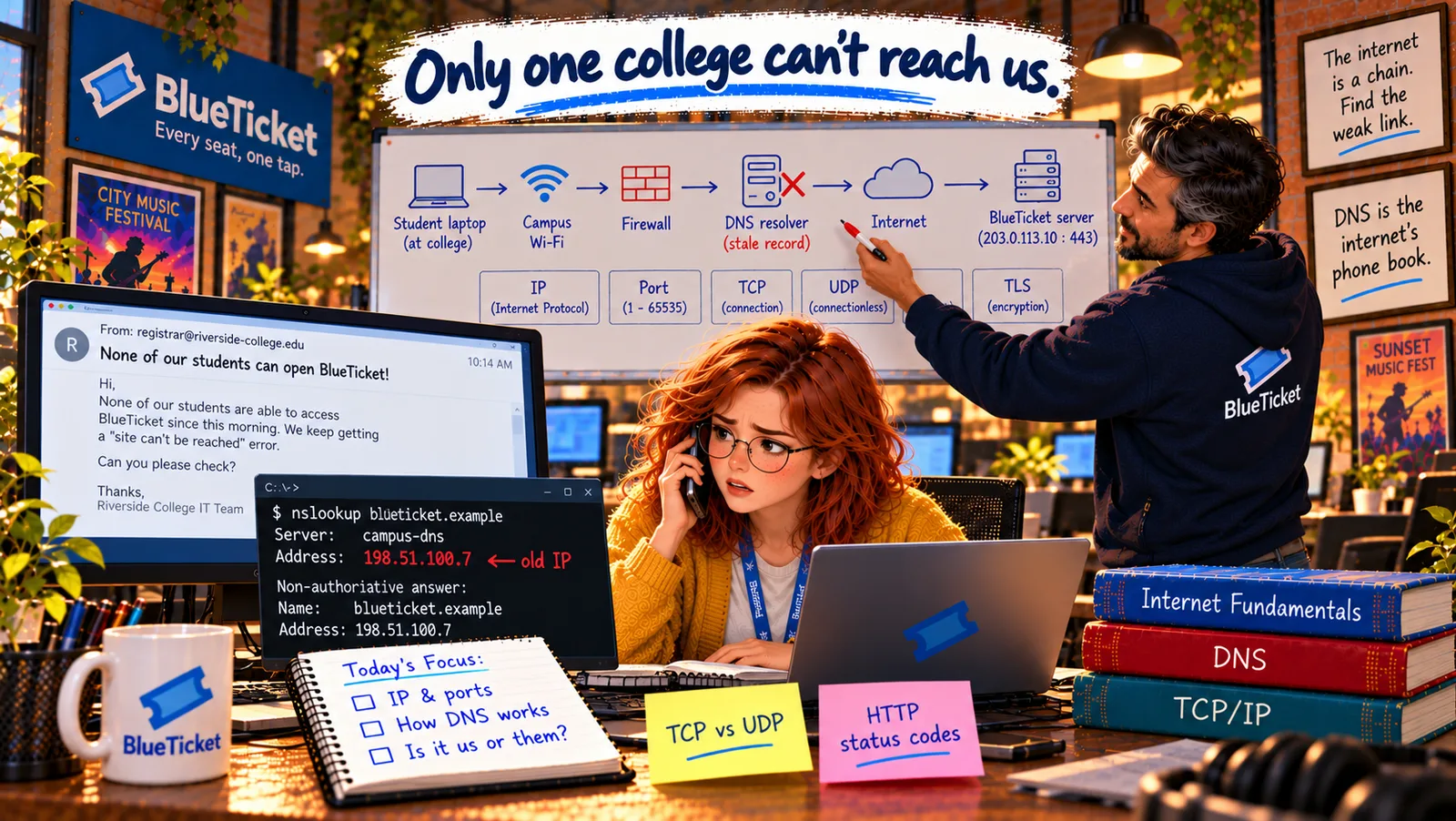
John asks the Northgate IT team to run one command on a campus computer and send back the result. When it arrives, Anna reads it out: "It says it's trying to connect to 198.51.100.7 on port 443."
John raises an eyebrow. "That's interesting. Our server's address is 203.0.113.10." Anna looks at the two numbers. They mean nothing to her yet — but they're clearly not the same.
So the students' laptops are knocking on the wrong door?
Anna
"Connect to BlueTicket" vs. Exactly Which Door to Knock On
Every device needs an address
To deliver data, the network needs to know exactly which computer — and which program on it — should receive it.
Several kinds of address
IP addresses, MAC addresses and ports each answer a different part of "where exactly?"
A wrong number is a clue
The students are connecting to an address that isn't BlueTicket's current server.
IP Addresses, MAC Addresses, Ports and Sockets
John goes back to the postal picture. "A letter to someone in a big office building needs more than one piece of address: the building's street address, the office number inside it, and who it's for." Network addresses work in layers in exactly the same way.
- IP address — the building's street address: an IP address identifies a device on a network so data can be routed to it, the way a street address lets the post find a building anywhere in the world. Every device connected to the internet uses one. BlueTicket's server is at
203.0.113.10. - IPv4 — the old address format: an IPv4 address is four numbers from 0 to 255, separated by dots:
203.0.113.10. Each number is one byte (Act 03), so the whole address is 32 bits, which allows about 4.3 billion addresses. That sounded like plenty in the 1980s. Today there are far more devices than that, so IPv4 addresses ran out. Homes and campuses get around it by sharing one public address among many devices — like one building address shared by every office inside. - IPv6 — the new, much longer format: an IPv6 address is 128 bits, written as eight groups of hex digits (Act 03) separated by colons, like
2001:db8:85a3::8a2e:370:7334(a::means "a run of zeros here"). It allows so many addresses — about 340 undecillion, a number with 39 digits — that every device on Earth could have billions. Both formats are in use today, side by side. - MAC address — the name tag inside the building: a MAC address is a hardware ID built into every network card (Act 02), like
3C:22:FB:9A:10:7E. It's used to deliver data inside a local network — from the campus Wi-Fi router to one particular laptop — like the name on an employee badge that the building's mail room uses. It never travels beyond the local network; out on the internet, only IP addresses matter. - Port — the apartment or desk number: one server runs many programs at once — a web server, an email server, a database. A port is a number from 0 to 65,535 that says which program on that computer should receive the data, like an apartment number in a building. Common ones are standard: 80 for HTTP, 443 for HTTPS, 22 for SSH (Act 06), 5432 for the PostgreSQL database.
203.0.113.10:443means "building 203.0.113.10, apartment 443." - Socket — one specific conversation: a socket is one end of a live connection, identified by an IP address plus a port. A conversation between two computers is a pair of sockets — like a phone call between two particular phone numbers. When a student's browser talks to BlueTicket, its laptop opens a socket (say
10.4.2.31:52814, a temporary port picked by the laptop) connected to the server's socket203.0.113.10:443. Thousands of students can talk to the same server port at once, because each conversation has a different pair of sockets.
| Address | Everyday version | Example | Used for |
|---|---|---|---|
| IP address | Building's street address | 203.0.113.10 | Finding a computer across networks |
| MAC address | Name badge inside the building | 3C:22:FB:9A:10:7E | Delivery inside one local network |
| Port | Apartment or desk number | 443 | Choosing the program on the computer |
| Socket | One phone call between two numbers | 203.0.113.10:443 | One end of a live conversation |
| Feature | IPv4 | IPv6 |
|---|---|---|
| Example | 203.0.113.10 | 2001:db8:85a3::8a2e:370:7334 |
| Size | 32 bits (4 numbers, 0–255) | 128 bits (8 groups of hex) |
| How many addresses | About 4.3 billion — ran out | About 340 undecillion — practically unlimited |
| Status | Still most common | Growing, used side by side |
| Port | Used by |
|---|---|
| 80 | HTTP — normal web traffic |
| 443 | HTTPS — secure web traffic |
| 22 | SSH — remote terminal (Act 06) |
| 5432 | PostgreSQL database |
| 3000 | Common for apps in development (localhost:3000) |
Layers of address for one request
IP address: 203.0.113.10
which computer — the building's street address
Port: 443
which program — the apartment number (HTTPS)
Socket: 203.0.113.10:443
this end of the conversation
MAC address
used only for the last hop inside each local network
Private and public addresses: addresses like 10.x.x.x and 192.168.x.x are private — used only inside a local network, like internal office numbers. The campus router translates them into the college's single public address when traffic leaves the campus. That's why every student on campus looks like the same address to BlueTicket.
Back to the clue: the campus computers are trying to reach 198.51.100.7. John checks the infrastructure notes and finds it: 198.51.100.7 was BlueTicket's old server. Last weekend the team moved the site to a new server at 203.0.113.10, and the old one was switched off on Monday. So the students' laptops are knocking on the door of a building that's now empty — and waiting, and waiting, until they give up with "took too long to respond."
But why would only Northgate still use the old address? Nobody types IP addresses into a browser. Students type blueticket.example. Something turns that name into an address — and on the Northgate campus, it's giving the old one.
Key Takeaway
An IP address is a device's street address on a network (IPv4: four numbers like 203.0.113.10, about 4.3 billion possible; IPv6: much longer, practically unlimited). A MAC address is a hardware name tag used only inside a local network. A port picks which program on the computer should receive the data (443 for HTTPS), and a socket — an IP plus a port — is one end of one specific conversation.
Why This Matters
Addresses and ports appear in almost every network problem: "connection refused" on a wrong port, a service that only listens on localhost, a firewall that blocks a port, a server that moved to a new IP. In Act 19, Anna will configure exactly these when she deploys; in Act 14, a load balancer will spread students across several servers' addresses.
The students' laptops are using the old address because something keeps telling them that blueticket.example lives at 198.51.100.7. That something is the internet's phone book — and it's the next chapter.