

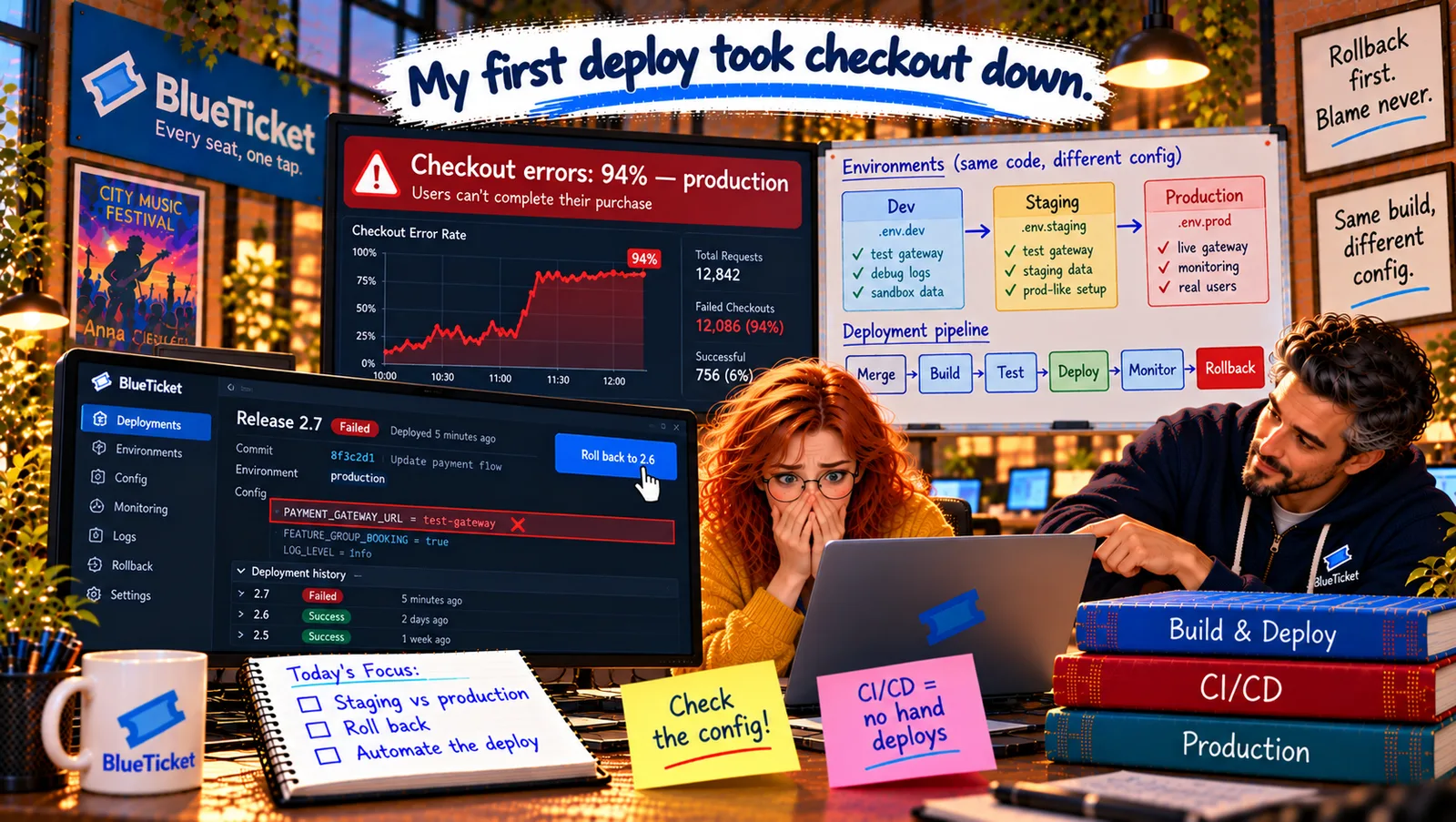
In this chapter
We'll learn how teams let machines do the risky, repetitive work of releasing software — continuous integration, continuous delivery and continuous deployment — explained as a factory assembly line with quality checks at every station, and build BlueTicket's pipeline.
The Problem in Real Life
John writes the old deploy notes on the whiteboard. Seventeen manual steps. "Build on your laptop. Upload. Copy settings. Restart server one. Check. Restart server two..." He crosses them all out with one line.
"Humans are great at thinking and terrible at doing the same seventeen steps perfectly every Friday afternoon. Machines are the opposite. So let's give the boring part to a machine."
If a step can be forgotten, a machine should do it.
John
Seventeen Manual Steps vs. An Automatic Assembly Line
Manual steps get skipped
Tired people forget a step, copy the wrong value or deploy the wrong build.
Changes collide late
If developers merge rarely, their changes clash in big painful batches.
Slow, scary releases
Releasing by hand is slow, so teams release rarely — which makes each release bigger and riskier.
Continuous Integration, Delivery and Deployment
The assembly line analogy: a car factory doesn't let workers build cars however they like. Every car moves down the same assembly line, through the same stations, with a quality check at each one. A car with a problem is stopped at that station and never reaches a customer. CI/CD is an assembly line for code. The pipeline is the line, each step is a station, and a failed check stops the line.
- Continuous Integration (CI) — every part checked as it arrives: developers merge small changes into
mainoften — at least daily. Every push and pull request automatically triggers the pipeline: install dependencies, check formatting and code style (lint), build, and run all the tests (Act 17). If anything fails, the PR shows a red cross and can't be merged (Act 18's "all checks passed"). Problems are caught within minutes, while the change is small and fresh in the developer's mind. - Continuous Delivery — every car ready to ship: after CI, the pipeline goes further: it builds the artifact, deploys it to staging automatically, and runs more checks there. The result is that
mainis always ready to release. Releasing to production is then a single button that a person presses when the business is ready. - Continuous Deployment — cars drive straight to customers: the same, but without the button: every change that passes every check goes to production automatically, often many times a day. This needs very good tests and monitoring, and automatic rollback when health checks fail.
- The pipeline file — the line's instructions: pipelines are described in a file in the repository — so the process itself is versioned and reviewed like code. Common tools: GitHub Actions, GitLab CI, Jenkins, CircleCI.
- Secrets in the pipeline: the pipeline needs keys to deploy, but they're never in the pipeline file. They're stored in the CI tool's protected secrets settings, separately for each environment (chapter two and Act 16).
| Practice | Assembly-line version | What's automatic | Who releases to production? |
|---|---|---|---|
| Continuous integration | Every part checked on arrival | Build + tests on every push and PR | Not covered |
| Continuous delivery | Every car ready to ship | + artifact, staging deploy, checks | A person presses a button |
| Continuous deployment | Cars drive to customers | + production deploy | Nobody — it's automatic |
| Feature | Before (by hand) | After (pipeline) |
|---|---|---|
| Build made | On a laptop | On a clean build machine, once |
| Settings | Copied between environments | Stored per environment |
| Tests | If someone remembered | Every time, or no merge |
| Steps | 17, by hand | 1 button |
| Rollback | By hand, under stress | Automatic if unhealthy, or one click |
BlueTicket's CI/CD pipeline
Pull request
npm ci · lint · build · test
Merge to main
only if all green
Build artifact once
v2.8.0
Deploy to staging
staging settings + E2E test
Press "Deploy to production"
same artifact, production settings
Rolling deploy + monitor
auto-rollback if unhealthy
name: ci-cdon:pull_request:push:branches: [main]jobs:test: # continuous integrationruns-on: ubuntu-lateststeps:- uses: actions/checkout@v4- uses: actions/setup-node@v4with: { node-version-file: .nvmrc }- run: npm ci- run: npm run lint- run: npm run build- run: npm testdeploy-staging: # continuous deliveryif: github.ref == 'refs/heads/main'needs: testenvironment: staging # staging's own secrets and settingsruns-on: ubuntu-lateststeps:- run: ./scripts/deploy.sh stagingdeploy-production:needs: deploy-stagingenvironment: production # protected: needs a person to approveruns-on: ubuntu-lateststeps:- run: ./scripts/deploy.sh production
Each job is a station. A failure stops the line. Production's settings and secrets are attached to the "production" environment, never copied from staging.
BlueTicket's new pipeline: on every pull request: install with npm ci, lint, build, test — must be green to merge. On every merge to main: build the artifact once, deploy it to staging with staging's settings, run a short end-to-end test (Act 17), and wait. To release, Samantha or a developer presses "Deploy to production": the same artifact goes out as a rolling deploy with production's settings, the start-up check runs on each server, and monitoring watches the error rate for ten minutes. If health checks fail, the pipeline rolls back by itself. (That's continuous delivery — BlueTicket wants a human to choose the moment of a release, for now.)
The close: the next release, v2.8.0, goes out on a Thursday afternoon. Anna presses one button. Four servers turn green, one by one. Nobody copies anything anywhere. She takes the old seventeen-step deploy notes off the wiki and replaces them with one line: "Press Deploy. The pipeline does the rest."
Key Takeaway
CI/CD is an assembly line for code with a quality check at every station. Continuous integration: merge small changes often, and every push is automatically built and tested. Continuous delivery: every passing change is also packaged and deployed to staging, so main is always releasable with one button. Continuous deployment: no button — every passing change goes to production automatically. The pipeline is defined in a file in the repo, and its secrets live in the CI tool, per environment.
Why This Matters
Almost every professional team uses CI, and most use some form of continuous delivery. As a developer, you'll see pipeline results on every pull request from your first week, and you'll often need to read why a pipeline failed. Teams that automate releases deploy more often, with smaller changes and fewer incidents — exactly the opposite of what feels intuitive.
Anna's first deploy took checkout down. Her second one, through the pipeline, went out with one button and nothing to fear. John has one more exercise for her: design the whole path from a merged pull request to production — including the way back.