

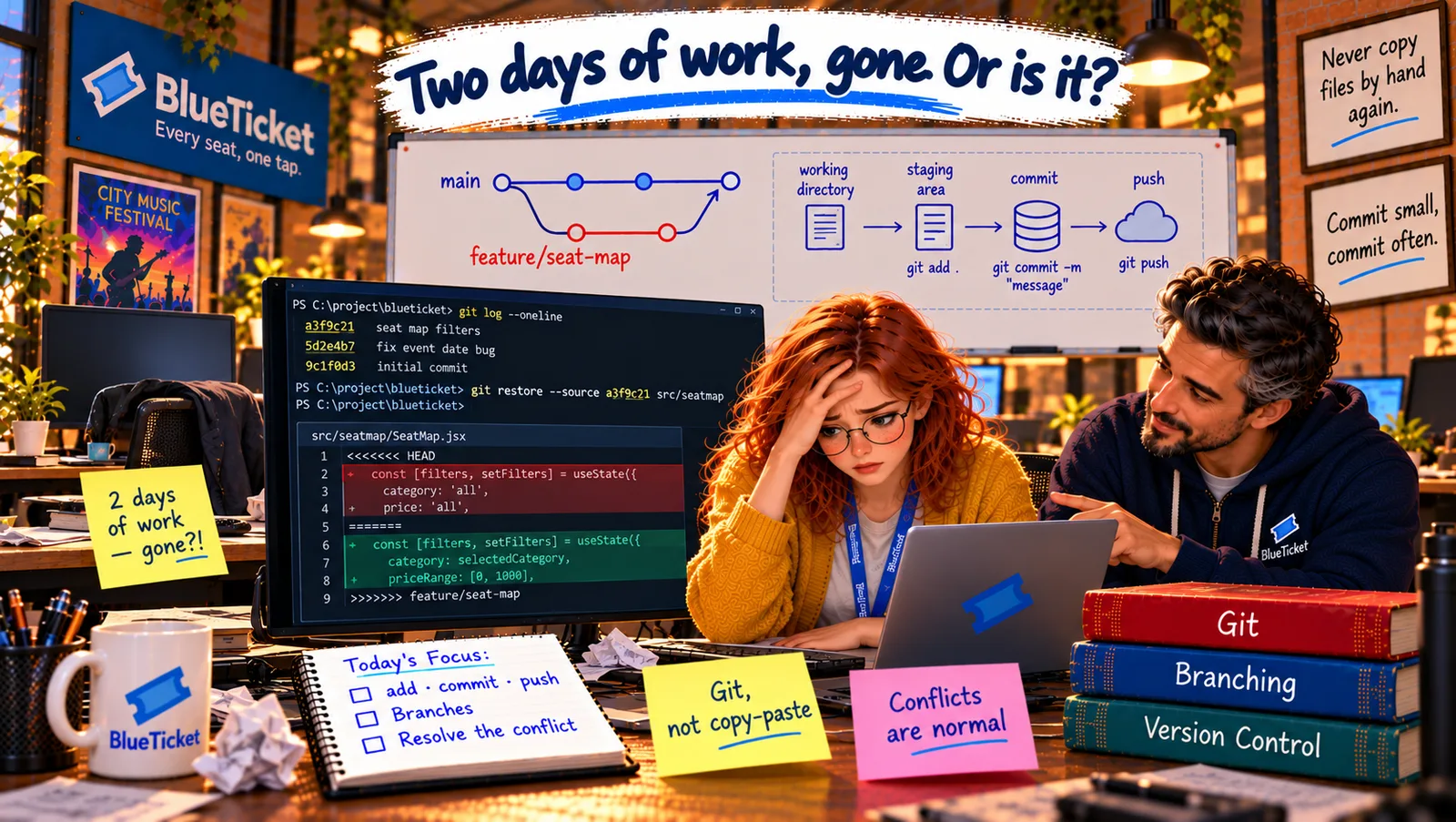
In this chapter
We'll learn the handful of Git commands you'll type every day — init, clone, status, add, commit, push and pull — each read as a plain-English sentence, plus how to write a good commit message and what .gitignore is for.
The Problem in Real Life
John writes a list on a sticky note and puts it on Anna's monitor: status, add, commit, push, pull. "These five, plus clone and init once in a while, are ninety percent of Git for most developers. Learn them as sentences, not spells."
Anna has typed some of them before — copied from a README. This time, she wants to know exactly what each one says.
Every Git command is just a short instruction. Read it out loud and it makes sense.
John
Typing Magic Words vs. Knowing What Each Command Says
A small daily vocabulary
A few commands cover almost everything you'll do with Git each day.
Some files must never be committed
Secrets and huge generated folders must stay out of the repository.
History is read by people
Commit messages are how your teammates — and future you — understand what happened.
Everyday Git Commands
Read each command as a sentence, the way you read terminal commands in Act 06. Here's a whole day of Git, in order.
git init: "Start tracking this folder with Git." Creates a new, empty repository (the hidden.gitfolder) in the current folder. You use it when starting a brand-new project — rarely, compared withclone.git clone <url>: "Make me a full copy of this remote project." Used once per project (last chapter).git status: "What's going on right now?" Shows which branch you're on, which files changed, which are staged, and whether you're ahead of or behind the remote. Run it constantly — it's your "where am I?", likepwdin Act 06.git add <file>: "Put this change in the box for my next commit."git add .means "everything that changed in this folder" — convenient, but look atgit statusfirst, as this morning taught.git commit -m "message": "Seal the box as a save point, with this label."git push: "Send my new commits to the shared master copy." After this, teammates can get them.git pull: "Bring everyone else's new commits from the master copy into my copy." Do it before starting new work, so you're building on the latest version.
| You type | Read it as | How often |
|---|---|---|
| git init | Start tracking this folder | Rarely — new projects |
| git clone <url> | Copy this remote project | Once per project |
| git status | What's going on right now? | Constantly |
| git add <file> | Put this change in the box | Every commit |
| git commit -m "..." | Seal the box as a save point | Many times a day |
| git push | Share my commits | Several times a day |
| git pull | Get everyone else's commits | Several times a day |
| Bad | Good |
|---|---|
| fixed stuff | Fix group discount for exactly 5 tickets |
| update seat map | Add price filter to seat map |
| changes | Move SMS sending to a background queue |
| asdf | Restore seat-map filters overwritten in previous commit |
| Pattern | Why it's ignored |
|---|---|
| node_modules/ | Huge, and recreated with npm install |
| .env | Contains secrets — passwords, API keys |
| *.log | Logs are generated while running, not source code |
| .DS_Store | A file macOS creates automatically |
| dist/ or build/ | Build output, recreated by the build (Act 19) |
A normal day with Git
git pull
get the team's latest commits
Edit files
your working directory
git status · git diff
look at exactly what changed
git add → git commit -m "..."
choose, then save a clear save point
git pull → git push
catch up, then share
git pull # get anything new from the team firstgit status # On branch main. Your branch is ahead of 'origin/main' by 1 commit.git push # send my restore commit to GitHub# On Liam's laptop, a minute later:git pull # his filters are back
# dependenciesnode_modules/# secrets — never commit these.env.env.local# generated filesdist/*.log.DS_Store
Lines starting with # are comments. A / at the end means "this folder"; * means "anything".
A normal day, in order: git pull (get the latest) → edit files → git status and git diff (look) → git add (choose) → git commit (save) → git pull again (in case others pushed meanwhile) → git push (share). Anna does exactly this with her restore commit: she pulls, pushes, and a minute later Liam pulls and sees his filters back on his own laptop.
The "do not pack" list: some files must never go into the repository, and .gitignore is how you say so. The huge node_modules folder from Act 04 — anyone can recreate it with npm install. Files your computer creates on its own, like .DS_Store or log files. And above all, secrets: the .env file with passwords and API keys (Act 16). A file called .gitignore in the project lists names and patterns Git should completely ignore — they never appear in git status, and git add . never picks them up. Once a secret is committed and pushed, it lives in the history forever, so this list matters.
Writing a good commit message: the history is read by people — your teammates during reviews, and you, months later, hunting a bug (Act 17). A good message has a short first line (about 50 characters) that says what the commit does, written as a command: "Fix group discount for 5 tickets," not "fixed stuff." If needed, add a blank line and a few sentences explaining why. A simple test: the first line should complete the sentence "If applied, this commit will..."
Anna looks back at her commit from this morning — "Update seat map" — and winces. It said nothing about what changed. If it had said "Replace seat-map folder with old local copy," someone might have spotted the problem immediately.
Key Takeaway
A handful of commands cover daily Git: init (start a repo), clone (copy a project), status (where am I?), add (choose changes), commit (save them with a message), push (share them) and pull (get others'). .gitignore lists files Git must never track — dependencies, generated files and especially secrets. A good commit message says what the commit does, as a short command, plus why if needed.
Why This Matters
These commands are the daily rhythm of every software team. Good habits here — pulling before working, looking before committing, clear messages, a proper .gitignore — prevent lost work, broken builds and leaked secrets. In Act 22, a payment key accidentally pushed to GitHub becomes a real security incident for BlueTicket; .gitignore is the first line of defence.
Anna is back in sync with the team. John has one more rule that would have prevented this morning entirely: never work directly on the shared main line. Work on your own branch.