

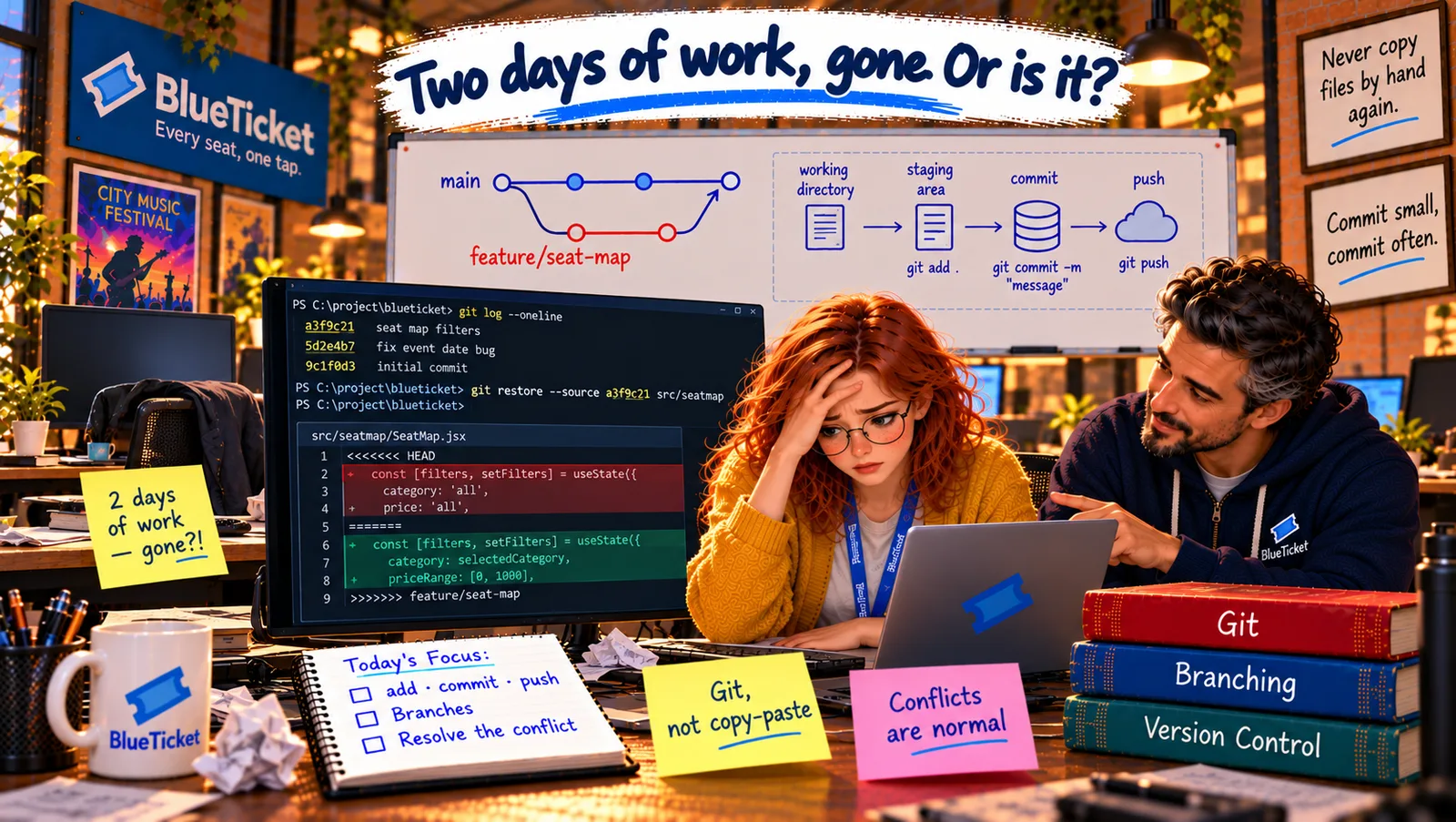
In this chapter
We'll learn what a merge conflict is — two people editing the same sentence of a shared document — why Git can't decide for you, how to read the conflict markers, the calm step-by-step way to resolve one, and how to make conflicts rare.
The Problem in Real Life
Two weeks later. Anna's branch add-group-booking changes the group-discount line in pricing.js to give colleges 15% off. Meanwhile Liam's branch, already merged into main, changed the same line to read the discount from a new settings file.
Anna updates her branch with the latest main: git merge main. The terminal answers: CONFLICT (content): Merge conflict in src/pricing.js. Automatic merge failed. Her heart sinks. It sounds like she broke something.
A conflict isn't an error. It's Git saying: "Two people changed the same line — you decide."
John
"Git Broke It" vs. Git Asking You a Question
Same line, two changes
Both branches changed the same lines, so Git can't know which version is right.
Strange symbols appear
Git marks the disagreement inside the file with <<<<<<<, ======= and >>>>>>> lines.
A human decides
You read both versions, choose or combine them, and tell Git it's resolved.
Merge Conflicts and How to Resolve Them
The shared document analogy: two people edit the same report. One fixes a typo on page 2; the other rewrites a paragraph on page 7. Combining them is easy — they changed different places. But if both rewrite the same sentence in different ways, someone has to read both and decide what the sentence should say. A merge conflict is exactly that moment.
Git merges automatically whenever two branches changed different lines — which is most of the time. It only stops and asks when both branches changed the same lines (or one changed a file the other deleted). It doesn't guess, because guessing wrong in code could quietly break things.
- Conflict markers — Git showing you both versions: inside the conflicted file, Git writes both versions between special lines. Everything between
<<<<<<< HEADand=======is your version (the branch you're on). Everything between=======and>>>>>>> mainis the other version (the branch you're merging in). The file won't work until you remove these markers. - Step 1 — don't panic, look: run
git status. It lists exactly which files have conflicts ("both modified"). Nothing is lost; both versions are right there. - Step 2 — understand both changes: read both sides and ask what each person was trying to do. Here: Anna wanted colleges to get 15%; Liam wanted discounts to come from the settings file. Both intentions are valid.
- Step 3 — decide and edit: keep one side, the other, or — very often — combine them. Delete the markers so the file is normal code again. Here, the right answer combines both: read the discount from settings (Liam's idea) and add a college rate there (her idea).
- Step 4 — tell Git it's resolved:
git add src/pricing.js("this file is fixed"), run the tests to make sure everything still works, thengit committo finish the merge. If you get lost,git merge --abortputs everything back exactly as it was before the merge, so you can start again calmly.
| What the two branches changed | Result |
|---|---|
| Different files | Merged automatically |
| Different lines of the same file | Merged automatically |
| The same lines of the same file | Conflict — you decide |
| One changed a file, the other deleted it | Conflict — you decide |
| Marker | Means |
|---|---|
| <<<<<<< HEAD | Start of your version (the branch you're on) |
| ======= | The divider between the two versions |
| >>>>>>> main | End of the other version (the branch being merged in) |
| Habit | Why it helps |
|---|---|
| Pull main into your branch daily | Small differences are easy to resolve |
| Keep branches small and short | Less time to drift apart |
| Talk before changing busy shared files | Avoid two people rewriting the same code |
| Don't mix reformatting with real changes | Reformatting touches every line |
Resolving a merge conflict
git merge main → CONFLICT
both branches changed the same lines
git status
which files are in conflict?
Read both sides
<<<<<<< yours ======= theirs >>>>>>>
Edit to the right result
keep one, the other, or combine — remove markers
git add → run tests → git commit
merge finished (or git merge --abort to start again)
<<<<<<< HEADconst GROUP_DISCOUNT = isCollege ? 0.85 : 0.9; // Anna: colleges get 15% off=======const GROUP_DISCOUNT = settings.groupDiscount; // Liam: read it from settings>>>>>>> main
// Discounts come from settings (Liam), with a separate college rate (Anna)const GROUP_DISCOUNT = isCollege? settings.collegeGroupDiscount // 0.85 in settings: settings.groupDiscount; // 0.9 in settings
Then: git add src/pricing.js, run the tests, and git commit to finish the merge.
Talk to the other person: when you don't understand the other side's change, ask them — a two-minute chat beats a wrong guess. Anna messages Liam; he explains the settings file, and together they agree on the combined version. Conflicts are a team conversation, not a solo puzzle.
Making conflicts rare: most conflicts come from branches that live too long and drift too far from main. Pull main into your branch often (daily), so you deal with small differences early. Keep branches small and short-lived — a few days, one feature. Communicate when you're about to change shared, busy files. And don't reformat whole files in the same branch as a real change — it touches every line and causes conflicts with everyone.
Her merge finishes: "Merge main into add-group-booking." The tests pass, the pull request shows a clean change, and the group-booking feature is ready for review. Anna writes one last line on her sticky note: Conflicts are normal. Read both sides.
Key Takeaway
A merge conflict happens when two branches changed the same lines, like two people rewriting the same sentence — Git won't guess, so it asks you. The file shows both versions between <<<<<<<, ======= and >>>>>>> markers. Resolve it calmly: check git status, understand both changes, edit the file to the right result (often a combination) and remove the markers, then git add, test and commit — or git merge --abort to start over. Small, short-lived branches that pull main often make conflicts rare.
Why This Matters
Every developer who works on a team meets merge conflicts — usually weekly. Handling them calmly, understanding both sides and talking to the other person is a mark of an engineer who's easy to work with. And the habits that prevent them — small branches, frequent pulls — are the same habits that make reviews and releases go smoothly (Acts 18 and 19).
Anna has gone from wiping out a teammate's work to resolving her first conflict in a team conversation. Before moving on, John sets her a practice run of the full cycle — with a conflict planted in it on purpose.