

In this chapter
We'll learn how containers are made and shared — Dockerfiles (the recipe), images (the frozen meal), containers (the meal being eaten), registries (the shared freezer) — plus how containers talk to each other and where their data lives.
The Problem in Real Life
John creates a new file in the worker's repository called Dockerfile — no extension, capital D. "This is the recipe. Ten lines. Everything the worker needs, written down once, so no human ever installs Node on a server by hand again."
Anna notices the first line: FROM node:20-slim. "So that's where Node 20 comes from?" "Exactly. The box brings its own Node. The server's Node version stops mattering."
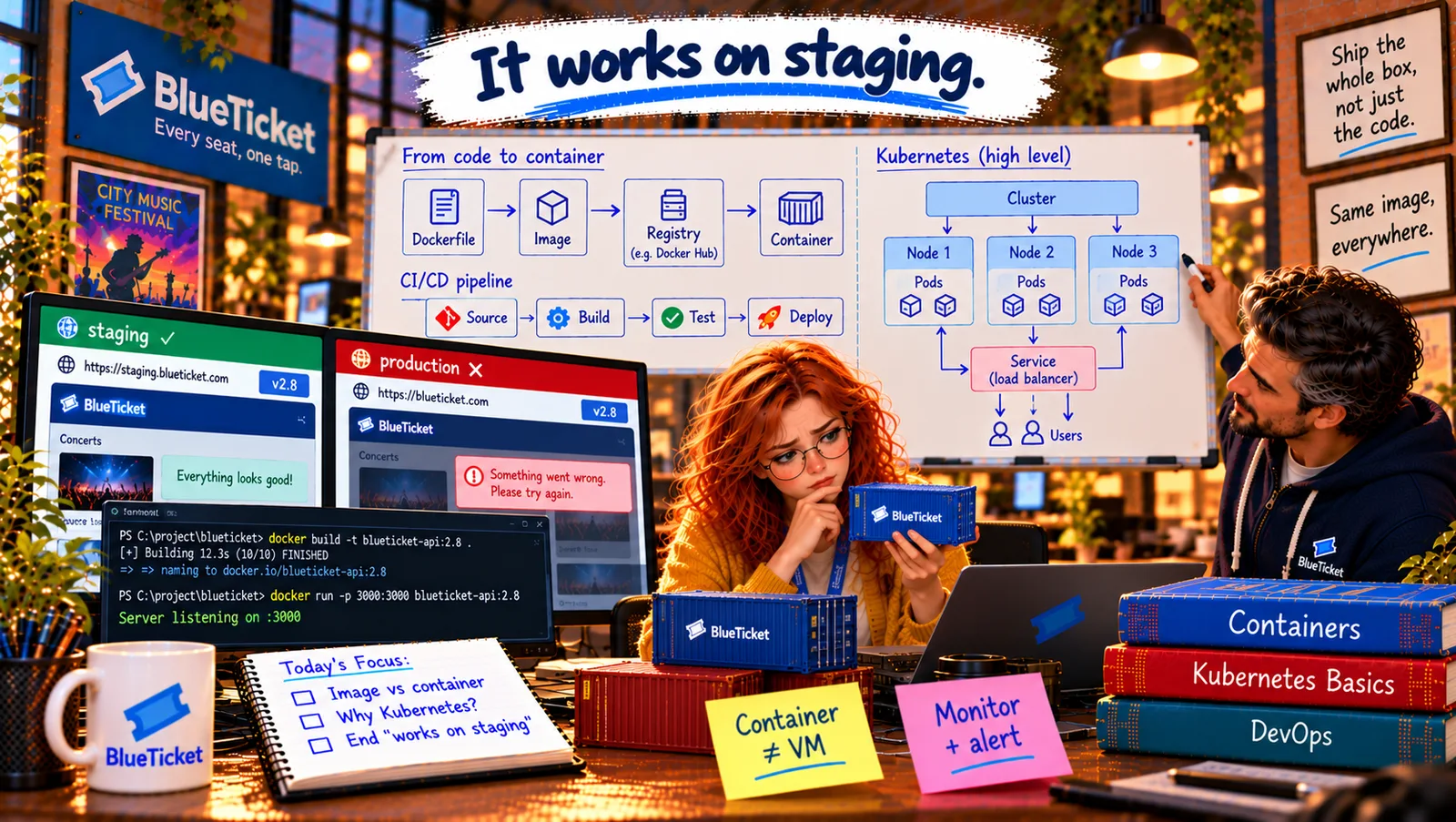
Same image, everywhere.
John
Setting Up Machines by Hand vs. A Recipe, a Frozen Meal and a Shared Freezer
Setup steps get forgotten
If the steps to prepare a machine are in someone's head, every machine ends up different.
Need identical copies
Staging, production and every laptop need exactly the same box, not a rebuilt one.
Containers must cooperate
The worker must reach Redis and the database, and its data mustn't vanish when it restarts.
Dockerfiles, Images, Containers and Registries
The ready-meal analogy: a food factory writes a recipe. It cooks the dish once and freezes it into identical sealed meals. The frozen meals go into a big shared freezer that every shop can take from. Each time a customer heats one up, they get exactly the same dish. Docker works the same way: the Dockerfile is the recipe, the image is the frozen meal, the registry is the shared freezer, and a container is a meal heated up and being eaten.
- Dockerfile — the recipe: a Dockerfile is a text file with step-by-step instructions to build an image: start from a base image (
FROM node:20-slim), copy files in (COPY), run setup commands (RUN npm ci), and say what to run when the container starts (CMD). It lives in the repository and is reviewed like code. - Image — the frozen meal: running
docker buildfollows the recipe and produces an image: a frozen, read-only package of the app and everything it needs. It gets a name and a tag (a version label), likeblueticket-worker:1.4.1. An image never changes; a new version is a new image. This is the perfect build artifact from Act 19. - Container — the meal being eaten:
docker run blueticket-worker:1.4.1starts a container from the image. You can start many containers from one image — like heating many identical meals. Each container is a running process with a thin writable layer on top of the read-only image. - Container registry — the shared freezer: a container registry stores images so that other machines can download them:
docker pushuploads,docker pulldownloads. Docker Hub is the big public one (wherenode:20-slimcomes from); companies use private registries such as GitHub Container Registry, AWS ECR or Google Artifact Registry. The pipeline pushes the image once, and staging and production both pull the same one. - Container networking — each container gets its own phone line: each container has its own network address. To reach a container from outside, you publish a port:
-p 3000:3000means "connect the machine's port 3000 to the container's port 3000" (ports, Act 11). Containers on the same Docker network can reach each other by name — the worker connects toredis:6379rather than an IP address. - Container storage — the meal can't keep leftovers: a container's own writable layer is temporary: delete the container and anything written inside it is gone. So containers should be stateless (Act 14): real data lives in a database, object storage (Act 20) or a volume — a storage area kept outside the container and attached to it, which survives restarts.
| Docker word | Ready-meal version | BlueTicket example |
|---|---|---|
| Dockerfile | The recipe | Dockerfile in the worker repo |
| Image | A frozen meal | blueticket-worker:1.4.1 |
| Container | A meal heated up | The running worker on production |
| Registry | The shared freezer | The company's private registry |
| Base image | The ready-made pastry you start from | node:20-slim |
| Volume | A lunchbox kept outside the meal | Storage that survives restarts |
| Command | Read it as |
|---|---|
| docker build -t name:tag . | Follow the Dockerfile here and make an image |
| docker run -p 3000:3000 name:tag | Start a container and connect port 3000 |
| docker ps | Show running containers |
| docker logs <container> | Show what a container printed |
| docker push name:tag | Upload the image to the registry |
| docker pull name:tag | Download the image from the registry |
From recipe to running container
Dockerfile
the recipe — in Git
Image: blueticket-worker:1.4.1
frozen, read-only, includes Node 20
Registry
the shared freezer
Container on staging
staging settings
Container on production
production settings
FROM node:20-slim # start from an image that already has Node 20WORKDIR /app # work inside /app in the containerCOPY package.json package-lock.json ./RUN npm ci --omit=dev # exact versions from the lock file (Act 16)COPY src ./src # then copy the code itselfUSER node # don't run as the all-powerful root userCMD ["node", "src/worker.js"] # what to run when the container starts
Notice: no passwords or API keys anywhere. Settings arrive as environment variables when the container starts.
docker build -t blueticket-worker:1.4.1 .docker run --env-file .env.staging --network blueticket blueticket-worker:1.4.1# worker connected to redis:6379, waiting for messages...
Anna builds the worker's image: she writes the Dockerfile, runs docker build -t blueticket-worker:1.4.1 ., then docker run on her laptop with test settings. It starts, connects to Redis by name and processes a test message. Then she runs the exact same image on staging, and on production. Node 20 travels inside the image; the VMs' own Node versions no longer matter. Liam deletes the hand-written "how to set up a worker VM" page from the wiki with great pleasure.
Settings still come from outside: the image contains no secrets or environment-specific settings (Act 16, Act 19). They're given to the container when it starts, as environment variables — the same image with staging's settings or production's.
Key Takeaway
A Dockerfile is the recipe; docker build turns it into an image — a frozen, versioned, read-only package of the app and its dependencies; docker run starts containers from it, like heating identical meals; a registry (Docker Hub, GHCR, ECR) is the shared freezer that every environment pulls the same image from. Containers get their own network address (publish ports, reach each other by name) and lose anything written inside when deleted — so keep data in databases or volumes, and settings outside the image.
Why This Matters
Reading and writing a simple Dockerfile, and understanding images, tags, registries, ports and volumes, are everyday skills for backend and DevOps work. Many teams expect even junior developers to run the project with Docker on day one. (The separate Docker course on this site goes much deeper.)
One worker, one container — easy. But on Sale Day, BlueTicket needs dozens of containers of several kinds, across many machines, restarted when they crash and added when traffic jumps. Who decides where each container runs?