

In this chapter
We'll see how images, colours, audio and video are stored as bytes, why media files get so big, and how lossless and lossy compression shrink them — then cut the festival poster from 15.2 MB to about 400 KB.
The Problem in Real Life
The second bug. The music festival poster on the event page is 15.2 MB. On office Wi-Fi it loads in a second. On a phone with a weak signal at a bus stop, Anna times it: 22 seconds, and the page is blank the whole time.
Samantha walks past and sees the blank screen. "Fifty thousand fans on Sale Day will be on their phones, not office Wi-Fi." She doesn't need to say the rest.
If the page is blank for twenty seconds, they won't wait. They'll buy somewhere else.
Samantha
"It's Just a Picture" vs. Millions of Numbers
Media is huge
A single picture can be millions of bytes — more than all the text on a whole website.
Size becomes waiting time
Every byte has to travel over the network; on a slow phone connection, big files mean long waits.
Shrinking has a trade-off
Some compression keeps every detail; some throws away detail you can't see. Choosing right matters.
How Images, Sound and Video Become Data
John zooms into the poster until the picture breaks into tiny squares. "There it is. A picture is just a grid of dots — and every dot is a few numbers."
- Pixels — a digital image is a grid of tiny squares called pixels (picture elements). A photo that is 4000 pixels wide and 5000 tall has 20 million pixels.
- Colour — each pixel's colour is usually stored as three numbers: how much Red, Green and Blue light to mix, each from 0 to 255 (one byte each). This is called RGB. Red is (255, 0, 0); white is (255, 255, 255); black is (0, 0, 0). In hex, from the last chapter, red is
#FF0000. Three bytes per pixel gives about 16.7 million possible colours. - Audio — sound is a wave. To store it, the computer measures the wave's height thousands of times per second; each measurement is called a sample. CD-quality audio takes 44,100 samples every second, each stored as a 16-bit number, for each of the two speakers (stereo).
- Video — a video is many images shown quickly one after another, usually 24 to 60 images (frames) per second, plus audio.
| Feature | Lossless | Lossy |
|---|---|---|
| Get the exact original back? | Yes | No |
| How much smaller? | Usually 2–3 times | Often 10–50 times |
| Image formats | PNG, GIF | JPEG, WebP, AVIF |
| Audio formats | FLAC, WAV (uncompressed) | MP3, AAC |
| Best for | Text, logos, screenshots, files | Photos, music, video |
| Version | Size | Load time on a slow phone |
|---|---|---|
| Original PNG, 4000 px wide | 15.2 MB | about 22 seconds |
| Resized to 1600 px, still PNG | about 2.5 MB | about 4 seconds |
| Resized to 1600 px, WebP quality 80 | about 400 KB | under 2 seconds |
| What you're saving | Good choice | Why |
|---|---|---|
| Event photo or poster | WebP or JPEG | Lossy is fine; much smaller |
| Company logo | SVG or PNG | Sharp edges must stay exact |
| Screenshot with text | PNG | Lossy blurs text |
| Song preview | MP3 or AAC | Small and sounds the same |
| Promo video | MP4 (H.264) | Plays everywhere, well compressed |
Now the maths of Anna's problem. Without any compression, a 4000 × 5000 image at 3 bytes per pixel is 4000 × 5000 × 3 = 60 million bytes, about 60 MB. One minute of raw 1080p video would be around 11 GB. Media is enormous by nature. That's why almost every media file you've ever used is compressed — made smaller by storing the same thing more cleverly.
Lossless compression makes the file smaller without losing a single bit; you can get back exactly the original. It works by finding repeated patterns — for example, instead of storing "blue, blue, blue... 500 times", store "500 × blue". Formats: PNG for images, ZIP for files, FLAC for audio. Best for text, code, logos, screenshots and anything that must stay exact.
Lossy compression makes files much smaller by throwing away detail people barely notice — tiny colour differences, sounds outside what ears pick up well. You can't get the original back, but it can look or sound almost the same. Formats: JPEG and WebP for photos, MP3 and AAC for audio, MP4 (H.264) for video. Best for photos, music and video.
The poster was a PNG — lossless — of a big, colourful photo at 4000 pixels wide. That's the worst combination for the web. Anna makes two changes. First, she resizes it: no phone screen needs 4000 pixels; 1600 pixels wide is plenty. That alone cuts the pixels by more than six times. Second, she saves it as WebP with lossy compression at quality 80, where the difference is invisible to the eye.
The result: about 400 KB instead of 15.2 MB — around 38 times smaller. At the bus stop, the page now loads in under two seconds. (BizTechLab itself does exactly this to the illustrations in this course.)
Key Takeaway
Images are grids of pixels, each pixel a few bytes of colour; audio is thousands of samples per second; video is many images per second. Media is huge by nature, so it's compressed — lossless when every bit must stay exact, lossy when tiny invisible details can be dropped to make files far smaller.
Why This Matters
Page speed is one of the biggest reasons people stay or leave a website, and images are usually the heaviest part of any page. On Sale Day, every extra megabyte is multiplied by 50,000 fans — that's how many bytes BlueTicket's servers and network have to deliver at the same moment. Choosing the right format and size is one of the cheapest, biggest performance wins in all of software.
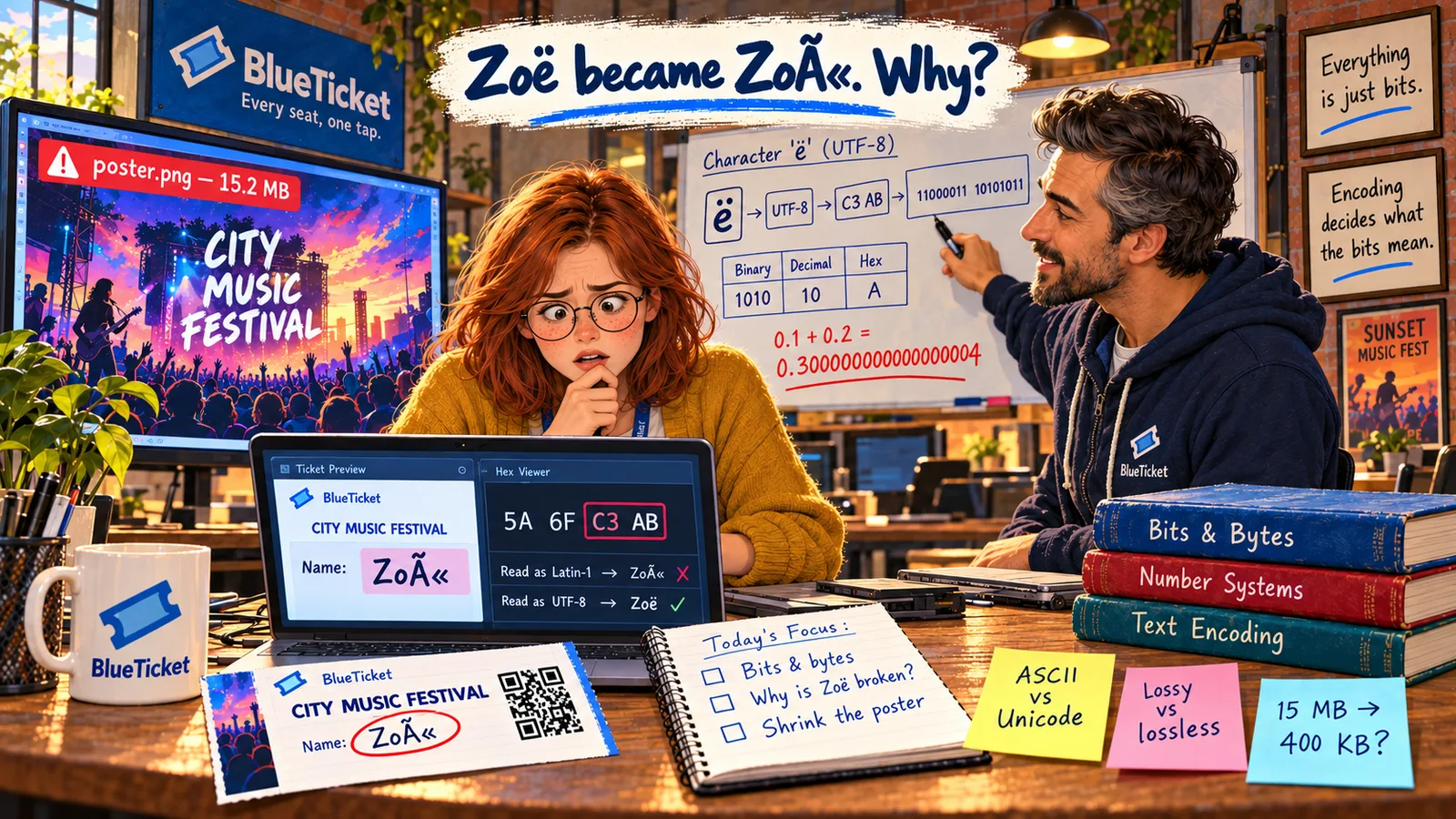
Both of week three's bugs are fixed: Zoë's name prints correctly, and the poster loads fast. Anna now sees every name, price and picture as what it really is — bytes, plus a rule for reading them. Time to prove it.