

In this chapter
We'll learn what a website should do with your password — never store it, only a slow, salted hash — why stolen password lists are dangerous everywhere, and how multi-factor authentication stops most account takeovers, explained with a fruit smoothie and a bank card with a PIN.
The Problem in Real Life
While investigating Monday's bots, Anna finds something else in the logs: on Sunday night, someone tried to log in to 40,000 different fan accounts, each with an email and password that looked real. About 300 worked. Those accounts later bought front-row seats with the fans' saved cards.
"How did they know the passwords?" she asks. "Did we leak them?" John shakes his head. "No. Another company leaked them years ago. People use the same password everywhere. The bots just tried them here."
Never store a password. Store something you can check it against.
John
Storing Passwords vs. Storing Something You Can't Turn Back
Databases get stolen
If a database leaks, every password stored in it must be useless to the thief.
People reuse passwords
A password leaked from one site is tried on hundreds of others within days.
A password alone isn't enough
Anyone who knows the password can log in — unless you ask for something else too.
Passwords, Hashing and Multi-Factor Authentication
The smoothie analogy: put a banana, strawberries and milk in a blender. You get a smoothie. You can always make the same smoothie again from the same fruit — but nobody can ever turn the smoothie back into the banana. A hash is a smoothie for data: easy to make, impossible to reverse.
- Username and password — the oldest lock: the user gives an identity (username or email) and a secret only they should know. Simple, familiar — and weak on its own, because people choose short passwords and reuse them everywhere.
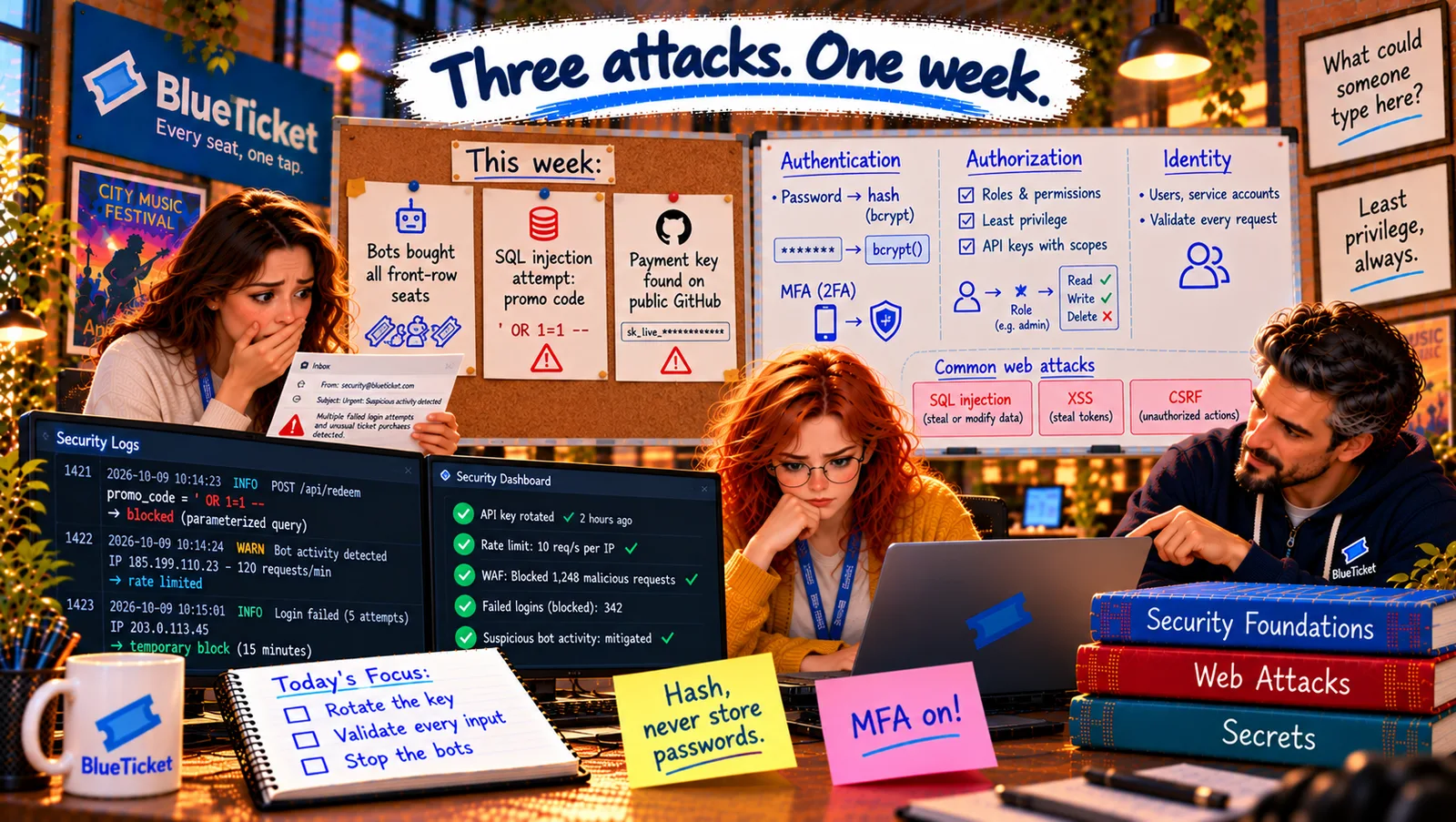
- Never store passwords: a website must never store your actual password, not even encrypted. If the database is stolen — and databases do get stolen — every password would be exposed.
- Password hashing — store the smoothie: when you sign up, the server runs your password through a hash function and stores only the result. When you log in, it hashes what you typed and compares the two smoothies. If they match, the password was right. The server never needs to know your real password.
- Salt — a secret extra ingredient per person: if two fans both use
summer2024, their hashes would be identical, and attackers have huge pre-made lists of hashes for common passwords. So the server adds a random salt — a different extra ingredient for each user — before hashing. Same password, completely different smoothies. - Slow on purpose — bcrypt and Argon2: normal hash functions are designed to be fast. For passwords, fast is bad: an attacker with a stolen database could try billions of guesses per second. Password hashing functions like bcrypt and Argon2 are deliberately slow (a fraction of a second each) — unnoticeable when you log in, but it makes guessing billions of passwords take years.
- Credential stuffing — Sunday night's attack: attackers take email-and-password pairs leaked from other sites and try them automatically on yours. Hashing doesn't help here — the passwords are correct! What helps: MFA, detecting many failed logins, and checking new passwords against lists of known-leaked ones.
- MFA — something you know, have or are: multi-factor authentication asks for two different kinds of proof: something you know (a password), something you have (your phone, a security key) and something you are (fingerprint, face). Like a bank card: the card alone isn't enough, the PIN alone isn't enough. A stolen password without your phone is useless.
| password (WRONG) | password_hash (RIGHT) | |
|---|---|---|
| mia@fan.example | summer2024 | $2b$12$Qd8f...k1Lw (bcrypt, salted) |
| leo@fan.example | summer2024 | $2b$12$7Hn2...Zp0e (different, thanks to salt) |
Same password, completely different hashes — and neither can be turned back into "summer2024".
| Factor | Bank version | Examples |
|---|---|---|
| Something you know | Your PIN | Password, PIN |
| Something you have | Your bank card | Phone app code, SMS code, security key |
| Something you are | Your signature | Fingerprint, face |
import bcrypt from "bcrypt";// Sign up: store only the hash (bcrypt adds a random salt itself)const passwordHash = await bcrypt.hash(password, 12); // 12 = how slowawait db.query("INSERT INTO users (email, password_hash) VALUES ($1, $2)", [email, passwordHash]);// Log in: hash what was typed and compareconst user = await findUserByEmail(email);const ok = user && (await bcrypt.compare(typedPassword, user.password_hash));if (!ok) {return res.status(401).json({ error: "Wrong email or password" }); // don't say which one}
The error doesn't say whether the email or the password was wrong — that would help attackers find real accounts.
BlueTicket's changes: Anna checks the code — passwords are already stored as bcrypt hashes with salts. Good. The team adds: (1) MFA for every staff and venue account, required — Samantha's admin account first, since it can issue refunds; (2) optional MFA for fans, encouraged for accounts with saved cards; (3) slowing down repeated failed logins from the same IP or for the same account, and blocking obvious credential-stuffing patterns; (4) rejecting new passwords that appear in public leak lists; and (5) the 300 affected fans get their passwords reset, their orders refunded, and an honest email.
Key Takeaway
Never store passwords — store a hash: a one-way smoothie that can be checked but not reversed. Add a unique salt per user, and use deliberately slow password-hashing functions like bcrypt or Argon2 so stolen hashes are hard to guess. Credential stuffing uses passwords leaked elsewhere, so hashing alone doesn't stop it; multi-factor authentication — something you know, have or are — stops most account takeovers.
Why This Matters
Password storage is one area where getting it wrong once can expose millions of people, and it's a classic interview topic. Every developer who touches a login form should know: hash, salt, slow algorithm, and MFA. And as a user, turning on MFA is the single best thing you can do for your own accounts.
After a fan logs in, they don't type their password again on every click. So how does BlueTicket remember them, page after page — and how does "Sign in with Google" work without BlueTicket ever seeing a Google password?