

In this chapter
We'll learn how switch compares one value against many cases, how a missing break let Sunday fall through into an open day, why switch compares loosely, and how PHP 8's match expression fixes all three problems: it returns a value, never falls through, compares strictly and fails loudly when nothing matches.
The Problem in Real Life
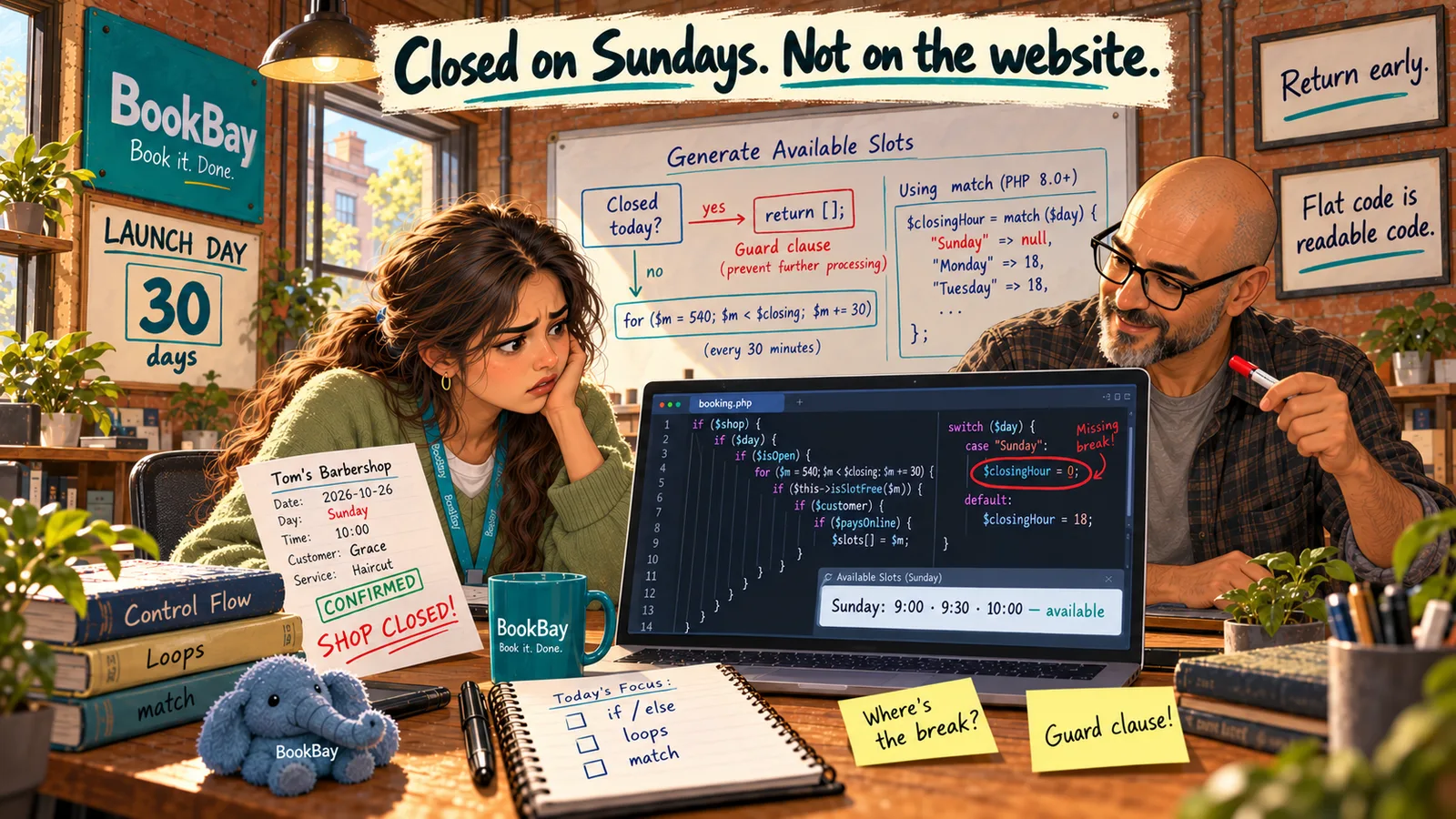
Marcus scrolls to closingHour(). It takes a day name and gives back the hour the shop closes. The slot builder only lists slots if that hour is bigger than 0 — so for Sunday it should be 0.
Mia reads it out loud: case "Sunday": $closingHour = 0; and below it, default: $closingHour = 18;. "But it's right there. Sunday — zero."
"Read one more line," says Marcus. "What comes after the zero?" Mia looks again. Saturday's case ends with the word break. Sunday's doesn't.
It says Sunday is zero. How does that become eighteen?
Mia
switch vs. match
One value, many cases
Monday to Friday, Saturday and Sunday each need a different closing hour. A long elseif chain repeats $day every time.
A missing break
In a switch, PHP keeps running into the next case until it meets a break. Forget one and two cases run.
Loose or strict?
switch compares with ==, so "1" matches case 1. match compares with === and doesn't.
switch and match
Choosing by value: chapter 1's elseif chain can test anything. But a very common decision is simpler: take one value and do something different for each value it could have. "If the day is Saturday, close at 16; if it's Sunday, close at 0; otherwise close at 18." PHP has two statements for that:
- switch: the classic one. It jumps to the matching
caseand runs lines from there until it meetsbreak. - match: new in PHP 8. It's an expression that gives back a value, with no
breakneeded and strict comparison. - match(true): a
matchtrick for ranges, like "18 or later".
switch: switch ($day) { ... } compares $day with each case from the top. At the first match, PHP starts running the lines below that case. break ends the switch, and PHP continues after its closing brace. default: is the case for "anything else", like else. Each case can hold as many lines as you like.
<?php$day = "Saturday";switch ($day) {case "Saturday":$closingHour = 16;break;case "Sunday":$closingHour = 0;break;default:$closingHour = 18;}echo "$day: closes at $closingHour:00\n";// Saturday: closes at 16:00
Fall-through, the Sunday bug: a case is only a starting point. PHP doesn't stop at the next case line; it keeps running everything below until it meets a break or the end of the switch. This is called fall-through. In closingHour(), Sunday's case set $closingHour = 0;, had no break, and fell into default:, which set it to 18. So Sunday was an ordinary 18:00 day, and the slot builder listed its slots. Fall-through is sometimes used on purpose, to give several values the same code: case "Saturday": case "Sunday": with nothing between them. When you do that, the empty case makes it clear. Every other case should end with break.
<?php$day = "Sunday";switch ($day) {case "Saturday":$closingHour = 16;break;case "Sunday":$closingHour = 0; // no break here...default:$closingHour = 18; // ...so PHP runs this line too}echo "$day: closes at $closingHour:00\n";// Sunday: closes at 18:00 — the shop is "open" on Sunday
<?php$day = "Sunday";switch ($day) {case "Saturday":case "Sunday":echo "Weekend\n";break;default:echo "Weekday\n";}// Weekend
switch compares loosely: switch uses ==, not === (Act 05). So when $choice is the string "1" from a form, case 1: matches. Sometimes that's handy; often it's the same type-juggling surprise from Act 04. And one more trap from chapter 2: continue inside a switch acts like break, with a warning.
<?php$choice = "1"; // from a form: always a stringswitch ($choice) {case 1:echo "Matched case 1\n"; // "1" == 1 is truebreak;default:echo "No match\n";}// Matched case 1
match: PHP 8 added match, and for choosing a value it's better in every way. match ($day) { "Saturday" => 16, "Sunday" => null, default => 18 } checks the arms from the top and gives back the value of the first one that matches. It's an expression, so you assign it straight to a variable or return it. Each arm is one expression, so there's nothing to fall through and no break to forget. Several values can share an arm, separated by commas. Here Sunday gives null — "no closing hour, closed all day" — which is clearer than 0.
<?php$day = "Sunday";$closingHour = match ($day) {"Saturday" => 16,"Sunday" => null, // closed all daydefault => 18,};var_dump($closingHour); // NULLecho match ($day) {"Saturday", "Sunday" => "Weekend", // several values, one armdefault => "Weekday",}, "\n";// Weekend
match compares strictly and fails loudly: match uses ===. That's safer, but you must give it the right type. date("N"), which gives the day of the week as 1 (Monday) to 7 (Sunday), returns a string: "7". An arm 7 => never matches it, because "7" === 7 is false. With a default arm, Sunday quietly becomes "Open" — the same bug again. Convert first: match ((int) $dayNumber). And if no arm matches and there's no default, match stops with an UnhandledMatchError that names the value. That's a good thing: a typo like "Funday" fails loudly, instead of quietly being treated as an open day. So leave out default when you've listed every value you expect.
<?php$dayNumber = date("N", strtotime("2026-11-01")); // 1 November 2026 is a Sundayvar_dump($dayNumber); // string(1) "7"echo match ($dayNumber) {7 => "Closed", // "7" === 7 is false: never matchesdefault => "Open",}, "\n"; // Open — the Sunday bug againecho match ((int) $dayNumber) {1, 2, 3, 4, 5 => "Closes at 18:00",6 => "Closes at 16:00",7 => "Closed",}, "\n"; // Closed
<?php$day = "Funday"; // a typo in the data$closingHour = match ($day) {"Monday", "Tuesday", "Wednesday", "Thursday", "Friday" => 18,"Saturday" => 16,"Sunday" => null,};// Fatal error: Uncaught UnhandledMatchError: Unhandled match case 'Funday'
match(true) for ranges: an arm's condition can be any expression. With match (true), PHP looks for the first arm whose condition is true, so you can test ranges: $hour >= 18 => "Closed for today". That's chapter 1's status line as one expression. It works the same way as the elseif chain, top to bottom, so the narrower check still goes first.
<?php$hour = 20;$status = match (true) {$hour >= 18 => "Closed for today",$hour >= 9 => "Open now",default => "Opens at 9:00",};echo $status, "\n";// Closed for today
Which one to use: use match whenever you're choosing a value from one input. Use if/elseif for conditions that test different things, or when each branch does several steps. You'll still see switch in older code, and it's fine when each case runs several statements. When you meet one, check every case for its break. The table below compares them.
| Feature | switch | match |
|---|---|---|
| What it is | A statement: runs lines | An expression: gives back a value |
| Comparison | Loose (==) | Strict (===) |
| Fall-through | Yes, until a break | Never |
| Several values | case "Sat": case "Sun": | "Sat", "Sun" => |
| Each branch holds | Any number of statements | One expression |
| Nothing matches | Nothing happens (or default runs) | UnhandledMatchError (or default) |
| Since | Always in PHP | PHP 8.0 |
Key Takeaway
switch jumps to the matching case and runs everything below it until a break — forget the break and the next case runs too (fall-through). switch compares with ==. match is an expression that returns the value of the first matching arm: no break, no fall-through, strict === comparison, several values per arm, and an UnhandledMatchError when nothing matches. Prefer match for choosing a value.
Why This Matters
Choosing by value is everywhere: the price for a service, the closing hour for a day, the message for a booking status. A missing break in one of those choices is enough to sell slots on a closed day — and nothing warns you.
match turns that whole class of bugs into code that either works or fails loudly: no fall-through, no loose comparison, and an error that names the value nobody planned for.
closingHour() is now a match, and Sunday returns null. The slot builder skips the day, and Grace's Sunday slot can't be sold to anyone else. Olivia asks for one more thing: the week view should say "closed" next to Sunday instead of showing nothing. Mia adds a line that stops at Sunday — and the next morning, Monday has disappeared from the page. That's the next chapter: the statements that stop code.