

In this chapter
We'll learn what really travels between a browser and PHP — the request with its method, URL, headers and body, and the response with its status code, headers and body — what the status code families mean, why HTTP forgets everything between requests, and how to watch real requests and responses with curl and the browser's developer tools.
The Problem in Real Life
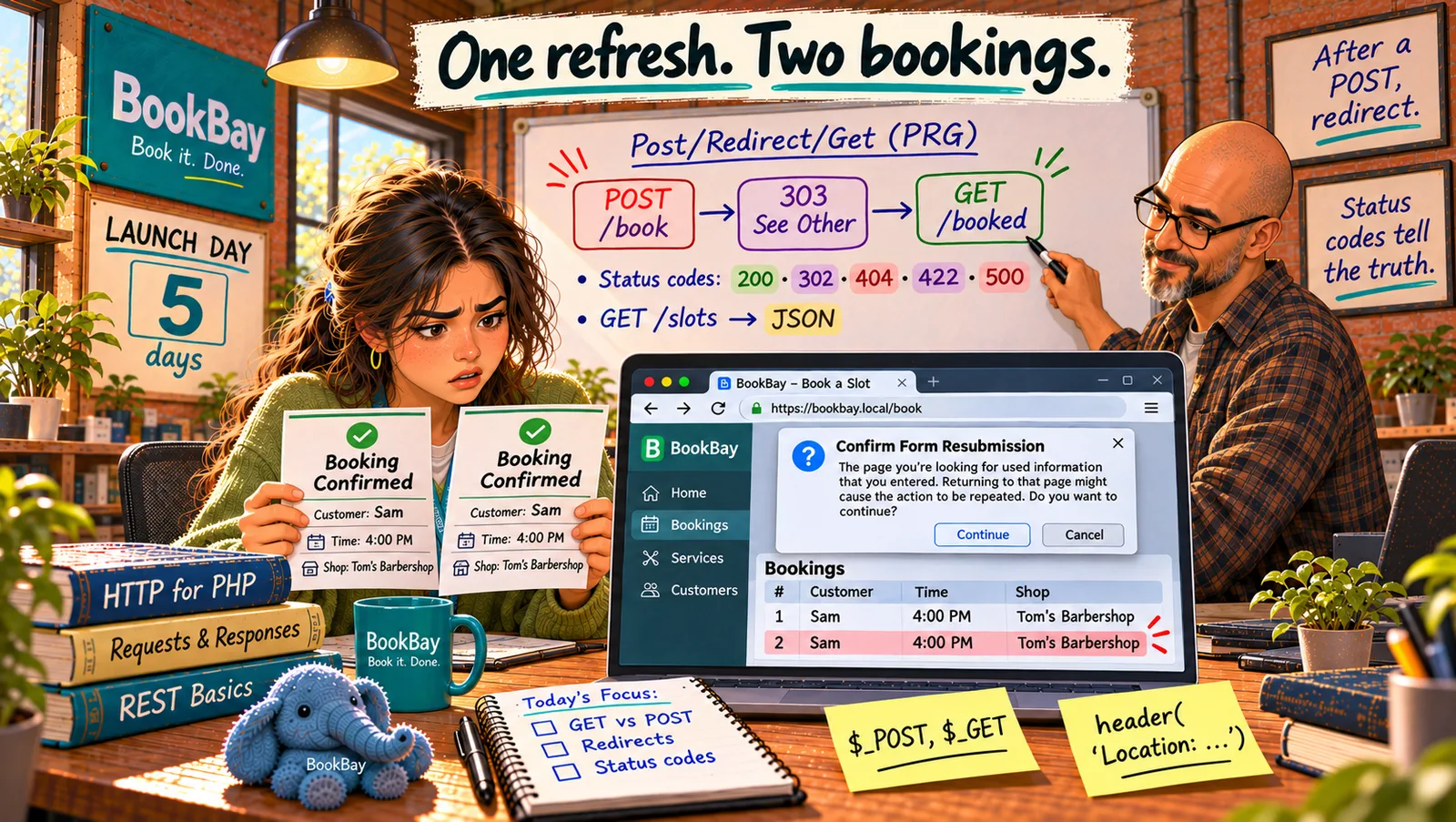
Five days before launch, Tom's customers can finally book from a real form. Sam Cole books Friday at 16:00 and sees "Booked! Booking #4811". To show his partner, he presses refresh. The browser asks "Confirm Form Resubmission" — he clicks Continue — and sees "Booked! Booking #4812".
Tom's diary now shows Sam twice at 16:00, and the second barber's slot is gone. Mia checks the code: nothing ran twice by mistake. The browser simply sent the booking again.
A refresh just reloads the page. How can it book a second haircut?
Mia
"Loading a Page" vs. Sending a Request
Request and response
Every page view is a message to the server and a message back — nothing more.
A refresh repeats the request
Refreshing a page that came from a form sends the form again.
Status codes tell the truth
200, 303, 404, 422, 500: the first line of every response says what happened.
HTTP Requests and Responses
The conversation behind every page: Act 01 showed PHP running between a web server and a browser. This Act looks at the messages themselves — HTTP, the HyperText Transfer Protocol. (The IT Foundations course explains HTTP in general; here we look at it from PHP's side.) This chapter covers:
- The request: method, URL, headers and body.
- The response: status code, headers and body.
- Status codes: the five families and the codes you'll use.
- Stateless HTTP: why each request starts from nothing.
- Watching HTTP: curl and the browser's developer tools.
The request: when you open a page or submit a form, the browser sends a request: plain text with a first line, headers, an empty line, and sometimes a body. The first line holds the method (GET, POST… — chapter 2), the path with any query string (/booked.php?id=4811) and the protocol version. Then come headers, one per line, like Host: bookbay.app (which site), User-Agent (which browser), Accept-Language and Cookie. A form submission adds a body with the form's fields. The diagram below shows both messages.
One request, one response
Request
POST /book-naive.php HTTP/1.1
Response
HTTP/1.1 200 OK
Headers
Host · User-Agent · Content-Type: application/x-www-form-urlencoded · Cookie
Headers
Content-Type: text/html; charset=UTF-8 · Set-Cookie · Location
Body
customer=Sam+Cole&slot=2026-11-07+16%3A00
Body
<h1>Booked!</h1>… (PHP's output)
The response: PHP's output becomes the body of the response, and before it come the status line (HTTP/1.1 200 OK) and response headers: Content-Type: text/html; charset=UTF-8 says what the body is, Location says where to go next (chapter 5), Set-Cookie stores a cookie (chapter 6). PHP and the web server add some headers automatically; your code adds the rest with header(). The browser reads the status line and headers first and only then decides what to do with the body.
$ curl -i "http://localhost:8000/booked.php?id=9999"HTTP/1.1 404 Not FoundHost: localhost:8000Date: Mon, 02 Nov 2026 19:28:55 GMTConnection: closeX-Powered-By: PHP/8.2.12Content-type: text/html; charset=UTF-8<h1>Booking not found</h1>
Status codes: the three-digit status code is the response's one-word summary, grouped in five families by the first digit: 1xx information (rare), 2xx success, 3xx "look elsewhere" (redirects), 4xx the client got something wrong (a missing page, a bad form), and 5xx the server failed (Act 14's 500 page). Codes matter beyond politeness: browsers, search engines, monitoring tools and other programs act on them. A "not found" page sent with 200 OK is indexed by Google as a real page; an error sent with 200 looks like success to every API client. The table below lists the codes this course uses.
| Code | Name | BookBay example |
|---|---|---|
| 200 | OK | The booking page or the slots JSON |
| 201 | Created | The API created booking 4811 |
| 204 | No Content | The API cancelled a booking; nothing to send back |
| 301 / 308 | Moved Permanently | An old URL moved for good |
| 303 | See Other | After a POST: go and GET the confirmation |
| 400 | Bad Request | The request makes no sense (broken JSON) |
| 401 / 403 | Unauthorized / Forbidden | Not logged in / not allowed (or a bad CSRF token) |
| 404 | Not Found | Booking 9999 doesn't exist |
| 405 | Method Not Allowed | PUT on a page that only takes GET and POST |
| 409 | Conflict | The 16:00 slot is already full |
| 422 | Unprocessable Content | The form has errors: no name, impossible date |
| 500 / 503 | Server Error / Unavailable | Act 14's friendly error page; maintenance |
Stateless HTTP: HTTP is stateless: every request is complete on its own, and the server doesn't remember the previous one. PHP fits this exactly — each request starts with empty variables and ends by throwing them away (Act 10). Anything that must last between requests has to be stored somewhere: in a file or database, or in a cookie the browser sends back with each request (chapter 6).
Why the refresh booked twice: a refresh means "send the same request again". Sam's confirmation page was the response to a POST request carrying the form, so refreshing sent the POST — and its body — once more, and PHP saved a second booking. The browser's "Confirm Form Resubmission" warning is the browser saying exactly that. Chapter 5 fixes it with a redirect; the real output below shows the bug.
<?php// public/book-naive.php — the first versionrequire __DIR__ . '/../src/bookings.php';if ($_SERVER['REQUEST_METHOD'] === 'POST') {$id = saveBooking($_POST['customer'], $_POST['slot']);echo "<h1>Booked!</h1><p>Booking #{$id} for ", e($_POST['customer']), " at ", e($_POST['slot']), "</p>\n";exit;}?><form method="post" action="/book-naive.php"><input name="customer"> <input name="slot"> <button>Book</button></form>
$ curl -d "customer=Sam Cole&slot=2026-11-07 16:00" http://localhost:8000/book-naive.php<h1>Booked!</h1><p>Booking #4811 for Sam Cole at 2026-11-07 16:00</p># Sam presses refresh: the browser repeats exactly the same request$ curl -d "customer=Sam Cole&slot=2026-11-07 16:00" http://localhost:8000/book-naive.php<h1>Booked!</h1><p>Booking #4812 for Sam Cole at 2026-11-07 16:00</p>
Watching HTTP: you don't have to imagine these messages. curl — a command-line HTTP client installed on macOS, Linux and Windows — shows them: curl -i prints the status line and headers before the body, -d sends form data as a POST, -H adds a header. In the browser, open the developer tools (F12) and the Network tab: every request is listed with its method, status, headers and body. Every example in this Act shows real curl output from PHP's built-in server.
HTTP versions and HTTPS: HTTP/1.1, shown here, sends text messages. HTTP/2 and HTTP/3 send the same requests and responses in a faster binary form over one connection — your PHP code doesn't change. HTTPS is HTTP inside an encrypted TLS connection, so nobody between the browser and the server can read or change the messages. Every real site uses it, and the secure cookies in chapter 6 depend on it.
Key Takeaway
Every page view is an HTTP request (method, path and query, headers such as Host, User-Agent and Cookie, and an optional body) answered by a response (status line, headers such as Content-Type, Location and Set-Cookie, and the body PHP outputs). Status codes summarise the result: 2xx success, 3xx redirect, 4xx client error, 5xx server error — and clients act on them, so send the true one. HTTP is stateless, so anything that lasts must be stored or sent back in a cookie. A refresh repeats the last request, which is why refreshing a POST response books again. curl -i and the browser's Network tab show the real messages; HTTPS encrypts them.
Why This Matters
Everything a PHP web application does happens inside one request and one response. Once you can read those two messages, most web bugs — wrong redirects, missing cookies, cached pages, duplicate submissions — become visible instead of mysterious.
Status codes are a contract with every other program on the web: search engines, browsers, monitoring, and the mobile app that will call BookBay's API. Laravel, Symfony and every API client rely on them.
Mia now sees the refresh for what it is: the browser repeating a POST. But why can the browser repeat some requests freely and warn about others? And which request should a booking be — and a cancellation, or a change of time? That's the next chapter: HTTP methods.