

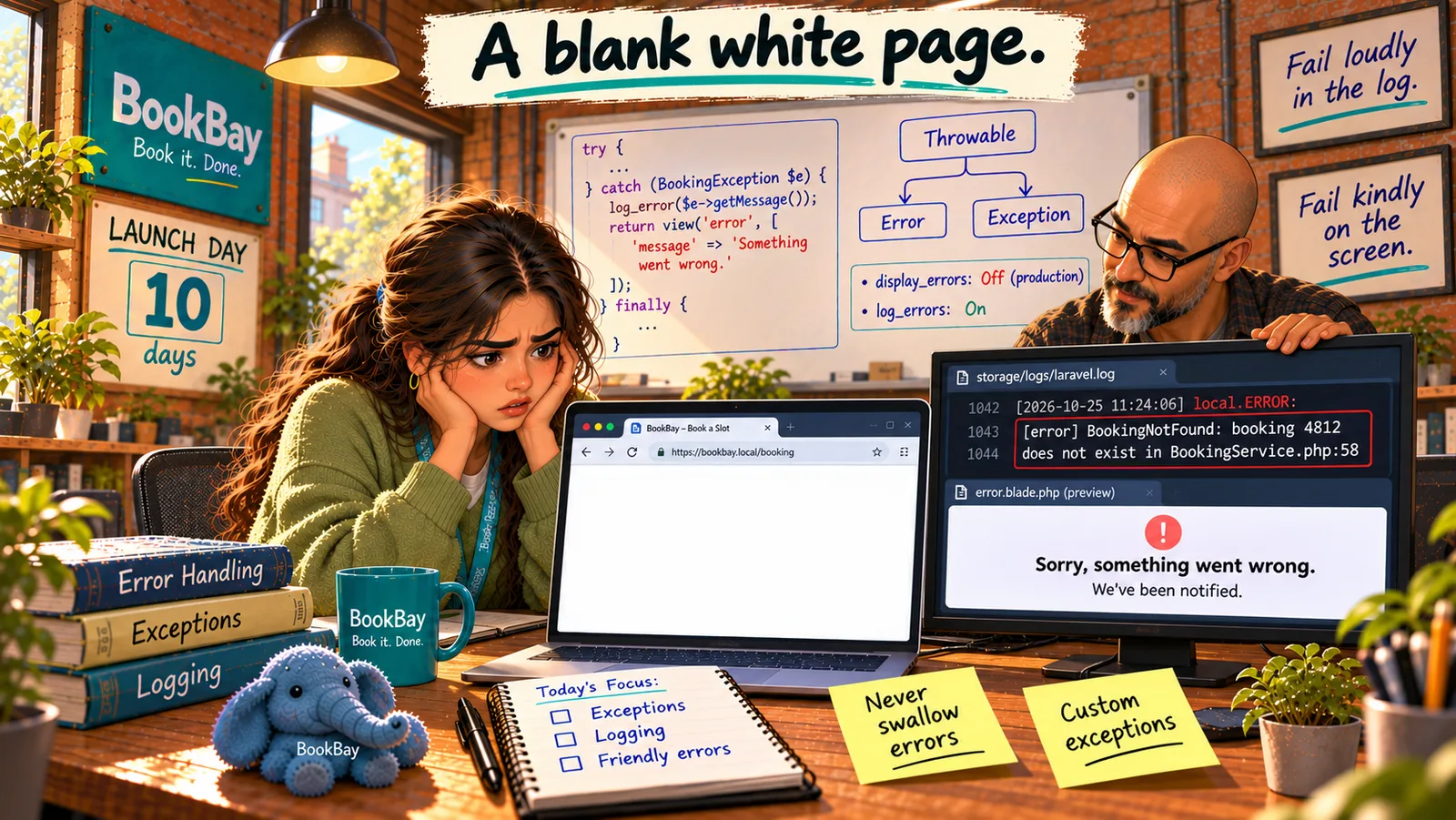
In this chapter
We'll learn how error settings differ between development and production, what a debug mode is and why it must be off on the server, how to write log entries with levels and context using error_log() and Monolog, what to log and what never to log, how to show a friendly error page with a reference number, and how error-tracking services fit in.
The Problem in Real Life
The log now catches everything — 340 lines since this morning. Most say "RuntimeException: Booking 4812 does not exist in booking.php:11". Mia can't tell whether that's one customer refreshing a page or a hundred customers with broken links, and the line doesn't say which page or which request it came from.
Olivia has a different complaint: a customer emailed a screenshot of "Sorry, something went wrong" — the same page for a missing booking as for a crashed server — and asked whether her booking had gone through. Nobody could find her request in the log.
If a customer gives us the error page, we should be able to find exactly what happened to her.
Olivia
One Generic Error Line vs. Logs with Context and Pages with a Reference
Two environments
Development shows every detail on screen; production shows nothing there and logs everything.
Logs with context
A log entry has a level, a message and data: the booking id, the URL, the request id.
A page for people
Customers see a friendly page with a reference number that matches one line in the log.
Logging and Production Error Handling
Fail loudly in the log, kindly on the screen: in production, every failure needs two outputs: a detailed record for developers and a calm message for the person using the site. This chapter covers:
- Settings: development vs. production.
- Debug mode: detailed error pages, only on your laptop.
- Logging: levels, error_log() and Monolog.
- Context: what to log, and what never to log.
- Friendly pages: error pages with a reference, and error tracking.
Development vs. production settings: chapter 5's settings take two shapes. On your laptop, show everything: display_errors = On, so problems appear right where you're looking. On the server, show nothing and log everything: display_errors = Off, display_startup_errors = Off, log_errors = On. error_reporting = E_ALL in both. The table below compares the full set. An error message on a public page can reveal file paths, database names, SQL queries and sometimes data — a gift to attackers and confusing for customers.
| Setting | Development | Production | Why |
|---|---|---|---|
| error_reporting | E_ALL | E_ALL | Every problem should exist somewhere |
| display_errors | On | Off | Details on screen help you, and help attackers |
| display_startup_errors | On | Off | Same, for errors while PHP starts |
| log_errors | On | On | The log is the record |
| error_log | Optional | A file or stderr | Where the record goes |
| APP_DEBUG (application) | true | false | Detailed error pages only for developers |
Debug mode: applications add their own switch on top: a debug mode, usually an environment variable like APP_DEBUG=true. With debug on, the exception handler shows a detailed page — the exception class, message, stack trace, even the code around the line. With debug off, it shows the friendly page. Laravel's APP_DEBUG works exactly like this. Debug mode on a production server is one of the most common real-world security mistakes: always false there, and set by the server's environment, never by a file someone might forget to change.
Logging and levels: a log entry has a time, a level and a message. The standard levels, from the PSR-3 logging standard, are, from most to least serious: emergency, alert, critical, error, warning, notice, info and debug. A database outage is critical, a failed booking page error, a retried SMS warning, "reminder sent" info. The server keeps everything from a chosen level up — typically info in production and debug locally. PHP's own error_log("…") writes one line to the PHP error log and is fine for small scripts. Real projects use Monolog, the library Mia installed in Act 13: it implements PSR-3, writes to files, stderr, or external services, and stores context with each entry. The example shows its real output.
| Level | Meaning | BookBay example |
|---|---|---|
| emergency | The whole system is unusable | Every request fails |
| alert | Someone must act immediately | The database disk is full |
| critical | A critical component failed | Database unavailable |
| error | A failure that needs attention | Booking page failed for one request |
| warning | Unusual, but handled | SMS retried after a timeout |
| notice | Normal but significant | Admin changed opening hours |
| info | Normal events | Reminder sent for booking 4811 |
| debug | Detailed debugging data | SQL query and its timing |
<?phpdeclare(strict_types=1);require __DIR__ . '/vendor/autoload.php';use Monolog\Handler\StreamHandler;use Monolog\Level;use Monolog\Logger;$log = new Logger('bookbay');$log->pushHandler(new StreamHandler('php://stdout', Level::Info)); // keep Info and abovetry {throw new RuntimeException("Booking 4812 does not exist");} catch (RuntimeException $e) {$log->error('Booking page failed', ['exception' => $e,'bookingId' => 4812,'requestId' => 'req-7f3a9c','url' => '/booking.php?id=4812',]);}$log->info('Reminder sent', ['bookingId' => 4811]);$log->debug('not written: below Info');// [2026-11-02T18:28:03.923237+01:00] bookbay.ERROR: Booking page failed {"exception":"[object] (RuntimeException(code: 0): Booking 4812 does not exist at /srv/bookbay/log.php:15)","bookingId":4812,"requestId":"req-7f3a9c","url":"/booking.php?id=4812"} []// [2026-11-02T18:28:04.081104+01:00] bookbay.INFO: Reminder sent {"bookingId":4811} []
Context: what to log: a good entry answers "what failed, where, for whom and why" without needing anyone to reproduce it: the exception (class, message, file and line, stack trace and the previous chain), the request (method and URL), the business ids (booking 4812, customer id), and a request id — a random value created at the start of each request and added to every log line, so all the lines of one request can be found together. Pass these as the context array, not glued into the message, so tools can search and count them. Never log passwords, full card numbers, security tokens or session ids, and keep personal data to what's needed — logs are copied, kept for months and read by many people.
<?php$context = ['requestId' => 'req-7f3a9c','method' => 'POST','url' => '/book.php','bookingId' => 4812,'customerId' => 311,];// Never in a log:// 'password' => $_POST['password'],// 'cardNumber' => '4111 1111 1111 1111',// 'sessionId' => session_id(),// 'apiToken' => $smsToken,echo json_encode($context), "\n";// {"requestId":"req-7f3a9c","method":"POST","url":"\/book.php","bookingId":4812,"customerId":311}
A friendly error page with a reference: the page a customer sees should be calm, short and honest: "Sorry, something went wrong on our side. We've been notified." — with the right HTTP status: 404 for a booking that doesn't exist (a BookingNotFoundException), 500 for a failure on the server. Add a short reference, like the first characters of the request id: the customer can quote it, and support finds the exact log entry. That's Olivia's wish, and the second example shows the whole pattern. The diagram below follows one failure to its two outputs.
One failure, two outputs
DatabaseUnavailableException
thrown while loading booking 4812
The exception handler / boundary
adds this request's id: req-7f3a9c
Log (loud)
ERROR Booking page failed {exception + previous, bookingId 4812, url, requestId req-7f3a9c}
Screen (kind)
HTTP 500 · "Sorry, something went wrong on our side. Reference: 7f3a9c"
Support searches the log for 7f3a9c
and finds the exact request
<?phpfinal class BookingNotFoundException extends RuntimeException {}function logLine(string $level, string $message, array $context): void{echo strtoupper($level), " ", $message, " ", json_encode($context), "\n"; // stands in for Monolog}function renderError(Throwable $e, string $requestId, bool $debug): void{$status = $e instanceof BookingNotFoundException ? 404 : 500;echo "HTTP {$status}\n"; // real code: http_response_code($status), before any outputlogLine($status === 404 ? 'info' : 'error', get_class($e) . ': ' . $e->getMessage(), ['requestId' => $requestId,'file' => basename($e->getFile()) . ':' . $e->getLine(),]);if ($debug) {echo "[DEBUG] ", get_class($e), ": ", $e->getMessage(), "\n"; // developers onlyreturn;}echo $status === 404? "Sorry, we couldn't find that booking.\n": "Sorry, something went wrong on our side. Reference: " . substr($requestId, 4) . "\n";}$requestId = 'req-7f3a9c'; // in real code: 'req-' . bin2hex(random_bytes(3))renderError(new BookingNotFoundException("Booking 4812 does not exist"), $requestId, debug: false);renderError(new RuntimeException("Database timeout"), $requestId, debug: false);// HTTP 404// INFO BookingNotFoundException: Booking 4812 does not exist {"requestId":"req-7f3a9c","file":"main.php:30"}// Sorry, we couldn't find that booking.// HTTP 500// ERROR RuntimeException: Database timeout {"requestId":"req-7f3a9c","file":"main.php:31"}// Sorry, something went wrong on our side. Reference: 7f3a9c
Error tracking and keeping logs useful: on a busy site, nobody reads log files line by line. Error-tracking services — Sentry, Bugsnag, Flare for Laravel — receive every exception, group identical ones ("this error happened 212 times today, first seen after Tuesday's deploy"), and alert the team. Log files need rotation (a new file each day, old ones deleted after a while) or they fill the disk. And a log nobody looks at is no better than none: check it after every deploy. Act 25 sets all this up for production.
Key Takeaway
Development shows errors (display_errors On); production never shows them and always logs them (display_errors Off, log_errors On), with E_ALL in both. Application debug mode (APP_DEBUG) shows detailed error pages only on developers' machines — always off in production. Log with PSR-3 levels (emergency … debug) through Monolog or error_log(), and put context — the exception with its chain, URL, business ids and a per-request id — in the context array, never passwords, card numbers or tokens. Customers get a calm page with the right status (404 or 500) and a reference that matches the log entry; error-tracking services group and alert, and logs need rotation and regular reading.
Why This Matters
In production, logs are the only witness to what happened. Good entries turn a two-day investigation into a five-minute search; bad ones — or a debug page left on — turn a bug into a security incident.
Laravel gives you all of it out of the box — Monolog channels, log levels, APP_DEBUG, error pages per status — and the course's next part builds on exactly these ideas.
Every request now has an id, the log has levels and context, and customers see a reference they can quote. Looking at the cleaned-up log, Marcus notices the last design problem: some functions catch exceptions just to log and rethrow them, so one failure appears four times; others catch Throwable in the middle of the code and carry on as if nothing happened. Where exactly should exceptions be caught — and which ones should exist at all? That's the next chapter: designing exceptions.