

In this chapter
We'll learn what a string is, the difference between single and double quotes, how PHP puts a variable's value inside a string (interpolation), how escape sequences like a new line or an emoji are written, and why a string is really a row of bytes — the idea behind this whole Act.
The Problem in Real Life
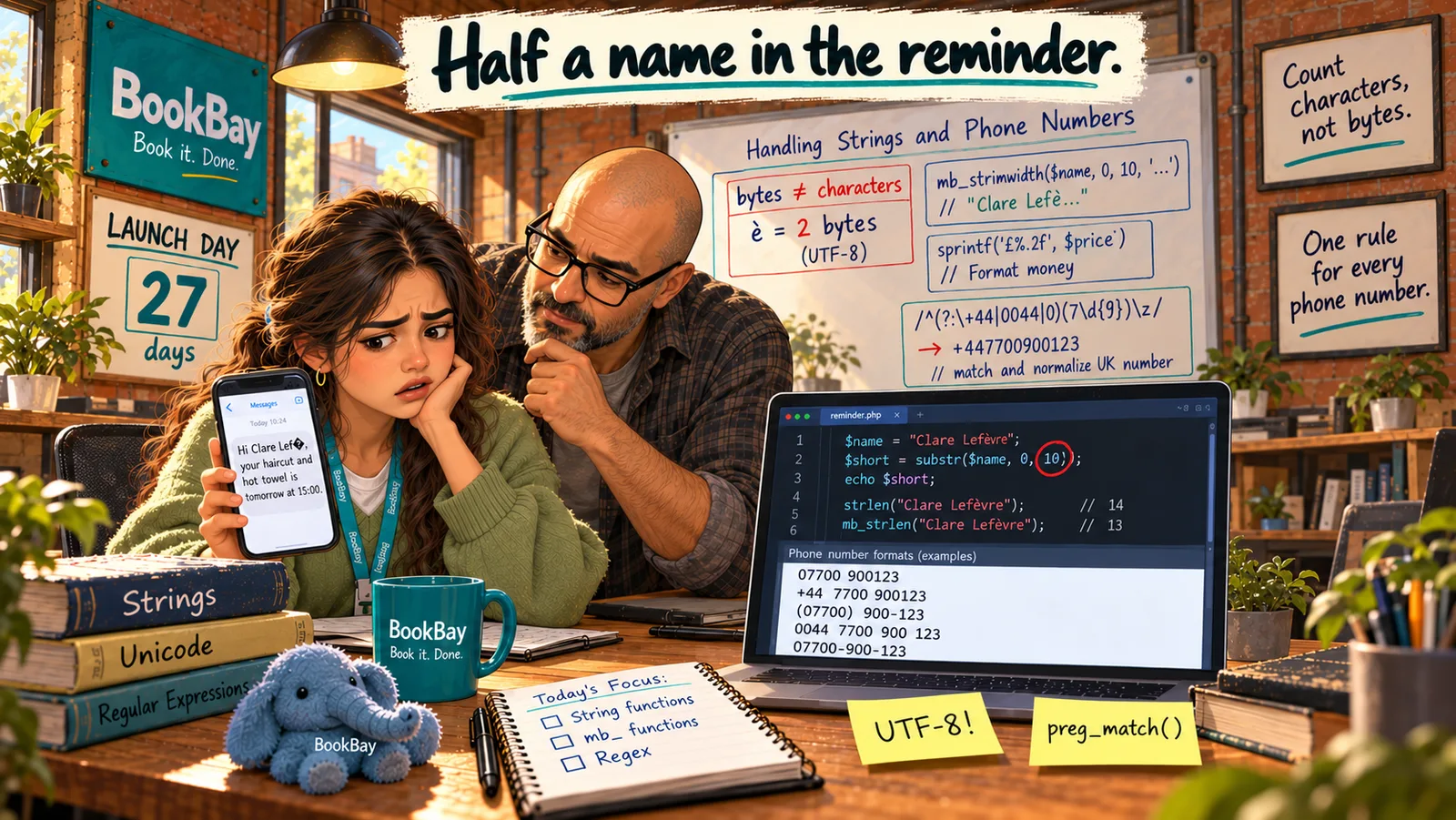
Thursday morning, 27 days before launch. For two weeks, Tom has tested the reminder text messages with twenty of his regular customers: the evening before a booking, a script sends each of them an SMS. This morning Olivia forwards two problems. The first is a screenshot from a customer called Clare Lefèvre. Her reminder starts with "Hi Clare Lef�" — the end of her name is a broken symbol. The second is a report from the SMS service: 6 of the 20 messages were never delivered, because it couldn't read the phone numbers. Tom's customers wrote them in five different ways.
Marcus reads both emails. "Two bugs, one topic: strings — text. Before we touch either of them, you need to know what a string really is. Start small: write the message for a cancelled booking."
Mia writes it, runs it with her own name, and the terminal prints: Hi $name, your booking is cancelled.\n
I wrote $name. Why didn't PHP put my name there?
Mia
Single Quotes vs. Double Quotes
Text everywhere
Names, times, messages, phone numbers: most of what a booking system sends to people is text.
Two kinds of quotes
Hi $name in single quotes and in double quotes look almost the same. Only one of them puts the name in.
Characters you can't type
A new line, a quote inside quotes, an emoji: they need a special way to be written.
String Basics: Quotes, Interpolation and Escapes
What a string is: a string is a piece of text: a name, a message, a phone number, even the empty string "". You met strings in Act 04 as one of PHP's types; this chapter looks at them closely. PHP has four ways to write a string in your code:
- Single quotes:
'Hi Mia'— the text exactly as written. - Double quotes:
"Hi $name"— PHP replaces variables with their values and understands escape sequences like\n. - Heredoc and nowdoc: for longer text over many lines (chapter 2).
Single quotes: inside single quotes, PHP takes the text as it is. 'Hi $name' is eight characters: H, i, a space, a dollar sign, n, a, m and e. The dollar sign is just a character. Only two things are special: \' puts a single quote in the text, and \\ puts in one backslash. Everything else stays exactly as written, including \n. That's why single quotes are good for fixed text: what you see is what you get. Mia used single quotes, so PHP printed $name and \n instead of her name and a new line.
<?php$name = "Mia";echo 'Hi $name, your booking is cancelled.\n';echo "\n";echo "Hi $name, your booking is cancelled.\n";// Hi $name, your booking is cancelled.\n// Hi Mia, your booking is cancelled.
Double quotes and interpolation: inside double quotes, PHP looks for variables and replaces each one with its value. This is called interpolation. With $name = "Mia", the string "Hi $name" becomes Hi Mia. PHP reads a variable name for as long as the next characters could belong to it, so in "Two $services" it looks for a variable called $services. When the variable is followed by letters, wrap it in curly braces: "Two {$service}s". Curly braces are also how you put an array item in a string: "{$booking['time']}". Only variables are replaced. A calculation or a function call stays as text: "$price * 2" prints 25 * 2. (You may see a third form, "${name}", in old code. It's deprecated since PHP 8.2, so don't use it.)
<?php$name = "Clare";$service = "haircut";$booking = ["time" => "15:00", "barber" => "Ben"];$price = 25;echo "Hi $name!\n";echo "Two {$service}s booked.\n";echo "Your $service is at {$booking['time']} with {$booking['barber']}.\n";echo "Two haircuts cost $price * 2.\n"; // no maths inside a string$total = $price * 2;echo "Two haircuts cost £$total.\n";// Hi Clare!// Two haircuts booked.// Your haircut is at 15:00 with Ben.// Two haircuts cost 25 * 2.// Two haircuts cost £50.
<?php$service = "haircut";echo "Two $services booked.\n"; // looks for $servicesecho "Two {$service}s booked.\n"; // the braces end the name// Warning: Undefined variable $services// Two booked.// Two haircuts booked.
Escape sequences: some characters can't be typed straight into a string: a new line, a tab, or a double quote inside double quotes. Inside double quotes, a backslash starts an escape sequence: two or more characters that stand for one. \n is a new line, \t a tab, \" a double quote, \$ a dollar sign that isn't a variable, and \\ one backslash. \u{1F488} is any character by its Unicode number — here the barber's pole, 💈. The table below lists the common ones. In single quotes, none of them work except \' and \\.
| Write | You get | Example |
|---|---|---|
| \n | A new line | "Line 1\nLine 2" |
| \t | A tab | "Name:\tClare" |
| \" | A double quote | "Tom said \"hi\"" |
| \$ | A dollar sign, not a variable | "Write \$name" |
| \\ | One backslash | "C:\\bookbay" |
| \u{...} | A Unicode character by its number | "\u{1F488}" gives 💈 |
<?phpecho "Line 1\nLine 2\n";echo "Name:\tClare\n";echo "Tom said \"see you tomorrow\"\n";echo "Write \$name to use a variable\n";echo "Saved in C:\\bookbay\n";echo "Tom's Barbershop \u{1F488}\n";echo 'Single quotes: \n stays as it is', "\n";echo 'It\'s Tom\'s shop', "\n";// Line 1// Line 2// Name: Clare// Tom said "see you tomorrow"// Write $name to use a variable// Saved in C:\bookbay// Tom's Barbershop 💈// Single quotes: \n stays as it is// It's Tom's shop
Which quotes to use: single and double quotes are equally fast, so choose by what the text needs. Use single quotes for fixed text, and double quotes when you put a variable in or need a \n. Many teams use single quotes by default, so that double quotes signal "something gets replaced in here". This course mostly uses double quotes, because most of its strings contain a variable or a \n. Whatever you choose, be consistent within a file.
| Feature | Single quotes | Double quotes |
|---|---|---|
| Variables replaced | No: $name stays $name | Yes: $name becomes Mia |
| Escape sequences | Only \' and \\ | \n \t \" \$ \\ \u{...} and more |
| Good for | Fixed text | Text with variables or new lines |
A string is a row of bytes: here is the idea behind this whole Act. To PHP, a string is not a row of letters: it's a row of bytes. A byte is a small number from 0 to 255, and the text you see is how those numbers are shown. ord("M") gives 77, the number of the byte M. For English letters, one letter is one byte. $name[0] gives the first byte of a string and $name[-1] the last one, and strlen() counts the bytes: 3 for "Mia". But some characters need more than one byte. strlen("Zoë") is 4, because ë takes two. Keep that in mind: it's exactly how Clare's name got cut in half, and chapter 6 explains it.
<?php$name = "Mia";echo $name[0], "\n"; // M: the first byteecho $name[-1], "\n"; // a: the last byteecho ord("M"), "\n"; // 77: every byte is a numberecho strlen($name), "\n"; // 3echo strlen("Zoë"), "\n"; // 4: ë takes two bytes
Key Takeaway
Single-quoted strings are taken literally — only \' and \\ are special. Double-quoted strings replace variables with their values (interpolation) and understand escape sequences like \n, \t and \u{...}. Use {$var} when a variable is followed by letters or is an array item. And a string is a row of bytes, not letters: strlen() counts bytes.
Why This Matters
Almost everything BookBay sends to a customer is a string built from values: the reminder, the confirmation, the receipt. One wrong quote and a customer gets Hi $name instead of their name — in a message you can't take back.
And the idea that a string is a row of bytes, not letters, sounds like a detail. It's the reason behind half of this Act: names cut in half, wrong lengths and broken symbols.
The cancellation message now says "Hi Mia". Next, Mia opens the reminder script itself. The message is glued together from many pieces over several lines — and in Tom's own test reminder, two words are stuck together: "Tom's Barbershoptomorrow". That's the next chapter: longer strings, and better ways to build them.