

In this chapter
We'll learn how a file upload reaches PHP through $_FILES, what its error codes and size limits mean, why the file name and type sent by the browser can't be trusted, how to check size and the real MIME type with finfo, why every upload needs a new random name and a folder outside the web root, and how to stop path traversal attacks when serving files.
The Problem in Real Life
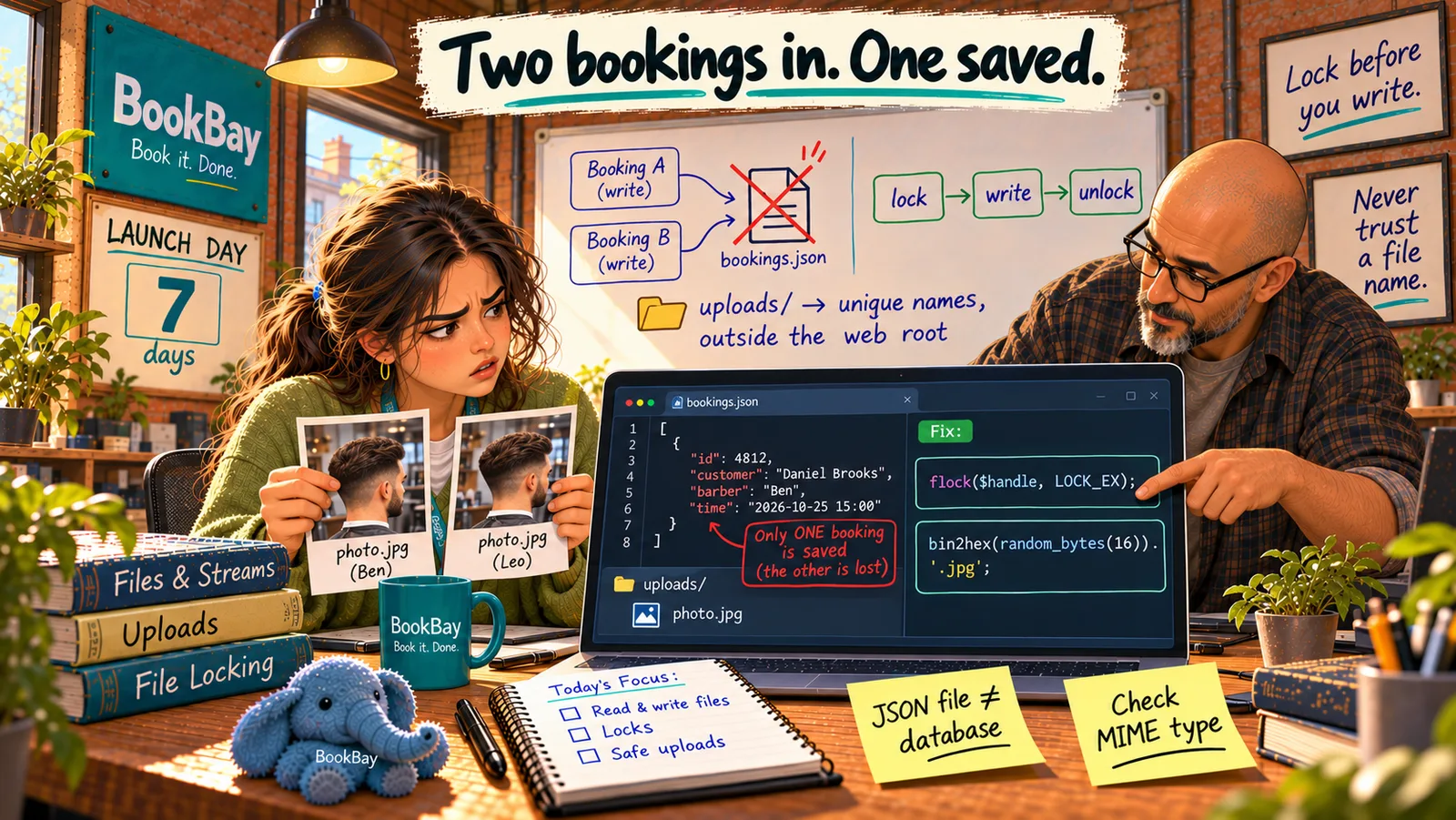
The barbers can now upload a profile photo. Ben uploads photo.jpg. An hour later Leo uploads his — also called photo.jpg — and the upload script saves both as public/uploads/photo.jpg. Now both profiles show Leo.
While testing, Marcus uploads a file called ../evil.php containing PHP code. It's saved in the web root, and the server would happily run it for anyone who opened its address.
Everything about an upload comes from a stranger: the name, the type, the content. Trust none of it.
Marcus
Keeping the Visitor's File vs. Checking and Renaming It
Same name, lost file
Two uploads called photo.jpg: the second replaces the first.
Lies about the type
A .jpg name and an image/jpeg type can wrap PHP code.
Escaping the folder
Names with ../ try to reach files outside the upload folder.
Handling Uploads Safely
Files from strangers: an upload form lets anyone on the internet put a file on your server. Done carelessly, it loses files, fills the disk or hands the server to an attacker. This chapter covers:
- How uploads arrive: the form,
$_FILESand move_uploaded_file(). - Errors and size limits: UPLOAD_ERR_ codes and php.ini.
- Checking the real type: MIME types with finfo.
- Safe names and safe places: random names, outside the web root.
- Path traversal: serving files without escaping the folder.
How uploads arrive: a form that uploads files needs method="post" and enctype="multipart/form-data", plus an <input type="file" name="photo">. PHP receives the file before your script starts, saves it under a random temporary name, and describes it in $_FILES['photo']: name (the visitor's file name), full_path (the path the browser sent, PHP 8.1+), type (the MIME type the browser claims), tmp_name (where PHP stored it), error and size in bytes. The temporary file is deleted at the end of the request, so your script must move it with move_uploaded_file($tmp, $destination), which also checks that the file really came from an upload. The first example shows real $_FILES content.
<!-- public/barber-photo.html --><form action="/upload.php" method="post" enctype="multipart/form-data"><input type="file" name="photo" accept="image/jpeg,image/png,image/webp"><button>Upload</button></form><?php // public/upload.phpprint_r($_FILES['photo']);// Array// (// [name] => photo.jpg// [full_path] => photo.jpg// [type] => image/jpeg// [tmp_name] => /tmp/php9852.tmp// [error] => 0// [size] => 68// )
Errors and size limits: always check error first: UPLOAD_ERR_OK (0) means success. UPLOAD_ERR_INI_SIZE (1) means the file was larger than upload_max_filesize in php.ini — then tmp_name is empty and size is 0. UPLOAD_ERR_NO_FILE (4) means the visitor didn't choose a file. A second limit, post_max_size, covers the whole request; when it's exceeded, PHP drops the body completely and $_FILES and $_POST are both empty — no error code at all, so check for that case too. Then enforce your own limit in code (2 MB for a photo), because php.ini limits are server-wide. The table below lists the codes.
| Constant | Value | Meaning |
|---|---|---|
| UPLOAD_ERR_OK | 0 | Success |
| UPLOAD_ERR_INI_SIZE | 1 | Larger than upload_max_filesize |
| UPLOAD_ERR_FORM_SIZE | 2 | Larger than the form's MAX_FILE_SIZE field |
| UPLOAD_ERR_PARTIAL | 3 | Only part of the file arrived |
| UPLOAD_ERR_NO_FILE | 4 | No file was chosen |
| UPLOAD_ERR_NO_TMP_DIR | 6 | The server has no temporary folder |
| UPLOAD_ERR_CANT_WRITE | 7 | The server couldn't write to disk |
| UPLOAD_ERR_EXTENSION | 8 | A PHP extension stopped the upload |
Checking the real type: the name and type in $_FILES are written by the visitor's browser — or by an attacker's script. A file named shell.jpg, sent as image/jpeg, can contain PHP code. Check the content instead: (new finfo(FILEINFO_MIME_TYPE))->file($tmpName) reads the first bytes of the file and reports what it really is — the fake .jpg above comes back as text/x-php. Compare the result with a short allow-list (image/jpeg, image/png, image/webp), never a block-list. For images, getimagesize() is a second check that the file is a real picture. The fileinfo extension isn't in the PHP Playground, so these examples run on your computer.
Safe names: never keep the visitor's file name. It causes today's overwrite — two photo.jpgs — and it can carry dangerous parts: ../, an extension like .php, or characters your file system can't store. PHP already strips folders from name (../evil.php arrives as evil.php), but full_path keeps them, and a .php name in the web root is still executable. Generate a new name instead — bin2hex(random_bytes(16)), 32 random characters — and add the extension that matches the checked MIME type, not the one the visitor sent. Store the original name in the database if you want to show it.
<?php // public/naive.php — keeps the visitor's name, inside the web rootmove_uploaded_file($_FILES['photo']['tmp_name'], __DIR__ . '/uploads/' . $_FILES['photo']['name']);echo "saved as uploads/", $_FILES['photo']['name'], "\n";// $ curl -F "photo=@ben.png;filename=photo.jpg" http://localhost:8000/naive.php// saved as uploads/photo.jpg// $ curl -F "photo=@leo.png;filename=photo.jpg" http://localhost:8000/naive.php// saved as uploads/photo.jpg ← Ben's photo is gone// $ curl -F "photo=@ben.png;filename=../evil.php" http://localhost:8000/naive.php// saved as uploads/evil.php ← a PHP file inside public/
Safe places: store uploads outside the web root — storage/uploads/, next to public/, not inside it — so the web server can never run them as PHP or serve them directly. Show them through a small script that checks permissions and sends the file with the right Content-Type, or configure the web server to serve that folder as static files only, with PHP switched off there. Together, the five rules — check the error, limit the size, check the real type, rename, store outside the web root — make uploads safe. The diagram below puts them in order.
The five checks for every upload
$_FILES['photo']
everything in it came from the visitor
1. error === UPLOAD_ERR_OK
else: too big for php.ini, no file, partial…
2. size <= 2 MB
your own limit
3. finfo MIME in the allow-list
image/jpeg, image/png, image/webp — never trust 'type'
4. new name: bin2hex(random_bytes(16)) . '.png'
never the visitor's name
5. move_uploaded_file() → storage/uploads/
outside public/, never executed
<?php // public/upload.phpdeclare(strict_types=1);const MAX_BYTES = 2 * 1024 * 1024;const ALLOWED = ['image/jpeg' => 'jpg', 'image/png' => 'png', 'image/webp' => 'webp'];function storeBarberPhoto(?array $file, string $storageDir): string{if ($file === null || $file['error'] === UPLOAD_ERR_NO_FILE) {throw new RuntimeException("Please choose a photo"); // also the post_max_size case}if ($file['error'] !== UPLOAD_ERR_OK) {throw new RuntimeException("Upload failed with error code {$file['error']}");}if ($file['size'] > MAX_BYTES) {throw new RuntimeException("File is larger than 2 MB");}$mime = (new finfo(FILEINFO_MIME_TYPE))->file($file['tmp_name']); // the real typeif (!isset(ALLOWED[$mime])) {throw new RuntimeException("Not an allowed image type: {$mime}");}$name = bin2hex(random_bytes(16)) . '.' . ALLOWED[$mime]; // never the visitor's nameif (!move_uploaded_file($file['tmp_name'], $storageDir . '/' . $name)) {throw new RuntimeException("Could not move the uploaded file");}return $name;}try {$saved = storeBarberPhoto($_FILES['photo'] ?? null, dirname(__DIR__) . '/storage/uploads');echo "saved as {$saved}\n";} catch (RuntimeException $e) {http_response_code(422);echo "Rejected: ", $e->getMessage(), "\n";}// $ curl -F "photo=@ben.png;filename=photo.jpg" http://localhost:8000/upload.php// saved as 794ddc4737680f688e406c01d8ab524f.png// $ curl -F "photo=@fake.jpg" http://localhost:8000/upload.php (fake.jpg contains PHP code)// Rejected: Not an allowed image type: text/x-php// $ curl -F "photo=@big.jpg" http://localhost:8000/upload.php (3 MB)// Rejected: File is larger than 2 MB// with upload_max_filesize = 1M:// Rejected: Upload failed with error code 1
Path traversal: the same danger appears when a script serves files by name: photo.php?file=a1b2.jpg. An attacker sends file=../../.env and, if the script simply joins the paths, downloads your secrets. This is path traversal (or directory traversal). The defences: accept only names that match a strict pattern (32 hex characters and an allowed extension), or take basename() of the input, then check that realpath() of the result starts with the real path of the upload folder. Best of all, don't accept file names at all — accept a photo id, and look up the stored file name yourself.
<?php$base = '/tmp/bookbay-uploads';@mkdir($base, 0775, true);file_put_contents("$base/794ddc4737680f688e406c01d8ab524f.png", 'PNG');file_put_contents('/tmp/secret.env', 'DB_PASSWORD=…');function safePath(string $base, string $requested): ?string{if (!preg_match('/^[a-f0-9]{32}\.(jpg|png|webp)$/', $requested)) {return null; // strict pattern first}$real = realpath($base . '/' . $requested);$root = realpath($base) . '/';return ($real !== false && str_starts_with($real, $root)) ? $real : null;}foreach (['794ddc4737680f688e406c01d8ab524f.png', '../secret.env', '../../etc/passwd', 'missing.png'] as $name) {echo str_pad($name, 40), safePath($base, $name) ?? 'REJECTED', "\n";}// 794ddc4737680f688e406c01d8ab524f.png /tmp/bookbay-uploads/794ddc4737680f688e406c01d8ab524f.png// ../secret.env REJECTED// ../../etc/passwd REJECTED// missing.png REJECTED
Key Takeaway
Uploads need a POST form with enctype="multipart/form-data"; PHP stores the file temporarily and describes it in $_FILES (name, full_path, type, tmp_name, error, size), deleting it after the request unless move_uploaded_file() moves it. Check error first (UPLOAD_ERR_INI_SIZE when over upload_max_filesize; an empty $_FILES when over post_max_size), then your own size limit, then the real MIME type with finfo against an allow-list — the browser's name and type can lie. Save every upload under a new random name (bin2hex(random_bytes(16))) with the extension of the checked type, outside the web root. When serving files, prevent path traversal with strict patterns or basename() plus a realpath() prefix check — or use ids instead of names.
Why This Matters
Unsafe uploads are one of the classic ways websites get taken over: a "photo" that's really a PHP script, saved where the server runs it. The five checks in this chapter are what every security review asks about.
Frameworks help — Laravel's $request->file('photo')->store('photos') generates random names and its validation checks MIME types — but they do exactly these steps, and you still choose where files go and how they're served.
Ben's and Leo's photos now have their own random names in storage/uploads/, PHP files are rejected by their real type, and the photo script refuses any name that isn't one of its own. Bookings are locked and written atomically. Time to build that safe booking file yourself, on your own computer, in the Files Checkpoint.