

In this chapter
We'll learn why PHP needs namespaces — one global list of class names, and two classes called Notification — how to declare a namespace, how namespaces form a hierarchy like folders, what belongs to the global namespace, and how PHP's namespaces compare with Java packages, C# namespaces and Python modules.
The Problem in Real Life
Friday, 12 days before launch. The SMS provider, TextFlow, sent its PHP library as a zip file, textflow-sms-2.3.zip. Mia unzipped it into lib/textflow/ and added one require_once to the reminder script.
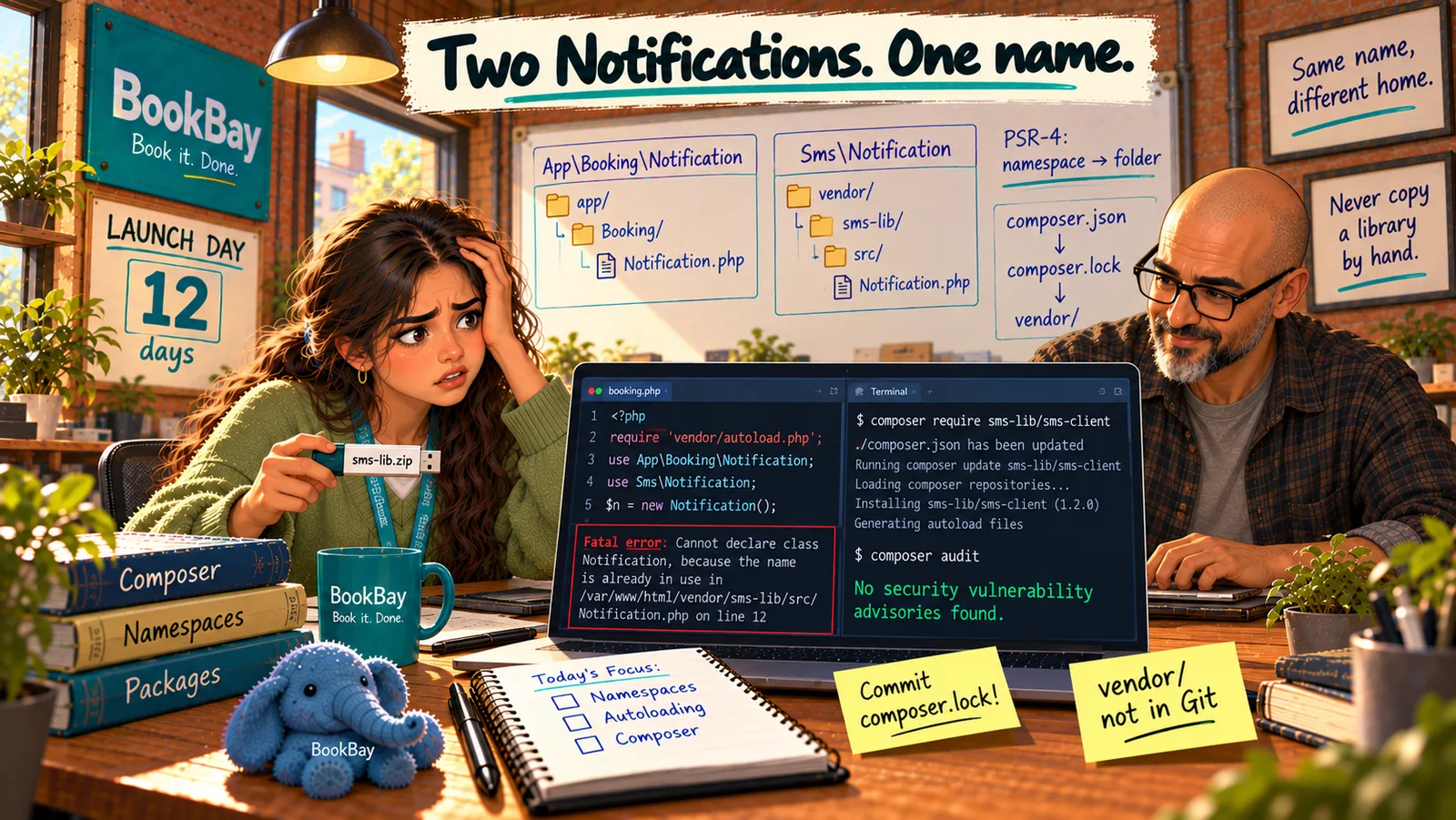
The script stops immediately: "Cannot redeclare class Notification". BookBay has its own Notification class since Act 11 — and so does TextFlow's library. Two different classes, written by two different companies, both called Notification, and PHP keeps one list of class names for everything.
Their Notification and ours have nothing in common except the name. Why can't they both exist?
Mia
One Global List of Names vs. Names with a Home
One list for everything
Without namespaces, every class in your code and in every library shares one list of names. Two Notifications can't coexist.
A family name
A namespace gives a class a longer, unique full name: BookBay\Notifications\Notification vs. TextFlow\Sms\Notification.
Organised like folders
Namespaces nest with backslashes — BookBay\Booking, BookBay\Pricing — the same way folders do.
Why Namespaces?
Names that can't clash: Act 09 and Act 10 showed that PHP keeps one global list of function and class names, so a name can be declared only once. As soon as you use code written by other people, that becomes a problem. Namespaces, added in PHP 5.3, solve it. This chapter covers:
- The problem: name clashes between your code and libraries.
- Declaring a namespace:
namespace BookBay\Notifications;. - Hierarchy: namespaces and sub-namespaces, like folders.
- The global namespace: where PHP's own classes and functions live.
- Other languages: Java packages, C# namespaces, Python modules.
The problem: every class, interface, trait, enum, function and constant needs a name, and before namespaces all of them lived in one list. Your Notification, TextFlow's Notification and maybe a third one from a payment library can't all exist: the second one to load is a fatal error. Before PHP 5.3, libraries avoided this with long prefixes in every name — Zend_Http_Client, PHPUnit_Framework_TestCase — which still couldn't guarantee anything. A namespace does it properly.
<?php// What PHP sees after require_once 'lib/textflow/Notification.php':class Notification // BookBay's, from Act 11{}class Notification // TextFlow's, from the zip{}// Fatal error: Cannot redeclare class Notification (previously declared in main.php:4)
Declaring a namespace: namespace BookBay\Notifications; at the top of a file puts everything declared in that file into the namespace BookBay\Notifications. The class written there as class Notification now has the fully qualified name BookBay\Notifications\Notification, and TextFlow's is TextFlow\Sms\Notification. Different full names, so both can exist side by side. The namespace line must be the first statement in the file; only declare(strict_types=1); may come before it ("Namespace declaration statement has to be the very first statement"). The convention is to start with a vendor name — your company or project, like BookBay — so your names never clash with anyone else's.
<?php// Block form, so one Playground file can hold several namespaces.// In a real project: one file per class, one "namespace ...;" line at the top.namespace BookBay\Notifications {class Notification{public function channel(): string { return "BookBay's own notification"; }}}namespace TextFlow\Sms {class Notification{public function channel(): string { return "TextFlow's SMS notification"; }}}namespace { // the global namespace$ours = new \BookBay\Notifications\Notification();$theirs = new \TextFlow\Sms\Notification();echo get_class($ours), ": ", $ours->channel(), "\n";echo get_class($theirs), ": ", $theirs->channel(), "\n";}// BookBay\Notifications\Notification: BookBay's own notification// TextFlow\Sms\Notification: TextFlow's SMS notification
Hierarchy and sub-namespaces: the backslash separates levels, like folders in a path: BookBay\Booking, BookBay\Pricing and BookBay\Notifications are sub-namespaces of BookBay. The diagram below draws BookBay's namespaces as a tree, next to TextFlow's. Unlike folders, though, the levels are only part of the name: BookBay\Booking gets no special access to BookBay or its siblings, and declaring one doesn't create the others. Namespaces don't load files either — that's the job of autoloading (chapter 6), which by convention maps each namespace to a folder.
Two Notifications, two homes
(global namespace)
PHP's own: DateTime, Exception, strlen()
BookBay
BookBay's vendor namespace
TextFlow
the SMS company's vendor namespace
BookBay\Booking
Booking, BookingStatus
BookBay\Pricing
Money, formatPrice()
BookBay\Notifications
Notification
TextFlow\Sms
Notification, Client
BookBay\Notifications\Notification
ours
TextFlow\Sms\Notification
theirs
What a namespace contains: classes, interfaces, traits and enums, plus functions and constants declared in it (function formatPrice(), const VAT_PERCENT = 20;). Act 11's "plain functions in a namespace" and Act 09's formatPrice() can now have a home: BookBay\Pricing\formatPrice(). Variables are never in a namespace; they follow the scope rules of Act 10. The magic constant __NAMESPACE__ gives the current namespace as a string (Act 03 promised it).
<?phpdeclare(strict_types=1); // the only statement allowed before namespacenamespace BookBay\Pricing;const VAT_PERCENT = 20;function formatPrice(int $pence): string{return "£" . number_format($pence / 100, 2);}echo __NAMESPACE__, "\n"; // BookBay\Pricingecho formatPrice(2750), "\n"; // £27.50echo \BookBay\Pricing\VAT_PERCENT, "%\n"; // 20%
The global namespace: code in a file without a namespace line lives in the global namespace — everything you've written before this Act. PHP's own classes and functions live there too: DateTime, Exception, ArrayAccess, strlen(). A leading backslash means "start from the global namespace": \DateTime is PHP's class, from anywhere. You'll need that in the next two chapters.
<?phpnamespace BookBay\Booking;$date = new \DateTime("2026-11-06"); // \ = PHP's own class, from the global namespaceecho $date->format("l j F"), "\n"; // Friday 6 Novemberecho \strlen("Booking"), "\n"; // 7echo \DateTime::class, "\n"; // DateTime
Several namespaces in one file: PHP also allows a block form, namespace BookBay\Booking { ... }, so one file can hold several namespaces. Real projects never do that — one class per file, one namespace per file — but it's how the examples in the PHP Playground, which runs a single file, can show several namespaces at once.
Namespaces in other languages: Java has packages, which look the same (com.bookbay.booking) but go further: the compiler requires the folder structure to match, and package-private visibility (Act 11) gives classes in the same package extra access. C# namespaces are the closest to PHP's: pure names, with folders only a convention. In Python, every file is a module and every folder a package, and import both names and loads the code. PHP's namespaces are only names: they don't load anything and grant no access — those jobs belong to autoloading and visibility. The table below compares them.
| Question | PHP namespace | Java package | C# namespace | Python module |
|---|---|---|---|---|
| Separator | Backslash: BookBay\Booking | Dot: com.bookbay.booking | Dot: BookBay.Booking | Dot: bookbay.booking |
| Must match folders? | No (PSR-4 convention) | Yes, enforced | No (convention) | Yes: file = module |
| Loads the code? | No: autoloading does | Class loader | Assembly references | Yes: import loads it |
| Gives extra access? | No | Yes: package-private | No (internal is per assembly) | No (only _private convention) |
Key Takeaway
Without namespaces, every class, function and constant shares one global list of names, so two libraries' Notification classes clash. namespace BookBay\Notifications; (the first statement after declare) gives everything in the file a fully qualified name like BookBay\Notifications\Notification. Namespaces nest with backslashes like folders, contain classes, interfaces, traits, enums, functions and constants (not variables), and PHP's own names live in the global namespace (\DateTime). Unlike Java packages or Python modules, PHP namespaces only name things: they neither load files nor grant access.
Why This Matters
Every modern PHP project uses dozens of libraries, and every one of them has classes called Client, Request, Response or Notification. Namespaces are what lets all of them live in one program — and they're the first step towards Composer, which installs those libraries for you.
Namespaces also make the project readable: BookBay\Pricing\Money says where a class belongs. From the next course on, every Laravel class you see starts with a namespace line.
BookBay's classes now live in BookBay\Booking, BookBay\Pricing and BookBay\Notifications, and TextFlow's library loads next to them. But the reminder script now writes new \BookBay\Notifications\Notification(...) and new \TextFlow\Sms\Notification(...) in full, twenty times. When Mia shortens them with use, PHP stops again: "Cannot use … as Notification because the name is already in use". That's the next chapter: importing with use and aliases.