

In this chapter
We'll learn the functions that take arrays apart and compare them: array_keys() and array_values(), array_column() to pull one field out of a list of records, array_unique() to remove duplicates, array_flip(), the set operations array_diff() and array_intersect() — which turn "every slot minus the booked ones" into one line — and min(), max() and array_count_values() for quick totals.
The Problem in Real Life
Each evening, the reminder script sends one SMS per booking. Clare has two bookings tomorrow: a haircut at 9:30, and a hot towel at 15:00 that she added later. She gets two texts, a minute apart, both saying "your booking tomorrow".
Olivia wants one text per customer, listing all their times. And while Mia is at it, the homepage should show tomorrow's free slots — all the slots minus the booked ones.
Clare got the same text twice. One customer, one message — please.
Olivia
Loops Inside Loops vs. One Set Operation
One field from every record
The reminder needs only the phone numbers; the free-slot check needs only the times. Both are one column of a list.
Duplicates
Clare's number appears twice because she has two bookings. The list of people to text must have each number once.
All minus some
Free slots are all the slots that are not booked: a difference between two lists.
Keys, Values, Columns and Set Operations
Taking arrays apart and comparing them: many questions about data are really about sets: which values appear, which appear twice, which are in one list but not the other. PHP has a function for each:
- array_keys() and array_values(): just the keys, or just the values, as a new list.
- array_column(): one field from every record in a list.
- array_unique() and array_flip(): remove duplicates; swap keys and values.
- array_diff() and array_intersect(): what's in one array but not another, and what's in both.
array_keys and array_values: array_keys($prices) returns the keys as a list: the service names. array_values($prices) returns the values as a list with new keys 0, 1, 2 — that's how you renumbered arrays in chapters 3 and 5. array_keys($array, $value) returns only the keys whose value matches: every booking key where the status is "cancelled", for example.
<?php$prices = ["Haircut" => 25, "Beard trim" => 10, "Hot towel" => 2.5];echo implode(", ", array_keys($prices)), "\n"; // Haircut, Beard trim, Hot towelecho implode(", ", array_values($prices)), "\n"; // 25, 10, 2.5$status = [101 => "confirmed", 102 => "cancelled", 103 => "confirmed", 104 => "cancelled"];echo implode(", ", array_keys($status, "cancelled")), "\n"; // 102, 104
array_column: array_column($bookings, "phone") goes through a list of records and returns one field from each, as a new list. A third argument picks a field to use as the key: array_column($barbers, "name", "id") turns a list of barber records into [12 => "Ben", 15 => "Leo"], a lookup by ID. With null as the second argument you get whole records, keyed by that field. It's one of the most useful functions in this Act.
<?php$barbers = [["id" => 12, "name" => "Ben", "chair" => 1],["id" => 15, "name" => "Leo", "chair" => 2],];echo implode(", ", array_column($barbers, "name")), "\n"; // Ben, Leo$names = array_column($barbers, "name", "id"); // a lookup by IDecho $names[15], "\n"; // Leo$byId = array_column($barbers, null, "id"); // whole records by IDecho $byId[12]["chair"], "\n"; // 1
array_unique: array_unique($phones) removes duplicate values and keeps the first of each. Like array_filter(), it keeps the keys of what's left, so wrap it in array_values() for a clean list. It compares values as strings by default, which is fine for phone numbers and names. That's the reminder fix: take the phone column, make it unique, and send one text per number — the next chapter shows how to collect each customer's times first.
<?php$tomorrow = [["time" => "9:30", "customer" => "Clare Lefèvre", "phone" => "+447700900456"],["time" => "11:00", "customer" => "Tom Hart", "phone" => "+447700900123"],["time" => "15:00", "customer" => "Clare Lefèvre", "phone" => "+447700900456"],];$phones = array_column($tomorrow, "phone");echo count($phones), " bookings\n"; // 3 bookings$unique = array_values(array_unique($phones));echo count($unique), " texts: ", implode(", ", $unique), "\n";// 2 texts: +447700900456, +447700900123
array_flip: array_flip($array) swaps keys and values: ["9:00", "9:30"] becomes ["9:00" => 0, "9:30" => 1]. It's useful for turning a list into a lookup table, because checking a key with isset() is much faster than searching values with in_array() (chapter 11). Values must be valid keys (strings or integers), and duplicate values collapse into one key.
<?php$booked = ["9:00", "10:30", "11:00"];$isBooked = array_flip($booked);print_r($isBooked);// Array// (// [9:00] => 0// [10:30] => 1// [11:00] => 2// )var_dump(isset($isBooked["10:30"])); // bool(true)var_dump(isset($isBooked["9:30"])); // bool(false)
array_diff and array_intersect: array_diff($a, $b) returns the values of $a that are not in $b; array_intersect($a, $b) the values of $a that are in $b. Both keep $a's keys and compare values as strings. Free slots are exactly a difference: array_diff($allSlots, $bookedSlots). The table below lists the variants: array_diff_key() and array_intersect_key() compare keys instead of values, which is how you keep only the allowed fields of a form: array_intersect_key($input, array_flip(["name", "phone"])).
| Function | Returns | Example |
|---|---|---|
| array_keys($a) | The keys, as a list | ["Haircut", "Beard trim"] from a price list |
| array_values($a) | The values, renumbered 0, 1, 2 | A clean list after unset() or array_filter() |
| array_column($rows, $field, $keyField) | One field from every record | array_column($barbers, "name", "id") |
| array_unique($a) | Values without duplicates, keys kept | Each phone number once |
| array_flip($a) | Keys and values swapped | A list into a fast lookup |
| array_diff($a, $b) | Values of $a not in $b | All slots minus booked slots |
| array_intersect($a, $b) | Values of $a also in $b | Slots free for both barbers |
| array_diff_key / array_intersect_key | The same, comparing keys | Keep only allowed form fields |
<?php$allSlots = ["9:00", "9:30", "10:00", "10:30", "11:00"];$benBooked = ["9:00", "10:30"];$leoBooked = ["9:30", "10:30"];$benFree = array_diff($allSlots, $benBooked);$leoFree = array_diff($allSlots, $leoBooked);echo "Ben free: ", implode(" ", $benFree), "\n"; // Ben free: 9:30 10:00 11:00echo "Both free: ", implode(" ", array_intersect($benFree, $leoFree)), "\n"; // Both free: 10:00 11:00print_r(array_keys($benFree)); // keys kept: 1, 2, 4// Array// (// [0] => 1// [1] => 2// [2] => 4// )
<?php$input = ["name" => "Clare", "phone" => "+447700900456", "isAdmin" => "1"]; // from a form$clean = array_intersect_key($input, array_flip(["name", "phone"]));print_r($clean);// Array// (// [name] => Clare// [phone] => +447700900456// )
Counting and totals: a few more one-line answers about a list. min($prices) and max($prices) give the smallest and largest value; array_sum() adds them up (chapter 5), so the average is array_sum($prices) / count($prices) — but check the list isn't empty first, because min([]) throws a ValueError and dividing by 0 is an error too. array_count_values($services) counts how often each value appears and returns [value => count]: how many haircuts, how many beard trims. Combine it with array_column() and you have a small report in one line.
<?php$day = [["service" => "Haircut", "price" => 25],["service" => "Beard trim", "price" => 10],["service" => "Haircut", "price" => 25],["service" => "Beard trim", "price" => 10],];$prices = array_column($day, "price");echo min($prices), " ", max($prices), "\n"; // 10 25printf("Average: £%.2f\n", array_sum($prices) / count($prices)); // Average: £17.50print_r(array_count_values(array_column($day, "service")));// Array// (// [Haircut] => 2// [Beard trim] => 2// )try {min([]);} catch (ValueError $e) {echo $e->getMessage(), "\n";}// min(): Argument #1 ($value) must contain at least one element
Key Takeaway
array_keys() and array_values() split an array into its keys or values. array_column() pulls one field from every record — and with a third argument builds a lookup by ID. array_unique() removes duplicates (keys kept), array_flip() swaps keys and values, array_diff() keeps what's not in the other array, and array_intersect() what's in both; the _key versions compare keys. min(), max() and array_count_values() answer "smallest", "largest" and "how many of each".
Why This Matters
Free slots, customers to remind, barbers working today, form fields you accept: these are all set questions. Writing them as array_diff() or array_column() + array_unique() makes the rule visible in one line, where nested loops would hide it.
And array_column() with a key field turns any list of records into a lookup by ID. You'll use that pattern constantly once data comes from a database.
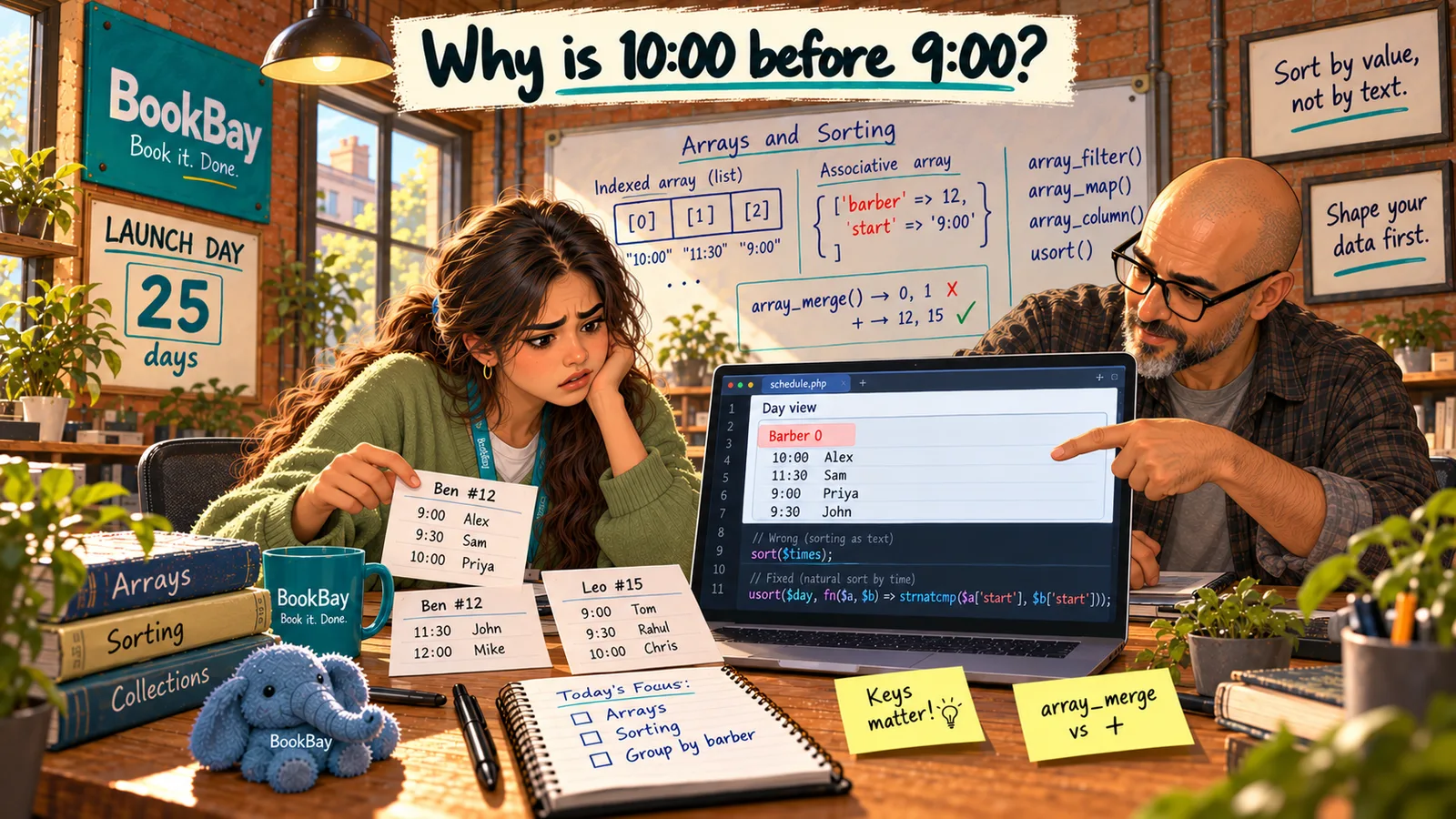
Clare gets one text, and the homepage lists the free slots. Back to the first problem of the Act: the day view still shows Ben's bookings as 10:00, 11:30, 9:00, 9:30. Mia has been calling sort() on the times all along. That's the next chapter: sorting.