

In this chapter
We'll learn the array helpers that recent PHP versions added — array_first() and array_last() in PHP 8.5, array_key_first() and array_key_last(), array_find(), array_find_key(), array_any() and array_all() in PHP 8.4, and array_is_list() — why $array[0] is not always the first item, and how arrays turn into JSON and back.
The Problem in Real Life
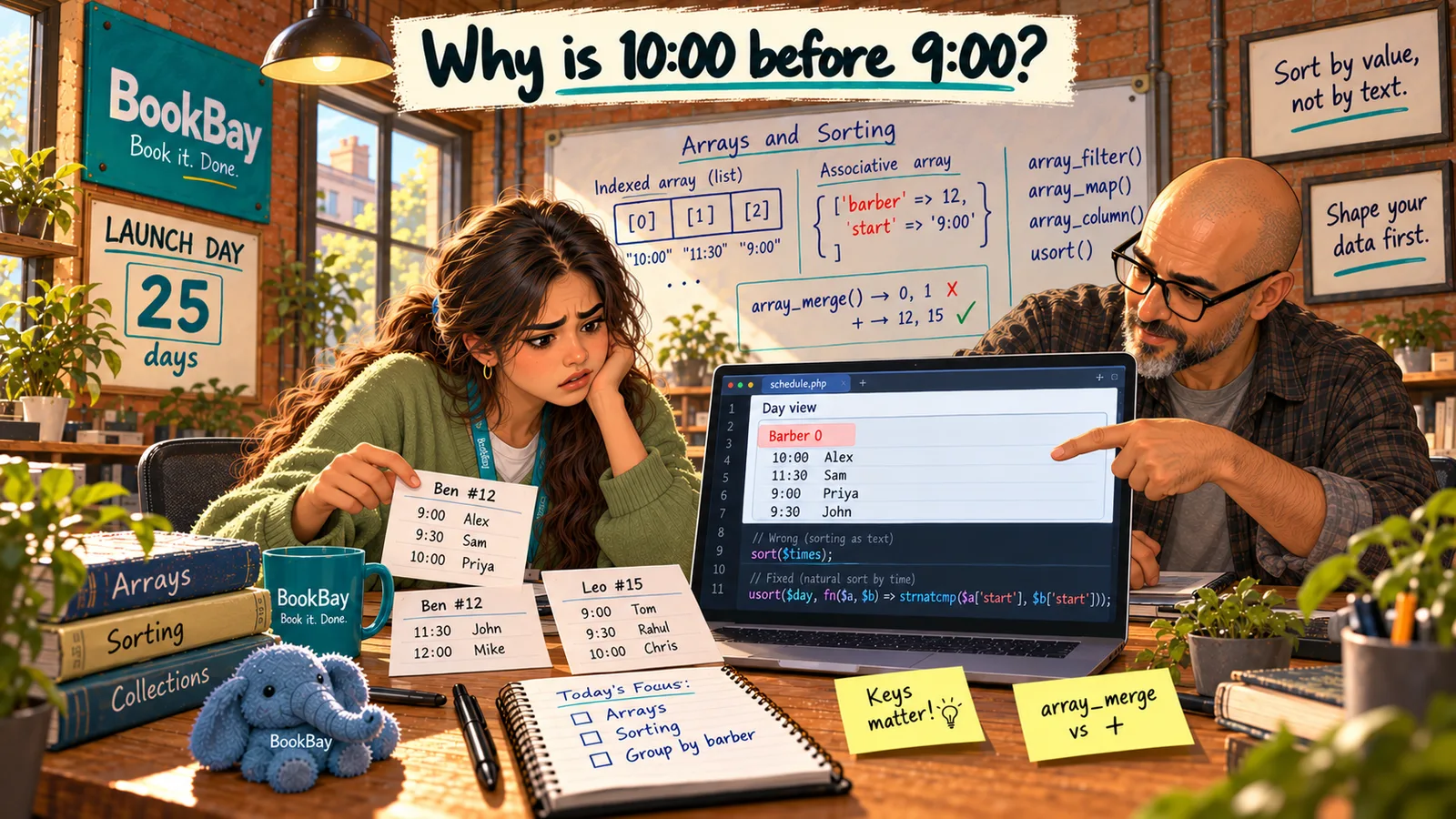
The counter screen should highlight each barber's first booking of the day, so Tom can see who's due in next. Mia sorts each barber's bookings with uasort() — she learned that it keeps the keys — and highlights $bookings[0].
For Ben it's right. For Leo it highlights his 11:30 customer, not his 9:30. Key 0 is still the booking that was added first, and uasort() kept it as key 0 — it just moved it to the end.
I sorted the list. Why isn't item 0 the first item?
Mia
Key 0 vs. the First Item
Key 0 isn't "first"
After uasort(), array_filter() or unset(), key 0 can be anywhere — or nowhere.
Find one record
"The first booking after 10:00" used to need a loop with a break. Now it's one function.
Any or all?
"Is any booking a VIP?" "Are all bookings confirmed?" are yes-or-no questions about a whole list.
Modern Array Helpers
Small helpers for common questions: recent PHP versions added functions for questions that used to need a loop or a trick. They all work by position or condition, never by assuming the keys are 0, 1, 2:
- First and last:
array_first()andarray_last()(PHP 8.5),array_key_first()andarray_key_last()(PHP 7.3). - Find:
array_find()andarray_find_key()(PHP 8.4) return the first item, or its key, that matches a callback. - Any and all:
array_any()andarray_all()(PHP 8.4) answer yes-or-no questions about a whole list. - List check:
array_is_list()(PHP 8.1) tells you whether the keys are exactly 0, 1, 2 … in order.
First and last: array_first($bookings) returns the value in the first position, whatever its key, and array_last() the value in the last position. On an empty array both return null. They're new in PHP 8.5. array_key_first() and array_key_last(), around since PHP 7.3, return the first and last key instead. That's Mia's fix: array_first($bookings) is Leo's 9:30, because after uasort() that's what sits in the first position. $bookings[0] means "the item with key 0", which is only the first item in a fresh list. (In older code you'll see reset($array) and end($array) doing the same job; they move the array's internal pointer as a side effect, which is why the new functions are nicer.)
<?php$leo = [["minutes" => 690, "customer" => "Zoë Müller"], // key 0: added first, at 11:30["minutes" => 570, "customer" => "Daniel Brooks"], // key 1: 9:30];uasort($leo, fn($a, $b) => $a["minutes"] <=> $b["minutes"]); // keys are keptecho $leo[0]["customer"], "\n"; // Zoë Müller: the item with key 0echo array_first($leo)["customer"], "\n"; // Daniel Brooks: the first positionecho array_last($leo)["customer"], "\n"; // Zoë Müllerecho array_key_first($leo), "\n"; // 1var_dump(array_first([])); // NULL
array_find and array_find_key: array_find($day, fn($b) => $b["minutes"] >= 600) returns the first item for which the callback returns true — the first booking from 10:00 — or null if there's none. It stops at the first match, like a loop with break (Act 06). array_find_key() returns that item's key instead. The callback also receives the key as a second argument, if you need it.
<?php$day = [101 => ["minutes" => 540, "customer" => "Tom Hart"],102 => ["minutes" => 600, "customer" => "Clare Lefèvre"],103 => ["minutes" => 630, "customer" => "Sam Ortiz"],];$next = array_find($day, fn($b) => $b["minutes"] >= 600);echo $next["customer"], "\n"; // Clare Lefèvreecho array_find_key($day, fn($b) => $b["customer"] === "Sam Ortiz"), "\n"; // 103var_dump(array_find($day, fn($b) => $b["minutes"] > 1000)); // NULL: no match
array_any and array_all: array_any($day, fn($b) => $b["vip"]) is true if at least one item matches; array_all($day, fn($b) => $b["status"] === "confirmed") is true if every item matches. Both stop as soon as the answer is certain. For an empty array, array_any() is false and array_all() is true, because "every item of nothing" can't be wrong.
<?php$day = [["customer" => "Tom Hart", "vip" => false, "status" => "confirmed"],["customer" => "Clare Lefèvre", "vip" => true, "status" => "confirmed"],["customer" => "Ann Lee", "vip" => false, "status" => "cancelled"],];var_dump(array_any($day, fn($b) => $b["vip"])); // bool(true)var_dump(array_all($day, fn($b) => $b["status"] === "confirmed")); // bool(false)var_dump(array_any([], fn($b) => true), array_all([], fn($b) => false));// bool(false)// bool(true)
array_is_list: array_is_list($a) is true when the keys are exactly 0, 1, 2 … with no gaps and in order. It's a quick check before you use positions, and before you send an array as JSON: a list becomes a JSON array [...], anything else a JSON object {...}. After array_filter(), unset() or uasort() the answer is often false; array_values() makes it true again. The table below shows each helper and the code it replaces.
| Helper | Since | Replaces |
|---|---|---|
| array_first($a) / array_last($a) | PHP 8.5 | reset($a) / end($a), or $a[0] for lists |
| array_key_first($a) / array_key_last($a) | PHP 7.3 | array_keys($a)[0], or reset() + key() |
| array_find($a, $fn) | PHP 8.4 | A foreach with an if and break |
| array_find_key($a, $fn) | PHP 8.4 | The same loop, returning the key |
| array_any($a, $fn) | PHP 8.4 | A loop that sets $found = true |
| array_all($a, $fn) | PHP 8.4 | A loop that sets $ok = false |
| array_is_list($a) | PHP 8.1 | array_keys($a) === range(0, count($a) - 1) |
<?php$times = ["9:00", "9:30", "10:00"];var_dump(array_is_list($times)); // bool(true)unset($times[1]);var_dump(array_is_list($times)); // bool(false): keys 0, 2var_dump(array_is_list(array_values($times))); // bool(true)
Arrays and JSON: JSON is the text format that websites, apps and services use to send data to each other — the SMS service, a payment provider, the JavaScript in a browser. json_encode($array) turns an array into JSON text: a list becomes [...], an array with other keys becomes {...}. json_decode($json, true) turns JSON text back into a PHP array; without the true you get objects instead (Act 11). This is how most data reaches your code from outside, and why array_is_list() matters. Act 19 covers JSON in full: options, errors and objects.
<?php$times = ["9:00", "9:30", "10:00"];unset($times[1]);echo json_encode(["9:00", "10:00"]), "\n"; // ["9:00","10:00"]: a listecho json_encode($times), "\n"; // {"0":"9:00","2":"10:00"}: not a listecho json_encode(array_values($times)), "\n"; // ["9:00","10:00"]$fromSmsService = '{"to":"+447700900456","status":"delivered","parts":1}';$reply = json_decode($fromSmsService, true); // true: give me an arrayecho $reply["status"], " to ", $reply["to"], "\n"; // delivered to +447700900456
Key Takeaway
$array[0] is the item with key 0, not the first item — after uasort(), array_filter() or unset(), they differ. Use array_first() and array_last() (PHP 8.5) for the first and last values, array_key_first()/array_key_last() for keys, array_find()/array_find_key() for the first match, array_any()/array_all() for yes-or-no questions, and array_is_list() to check for keys 0, 1, 2 ….
Why This Matters
"The first booking", "the next free slot", "is anyone a VIP?" are everyday questions, and the old answers — $a[0], a loop with a flag, reset() — each had a trap. The new helpers say what you mean, and they work whatever the keys are.
They're also a sign of where PHP is going: small, clear functions that take a callback. You'll recognise the same names — first, last, contains, every — in Laravel's collections.
Each barber's first booking is highlighted correctly. Then Olivia asks for the month view: 30 days, three barbers, every slot marked free or booked. It takes eleven seconds to load. And in one corner, a slot shows as free although it's booked — Mia typed $booking["strat"] instead of "start". That's the next chapter: arrays, objects, collections and speed.