

In this chapter
We'll learn what a PHP array really is — an ordered list of keys and values — and its three everyday shapes: indexed arrays (lists), associative arrays (named items) and multidimensional arrays (arrays inside arrays); how to build one quickly with range() and array_fill(), read nested values safely, check whether an array is empty, why a copy of an array is a separate array, and how to look inside one with print_r() and var_dump().
The Problem in Real Life
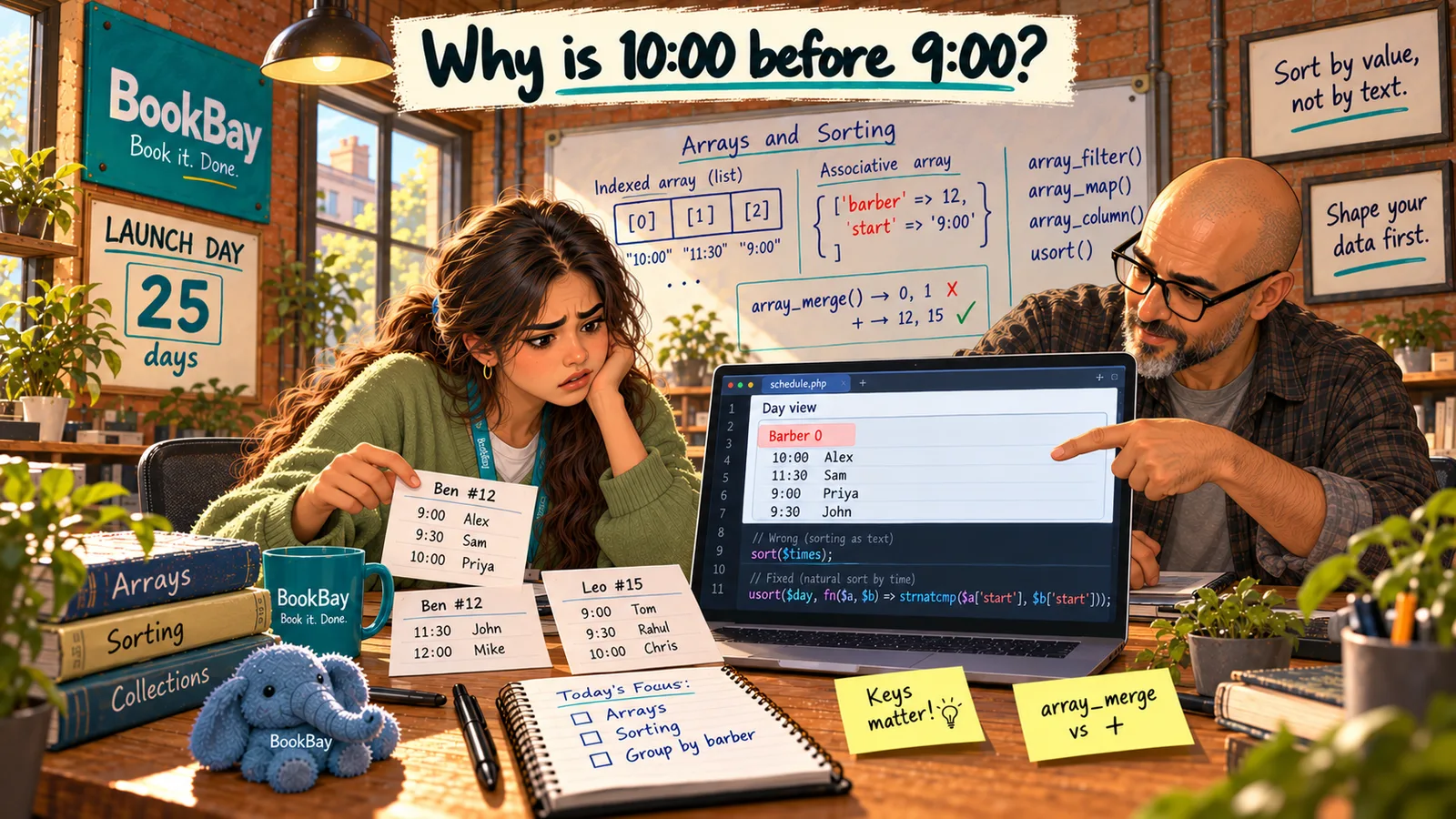
Saturday morning, 25 days before launch. On Monday a second barber, Leo, joins Tom's shop, and Olivia wants a day view on the screen at the counter: every barber's bookings for today, in time order. Mia builds a first version. Ben's list comes out as 10:00, 11:30, 9:00, 9:30. And after she adds Leo's schedule, nobody can tell which booking belongs to which barber.
"Both problems are about arrays," says Marcus. "You've used them since Act 06 without really knowing them. This Act is all about them." He looks at how Mia stored a booking: ["9:00", "Tom Hart", "Haircut"], printed with $booking[1] . " at " . $booking[0]. It works — until a booking from the new form arrives with the name first and the time second, and the day view prints "9:00 at Tom Hart".
Which number was the time again — 0 or 1?
Mia
Numbered Items vs. Named Items
Many values, one variable
A day has many bookings, and each booking has a time, a customer and a service. Separate variables can't hold that.
What was item 1?
In a numbered list, the reader has to remember what each position means. One wrong order and the data is wrong.
Lists of records
A day is a list of bookings, and each booking is a set of named fields: an array inside an array.
PHP Arrays: Indexed, Associative and Multidimensional
What an array is: an array holds many values in one variable. Each value is stored under a key, so an array is really a list of key => value pairs, kept in the order you added them. PHP uses this one structure for three shapes:
- Indexed arrays: the keys are numbers 0, 1, 2 … — a plain list, like the times of a day.
- Associative arrays: the keys are names you choose, like
"time"and"customer"— one record with named fields. - Multidimensional arrays: arrays that contain arrays — like a day that is a list of bookings, each booking an associative array.
Indexed arrays: write a list in square brackets, $times = ["9:00", "9:30", "10:00"];, and PHP numbers the items for you, starting from 0. $times[0] is "9:00", $times[2] is "10:00". count($times) gives the number of items, 3, so the last item is $times[count($times) - 1]. (You may see the old way to write an array, array("9:00", "9:30"); it means exactly the same.) An array with keys 0, 1, 2 … in order is called a list.
<?php$times = ["9:00", "9:30", "10:00"];echo $times[0], "\n"; // 9:00: the first item has key 0echo $times[2], "\n"; // 10:00echo count($times), " slots\n"; // 3 slotsecho $times[count($times) - 1], "\n"; // 10:00: the last item
Building arrays quickly: you don't have to type every item. range(9, 17) gives the whole numbers from 9 to 17, and range(540, 1050, 30) counts in steps of 30 — every slot of a day in minutes. array_fill(0, 3, "free") gives three items that are all "free", and array_fill_keys(["Ben", "Leo"], 0) gives one item per key, all with the same starting value: a counter per barber.
<?phpecho implode(" ", range(9, 17)), "\n"; // 9 10 11 12 13 14 15 16 17echo implode(" ", range(540, 690, 30)), "\n"; // 540 570 600 630 660 690: slots in minutesprint_r(array_fill(0, 3, "free"));print_r(array_fill_keys(["Ben", "Leo"], 0)); // a counter per barber// Array// (// [0] => free// [1] => free// [2] => free// )// Array// (// [Ben] => 0// [Leo] => 0// )
Associative arrays: when each value means something different, give it a name. ["time" => "9:00", "customer" => "Tom Hart", "service" => "Haircut"] uses => to put each value under a string key. Now the code says $booking["time"], not $booking[0], and the order of the fields no longer matters. That's the fix for Mia's bug: nobody has to remember what position 1 was. Asking for a key that doesn't exist gives a warning, "Undefined array key", and the value null.
<?php$fromCounter = ["9:00", "Tom Hart", "Haircut"]; // time, name, service$fromForm = ["Clare Lefèvre", "9:30", "Haircut"]; // name, time, service!echo $fromCounter[1], " at ", $fromCounter[0], "\n"; // Tom Hart at 9:00echo $fromForm[1], " at ", $fromForm[0], "\n"; // 9:30 at Clare Lefèvre$booking = ["customer" => "Clare Lefèvre", "time" => "9:30", "service" => "Haircut"];echo $booking["customer"], " at ", $booking["time"], "\n"; // Clare Lefèvre at 9:30: order doesn't matter
<?php$booking = ["time" => "9:30", "customer" => "Clare Lefèvre"];var_dump($booking["barber"]);// Warning: Undefined array key "barber"// NULL
Multidimensional arrays: a value in an array can be anything, including another array. A day is a list of bookings, and each booking is an associative array: $day[0]["customer"] reads the customer of the first booking — first the outer key, then the inner one. This shape, a list of records, is the most common data structure in PHP. It's exactly what you get back from a database later (Act 18). Arrays can go deeper — $week["Monday"][0]["time"] — but two or three levels is usually enough. The diagram below shows how PHP reads $day[0]["customer"]. To read a nested value that may not exist, use ?? (Act 05): $day[5]["time"] ?? "no booking" gives the default without any warning, however many levels are missing. And only arrays can hold items: if a variable holds a number or a string, $x[] = ... stops with an Error, "Cannot use a scalar value as an array".
How PHP reads $day[0]["customer"]: outer key first, then inner key
$day
a list: keys 0, 1, 2 … — one item per booking
$day[0]
the first booking: an array with the keys "time", "customer", "service"
$day[0]["customer"]
"Tom Hart" — a string, the end of the path
<?php$day = [["time" => "9:00", "customer" => "Tom Hart", "service" => "Haircut"],["time" => "9:30", "customer" => "Clare Lefèvre", "service" => "Beard trim"],];echo $day[0]["customer"], "\n"; // Tom Hart: outer key, then inner keyecho $day[1]["service"], "\n"; // Beard trimforeach ($day as $booking) {echo $booking["time"], " ", $booking["customer"], "\n";}// 9:00 Tom Hart// 9:30 Clare Lefèvre
<?php$day = [["time" => "9:00", "customer" => "Tom Hart"]];echo $day[5]["time"] ?? "no booking", "\n"; // no booking: no warning, two levels missingecho $day[0]["note"] ?? "no note", "\n"; // no note$count = 5;try {$count[] = 6; // a number can't hold items} catch (Error $e) {echo $e->getMessage(), "\n"; // Cannot use a scalar value as an array}
Is it empty, and is it an array: a day can have no bookings at all, so checking for an empty array is one of the most common jobs. $day === [] and count($day) === 0 both ask exactly that. An empty array is also falsy (Act 04), so if ($day) means "if there's at least one booking", and empty($day) is true for an empty array — but also for a variable that doesn't exist, which can hide a typo. Prefer $day === [] when you know $day is an array. To check that a value is an array at all, use is_array($value). count() counts only the top level: a day with 3 bookings has a count of 3, not 3 times the number of fields. (count($day, COUNT_RECURSIVE) counts every item at every level, which is rarely what you want.)
<?php$day = [];var_dump($day === []); // bool(true)var_dump(count($day) === 0); // bool(true)if (!$day) {echo "No bookings today\n"; // an empty array is falsy}var_dump(is_array($day), is_array("9:00"));// No bookings today// bool(true)// bool(false)$week = ["Mon" => ["9:00", "9:30"], "Tue" => ["10:00"]];echo count($week), " ", count($week, COUNT_RECURSIVE), "\n"; // 2 5: top level only, or every level
Arrays are values: unlike objects (Act 11), an array behaves like a number or a string. $copy = $day; gives $copy its own array; adding a booking to $copy leaves $day as it was. A function that receives an array gets its own copy too, so it can't change yours by accident — unless it takes the array by reference, with & (Act 03), like sort() does. Keep this in mind: it explains the "nothing changed" bug in chapter 4, and chapter 11 shows why these copies cost almost nothing.
<?php$day = ["9:00 Tom Hart"];$copy = $day;$copy[] = "9:30 Clare Lefèvre"; // changes only $copyecho count($day), " ", count($copy), "\n"; // 1 2function addWalkIn(array $bookings): array{$bookings[] = "10:00 walk-in"; // changes the function's own copyreturn $bookings;}$withWalkIn = addWalkIn($day);echo count($day), " ", count($withWalkIn), "\n"; // 1 2: $day is unchanged
Looking inside: echo can't print an array (it prints the word "Array" with a warning). To see what's inside while you work, use print_r($array), which shows keys and values in a readable layout, or var_dump($array), which also shows every type and length. foreach (Act 06) goes through the items one by one, and the next chapters show many more tools. The table below sums up the three shapes.
| Shape | Example | Read an item |
|---|---|---|
| Indexed (a list) | $times = ["9:00", "9:30"] | $times[0] gives "9:00" |
| Associative (a record) | $booking = ["time" => "9:00", "customer" => "Tom Hart"] | $booking["customer"] gives "Tom Hart" |
| Multidimensional (a list of records) | $day = [["time" => "9:00"], ["time" => "9:30"]] | $day[1]["time"] gives "9:30" |
<?php$booking = ["time" => "9:30", "price" => 25];print_r($booking);var_dump($booking);// Array// (// [time] => 9:30// [price] => 25// )// array(2) {// ["time"]=>// string(4) "9:30"// ["price"]=>// int(25)// }
One structure, many jobs: in other languages, lists, dictionaries and records are different types. In PHP, the array does all of it: it's an ordered map, which means every value has a key, and the order you added them is kept. That's why PHP arrays are so flexible — and why this Act has eleven chapters. Very soon, keys turn out to have rules of their own; that's the next chapter.
Key Takeaway
A PHP array is an ordered list of key => value pairs. With number keys 0, 1, 2 … it's a list ($times[0]); with string keys it's a record with named fields ($booking["time"]); and arrays inside arrays build bigger shapes, like a day that is a list of bookings ($day[0]["customer"]). Use named keys whenever the values mean different things, ?? to read values that may be missing, and $a === [] to check for an empty array. An array is a value: a copy is a separate array.
Why This Matters
Almost all the data in BookBay is a list of records: the day's bookings, the barbers, the services and their prices, the customers. Until the database arrives in Act 18 — and even after, because the database hands its rows back as arrays — PHP code holds that data in arrays.
Choosing the right shape is half the work. A list with named records is easy to read, loop over, sort and group; a list where position 1 means "the name, I think" is a bug waiting for the next form.
Every booking is now an associative array, and the day view reads $booking["time"]. Mia wants to look slots up quickly, so she stores Saturday's bookings in an array keyed by the hour: 9 for 9:00, 9.5 for 9:30. She adds two customers. Only one is left in the array. That's the next chapter: keys and their rules.