

In this chapter
We'll learn the three building blocks every line of PHP is made of — statements, expressions and blocks — why almost every statement ends with a semicolon, and how to read a parse error that seems to point at the wrong line.
The Problem in Real Life
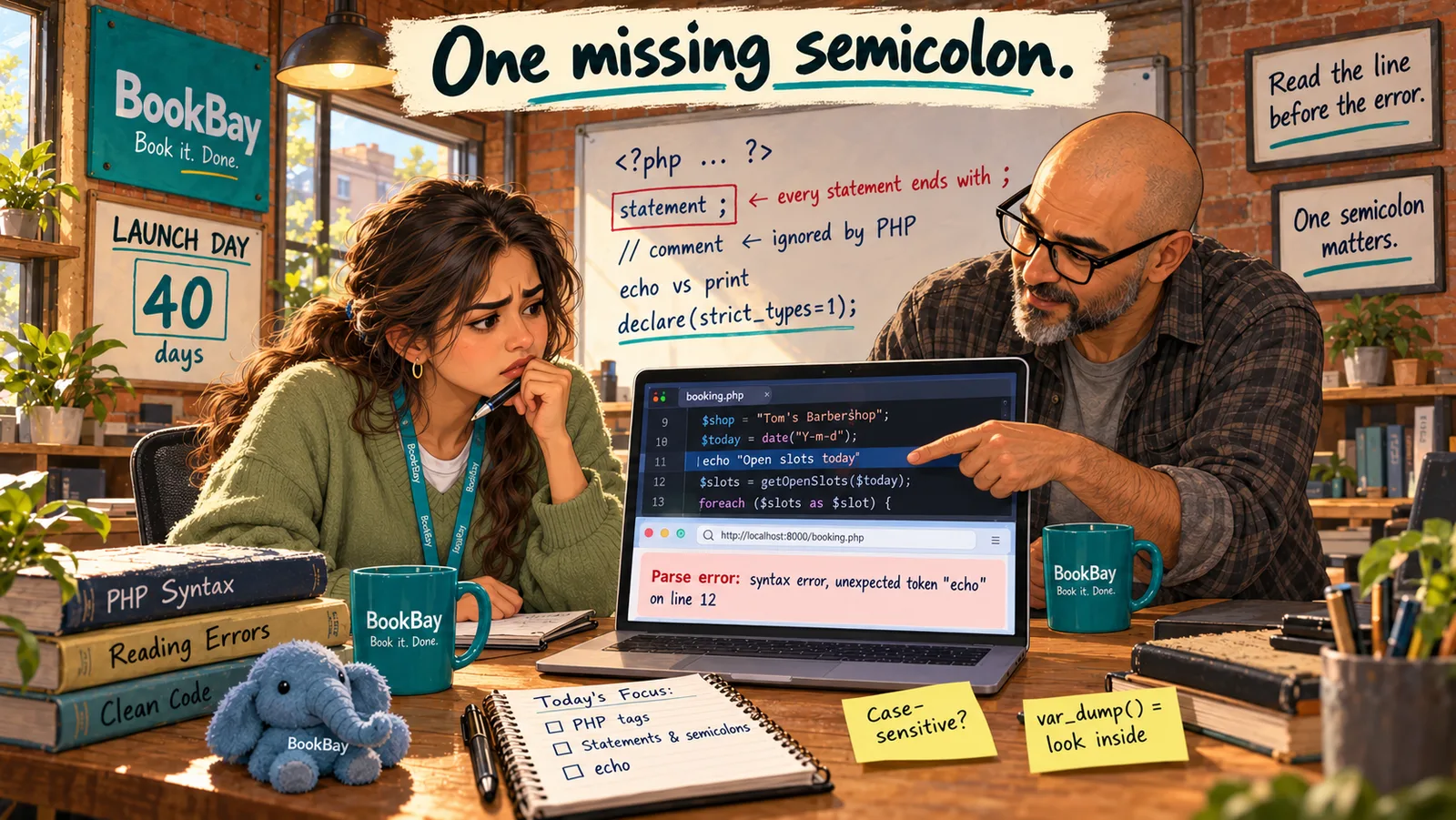
Mia makes her very first change to booking.php. Above the list of free slots she wants a heading, so inside the PHP block she adds one line: echo "Open slots today". She saves, reloads the page — and the whole page is gone.
In its place: Parse error: syntax error, unexpected variable "$slots", expecting "," or ";" … on line 12. She looks at line 12: $slots = getOpenSlots($today);. She didn't touch that line. It's exactly as it was this morning, when everything worked.
Marcus glances at the screen and smiles. "PHP has a habit. When it complains about a line, the mistake is very often on the line before it. Read line 11."
The error says line 12 — but I only changed line 11. Why is PHP blaming the wrong line?
Mia
How People Read Code vs. How PHP Reads It
One missing character
A single missing semicolon is enough to stop the whole file from running.
The error points elsewhere
PHP reports the line where it got confused, which is often after the real mistake.
Lines aren't the real unit
PHP doesn't care about lines. It cares about statements — and where each one ends.
Statements, Expressions and Blocks
When you read code, you read it line by line. PHP doesn't. PHP reads your code as a list of statements, and it only cares where each statement starts and ends. To read PHP like PHP does, you need three words: statement, expression and block.
Statement: a statement is one complete instruction — one thing for PHP to do. "Remember this price." "Print this text." "If the shop is open, do this." In PHP, almost every statement ends with a semicolon (;). The semicolon is like the full stop at the end of a sentence: it tells PHP "this instruction is finished, the next one starts after me".
Expression: an expression is any piece of code that produces a value. Some examples:
25— a number is an expression; its value is 25."Tom's Barbershop"— a piece of text is an expression; its value is that text.$price— a variable is an expression; its value is whatever is stored in it.$price * 2 + 10— a calculation is an expression; PHP works out its value (60 if the price is 25)."Book at " . $shop— joining texts is an expression too (the.joins two pieces of text).
How statements and expressions fit together: a statement usually contains expressions. In $total = $price * 2 + 10;, the part $price * 2 + 10 is an expression that produces a value, and the whole line — store that value in $total — is the statement. In echo $total;, the expression is $total, and the statement is "print it". So: expressions produce values, statements do things with them. The code below shows both.
Inside one statement
$total = $price * 2 + 10;
the whole line: one statement
$price * 2 + 10
an expression — produces the value 60
;
the end of the statement
$total now holds 60
what the statement did
<?php$price = 25; // statement: store 25$total = $price * 2 + 10; // the expression gives 60echo $total; // statement: print itecho "\n";echo "Book at " . "Tom's Barbershop";
Output: 60, then Book at Tom's Barbershop on the next line. Everything after // on a line is a comment for humans (chapter 3).
Why the semicolon matters so much: PHP doesn't use line breaks to know where an instruction ends — only the semicolon. That has two effects. First, you can spread one long statement over several lines, as the second code box shows, and PHP reads it as one instruction until it reaches the ;. Second, if you forget a semicolon, PHP doesn't know the statement has ended. It simply keeps reading the next line as if it were part of the same instruction.
<?php$total = 25+ 10+ 5;echo $total; // 40
PHP reads lines 3–5 as one instruction, because the semicolon only comes at the end.
Why the error points at the next line: that's exactly what happened to Mia. After echo "Open slots today" there was no semicolon, so PHP kept reading. On the next line it met $slots — and an echo of some text can't be followed directly by a variable. That's the moment PHP got confused, so that's the line it reports: "unexpected variable $slots, expecting , or ;". PHP even tells you what it wanted to see: a comma or a semicolon. The real mistake is just before. The rule Marcus taught her: when PHP reports a syntax error, look at that line and the line before it.
<?php$shop = "Tom's Barbershop";echo "Open slots today"$slots = 3;echo $slots;
Parse error: syntax error, unexpected variable "$slots", expecting "," or ";" in main.php on line 5
The error is reported on line 5, but the missing semicolon is at the end of line 4. Add it, and the file runs.
Blocks: a block is a group of statements wrapped in curly braces, { and }. A block lets several statements belong together — for example, "if the shop is open, do these two things". You'll use blocks with if (Act 06), loops (Act 06) and functions (Act 09). In the code below, both echo statements are inside the block, so they run only when $isOpen is true; the last echo is outside it and always runs.
<?php$isOpen = true;if ($isOpen) {echo "Tom's Barbershop is open.\n";echo "Book a slot!\n";}echo "Thanks for visiting.\n";
Change true to false and run it again: the two lines inside the block disappear, the last line stays.
Where semicolons do and don't go: every simple statement ends with ;. The closing brace } of a block does not need one. And there's one more case from chapter 1: the closing tag ?> also ends the statement before it, so <?php echo "Open at 9:00" ?> works without a semicolon. Many developers still write it, to be safe.
A sneaky mistake — a semicolon in the wrong place: a semicolon right after if (…) ends the if immediately, with nothing inside it. The block below it then becomes an ordinary block that always runs. The code below shows it: the shop is closed, yet it says it's open — and PHP gives no error at all, because the code is valid, just wrong. When something runs that shouldn't, check for a stray ; before a {.
<?php$isOpen = false;if ($isOpen); { // <- this ; ends the if right hereecho "Tom's Barbershop is open.\n";}
Output: Tom's Barbershop is open. — even though $isOpen is false. Remove the ; after the ) and it prints nothing.
A missing brace: if you open a block with { and forget the }, PHP reaches the end of the file still waiting for it. The error then mentions both lines: where the brace was opened, and the last line of the file. The table below collects the parse errors you'll meet most often in your first weeks, and where to look for each — and the code box under it shows a missing brace in action.
| PHP says | Usually means | Look at |
|---|---|---|
| unexpected variable "$x", expecting "," or ";" | A missing semicolon | The end of the line before |
| unexpected token "echo" | A missing semicolon | The end of the line before |
| unexpected token ";", expecting ")" | A missing closing bracket ) | That same line |
| Unclosed '{' on line N | A block was never closed with } | Line N, and where its } should be |
| Unmatched '}' | One } too many | The blocks just above |
| unexpected end of file | Something was opened and never closed — often a quote " | From the error line upwards |
<?php$isOpen = true;if ($isOpen) {echo "Tom's Barbershop is open.";// Parse error: Unclosed '{' on line 5 in main.php on line 7
Formatting is for people: spaces, line breaks and indentation (the spaces at the start of lines inside a block) don't change what the code does — $a = 5; $b = 10; on one line works the same as two lines. But they make code readable for the next person, so the convention is one statement per line, and statements inside a block indented by four spaces. Chapter 4 covers the full style.
Key Takeaway
PHP reads statements, not lines. A statement is one complete instruction and ends with a semicolon; an expression is any piece of code that produces a value; a block groups statements in { }. A missing semicolon makes PHP read on into the next line, so always check the line before the one in the error.
Why This Matters
Syntax errors are the first errors every developer meets, every day, for their whole career — and they're the easiest to fix once you can read them. Knowing that PHP reads statements (not lines) turns "the error is on the wrong line!" into "of course, the semicolon before it". That one habit will save Mia hours before Launch Day.
Statements, expressions and blocks are also the vocabulary of every later Act. When Act 05 talks about operators in an expression, or Act 06 about the block of an if, these are the exact pieces it means.
Mia adds the semicolon and the page comes back. Then she notices lines in booking.php that start with // and a big block wrapped in /* … */ — and one variable written as $Slots that doesn't seem to work. "Is PHP fussy about capital letters too?" That's the next chapter.