

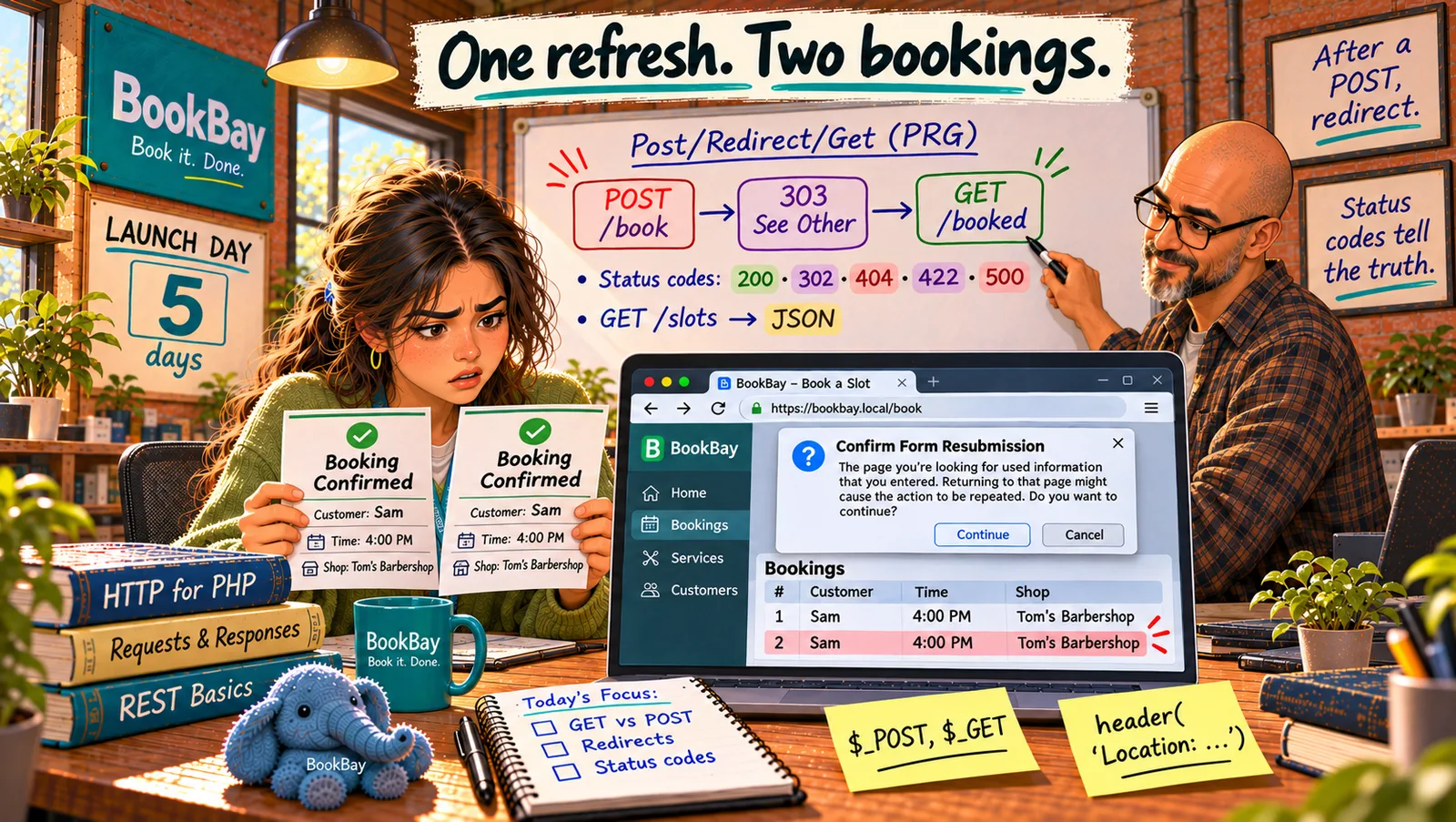
In this chapter
We'll learn how to read request headers and send response headers with header() and http_response_code(), why "headers already sent" happens and how output buffering relates to it, how Content-Type and Content-Disposition tell the browser what it's getting, which redirect status to use when, and how Post/Redirect/Get finally fixes the double booking.
The Problem in Real Life
Mia's plan for the double booking: after saving, send the browser to the confirmation page. She adds header('Location: /booked.php?id=4812') after the "Booking received…" line. The page shows "Warning: Cannot modify header information - headers already sent", and the browser stays where it was.
Marcus moves one line and adds one number, 303. Sam's test refresh now just reloads the confirmation — and the diary keeps one booking.
Headers go first. Once PHP has sent a single byte of the page, it's too late to change them.
Marcus
Answering a POST with a Page vs. Post/Redirect/Get
Headers before body
Any output — even a space before <?php — sends the headers. header() calls after that fail.
Redirects have types
301, 302, 303, 307 and 308 differ in permanence and in what happens to the method.
Post/Redirect/Get
Save on POST, redirect with 303, show the result on GET — refreshes become harmless.
Headers, Redirects and Content Types
Controlling the response: so far PHP's output has been the body, and PHP chose the headers. This chapter takes control of the rest of the response:
- Response headers: header(), http_response_code() and "headers already sent".
- Content types: HTML, JSON, CSV and downloads.
- Redirects: the Location header and the five redirect codes.
- Post/Redirect/Get: the fix for the double booking.
- Request headers: reading what the client sent.
Response headers: header('Name: value') adds a response header; http_response_code(404) sets the status code (header() can also set it, as a third argument). headers_list() shows what's set so far. The catch: a response is sent in order — status line, headers, then body — so the moment PHP sends the first byte of the body, the headers go out with it and can't be changed any more. Any output counts: an echo, HTML outside <?php, even a space or empty line before <?php or after a closing ?> in an included file. A later header() call then fails with "Cannot modify header information - headers already sent by (output started at …)" — the warning names the file and line that sent the output. The fix is to decide headers before producing any output. That's also why files containing only PHP should leave out the closing ?>.
<?phpecho "Your booking\n";header('Location: /booked.php?id=4811'); // too late: the body has startedecho "after header\n";// $ curl -i "http://localhost:8000/misc.php?what=late-header"// HTTP/1.1 200 OK// Content-type: text/html; charset=UTF-8//// Your booking// Warning: Cannot modify header information - headers already sent by (output started at /srv/bookbay/public/misc.php:21) in /srv/bookbay/public/misc.php on line 22// after header
Output buffering: many servers have output_buffering switched on in php.ini, which holds the first few kilobytes of output in memory, so a late header() sometimes works on one server and fails on another. ob_start() turns on buffering in code (chapter 8 uses it for templates). Don't rely on it to hide header bugs — structure the code so that every decision about status and headers is made first.
Content types: Content-Type tells the client what the body is, and the browser acts on it: text/html; charset=utf-8 is rendered as a page (PHP's default), application/json is data for programs (chapter 9), text/plain is shown as text, text/csv is a spreadsheet. Content-Disposition: attachment; filename="bookings-2026-11-07.csv" tells the browser to download the body as a file instead of showing it — Olivia's weekly export from Act 15 becomes a download link in two headers. Always include the charset=utf-8 for text, so "Lefèvre" displays correctly.
<?phpheader('Content-Type: text/csv; charset=utf-8');header('Content-Disposition: attachment; filename="bookings-2026-11-07.csv"');$out = fopen('php://output', 'w'); // Act 15: write straight to the responsefputcsv($out, ['id', 'customer', 'slot'], escape: '');fputcsv($out, [4811, 'Sam Cole', '2026-11-07 16:00'], escape: '');// $ curl -i "http://localhost:8000/misc.php?what=csv"// HTTP/1.1 200 OK// Content-Type: text/csv; charset=utf-8// Content-Disposition: attachment; filename="bookings-2026-11-07.csv"//// id,customer,slot// 4811,"Sam Cole","2026-11-07 16:00"
Redirects: a redirect is a response with a 3xx status and a Location header naming another URL; the browser immediately requests that URL instead. header('Location: /booked.php?id=4811', true, 303) sends one — and the next line must be exit;, because header() doesn't stop the script: without it, the rest of the page runs and may even save something again. The redirect codes differ in two ways: permanent or temporary, and whether the browser keeps the method. The table below compares them; for redirecting after a form, use 303 See Other, which always makes the browser follow with a GET.
| Code | Name | Permanent? | Method on the next request | Use for |
|---|---|---|---|---|
| 301 | Moved Permanently | Yes | May change POST to GET | Old page moved for good (GET only) |
| 302 | Found | No | May change POST to GET | Old default of header('Location') |
| 303 | See Other | No | Always GET | After a form POST (Post/Redirect/Get) |
| 307 | Temporary Redirect | No | Keeps the method and body | Send a POST elsewhere temporarily |
| 308 | Permanent Redirect | Yes | Keeps the method and body | An API endpoint moved for good |
Post/Redirect/Get: the fix for Sam's double booking has a name: Post/Redirect/Get (PRG). The form POSTs to book.php; the script validates, saves, and responds with 303 and Location: /booked.php?id=4811; the browser then GETs the confirmation. Now the page Sam sees is the answer to a GET, so a refresh repeats the GET — harmless — and the back button doesn't resubmit either. The diagram below shows the three steps, and the real output shows them with curl. (When the form has errors, don't redirect: show the form again with the errors and status 422 — the HTTP Checkpoint does exactly that.)
Post/Redirect/Get
1. POST /book.php
customer=Sam Cole&slot=2026-11-07 16:00
2. 303 See Other
Location: /booked.php?id=4811 — booking saved once
3. GET /booked.php?id=4811
200 OK: "Booked! Booking #4811"
Refresh / back
repeats step 3, a GET: nothing is booked again
<?php// public/book.phprequire __DIR__ . '/../src/bookings.php';if ($_SERVER['REQUEST_METHOD'] === 'POST') {$id = saveBooking($_POST['customer'], $_POST['slot']);header("Location: /booked.php?id={$id}", true, 303); // headers before any outputexit; // stop here: nothing else may run}?><form method="post" action="/book.php"><input name="customer"> <input name="slot"> <button>Book</button></form>
$ curl -i -d "customer=Sam Cole&slot=2026-11-07 16:00" http://localhost:8000/book.phpHTTP/1.1 303 See OtherLocation: /booked.php?id=4811Content-type: text/html; charset=UTF-8$ curl -i "http://localhost:8000/booked.php?id=4811" # what the browser does next — and on every refreshHTTP/1.1 200 OKContent-type: text/html; charset=UTF-8<h1>Booked!</h1><p>Booking #4811 for Sam Cole at 2026-11-07 16:00</p>
Open redirects: never redirect to a URL taken straight from the request, like header('Location: ' . $_GET['next']). An attacker can send customers a link to BookBay that redirects to a fake login page elsewhere — an open redirect. Redirect only to paths you build yourself, or check the target against a list of allowed paths.
<?phpconst ALLOWED_NEXT = ['/schedule.php', '/booked.php', '/account.php'];function safeNext(?string $next): string{return in_array($next, ALLOWED_NEXT, true) ? $next : '/schedule.php';}foreach (['/account.php', 'https://evil.example/login', '//evil.example', null] as $next) {echo var_export($next, true), ' → ', safeNext($next), "\n";}// '/account.php' → /account.php// 'https://evil.example/login' → /schedule.php// '//evil.example' → /schedule.php// NULL → /schedule.php
Request headers: the client's headers arrive in $_SERVER as HTTP_* (chapter 4); getallheaders() returns them as an array with their original names. Useful ones: Accept (does the client want HTML or JSON?), Accept-Language (which language to show), Authorization (API tokens, chapter 6), If-None-Match and If-Modified-Since (caching), and Origin (CORS, chapter 7).
Key Takeaway
header() adds response headers and http_response_code() sets the status, but only before the first byte of body is sent — any output, even whitespace outside <?php or after a closing ?>, triggers "headers already sent", so decide status and headers first and omit closing tags in pure-PHP files (output_buffering only hides the bug). Content-Type says what the body is (text/html; charset=utf-8, application/json, text/csv) and Content-Disposition: attachment turns it into a download. A redirect is a 3xx with Location — always followed by exit; use 303 after a POST (Post/Redirect/Get), so refresh and back repeat a harmless GET. Never redirect to a URL from the request (open redirect). Request headers arrive as HTTP_* or via getallheaders().
Why This Matters
Post/Redirect/Get is in every well-built web application: Laravel's return redirect()->route(...) after saving a form does exactly this. It's the simplest fix for a whole class of duplicate-submission bugs.
"Headers already sent" is one of the most common PHP errors, and the cause is always the same: output before a header decision. Knowing that makes it a one-minute fix instead of an afternoon of moving lines around.
Sam can refresh as often as he likes: one booking. The confirmation page now shows "Thanks, Sam Cole" — but Olivia wants more: "Can it remember Sam next time, so he doesn't type his name again? And the barbers need their own page that only they can see." HTTP forgets everything between requests. That's the next chapter: cookies, sessions and HTTP authentication.