

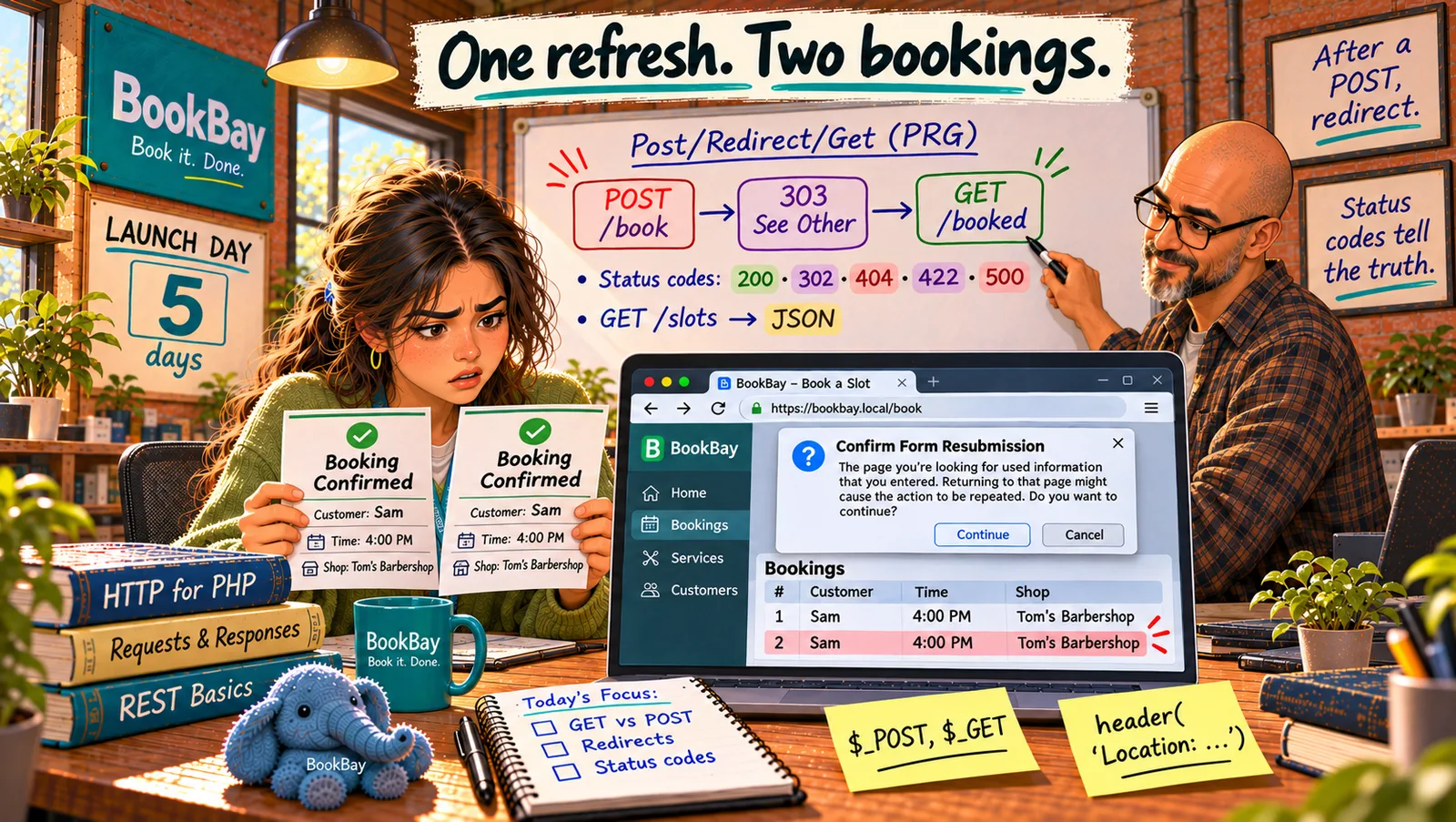
In this chapter
We'll build a small JSON API for the mobile app — resource URLs, methods and status codes that mean something, a JSON helper that sets the right headers, reading and validating JSON bodies, a consistent error format, 201 with Location for created resources, 405 and 409 where they fit — and see how PHP calls other APIs.
The Problem in Real Life
The partner building Tom's mobile app sends their wish list: "Free slots for a date, create a booking, show a booking, cancel it. JSON in, JSON out. And please — real status codes. Your old test endpoint returned 200 with {\"ok\": false} for everything, and our app showed 'Booked!' for failed bookings."
Mia looks at the four wishes and realises they're the same four things the website does — just without HTML.
An API is a website for programs. Programs can't read 'Sorry, something went wrong' — they read status codes and JSON.
Marcus
200 for Everything vs. Status Codes and JSON That Mean Something
Resources and methods
GET /bookings/4811, POST /bookings, DELETE /bookings/4811 — the URL names it, the method acts on it.
JSON both ways
Read the body from php://input, answer with Content-Type: application/json.
Errors programs understand
422 with a field-by-field error object beats 200 with "ok": false.
Building JSON APIs
A website for programs: an API (application programming interface) over HTTP lets other programs — a mobile app, Tom's website, another company's system — use BookBay's features. This chapter builds one with plain PHP, using everything from chapters 1–7:
- Resources, URLs and methods: the REST style.
- Sending JSON: headers and a small helper.
- Receiving JSON: reading, validating, answering errors.
- Status codes for APIs: 200, 201, 204, 400, 404, 405, 409, 422.
- Good API habits: consistent errors, versions and calling other APIs.
Resources, URLs and methods: the common style for HTTP APIs is REST: the URL names a resource — a thing, usually a noun in the plural — and the method (chapter 2) says what to do with it. GET /api/slots?date=2026-11-07 reads the free slots; POST /api/bookings creates a booking; GET /api/bookings/4811 reads one; DELETE /api/bookings/4811 cancels it; PATCH /api/bookings/4811 would change it. The id is a path parameter and filters are query parameters (chapter 3). The table below is BookBay's whole API. The examples route on PATH_INFO (/api.php/slots) to stay short; with a front controller and a router, the URLs become /api/slots.
| Method and URL | Does | Success | Errors |
|---|---|---|---|
| GET /api/slots?date=2026-11-07 | Free slots on a day | 200 | 400 bad date, 405 other methods |
| POST /api/bookings | Create a booking | 201 + Location | 400 bad JSON, 422 invalid fields, 409 slot full |
| GET /api/bookings/4811 | Read one booking | 200 | 404 |
| DELETE /api/bookings/4811 | Cancel it | 204 | 404 |
| PUT /api/bookings/4811 | Not supported | — | 405 + Allow: GET, DELETE |
Sending JSON: every response needs Content-Type: application/json; charset=utf-8, the right status code, and the body from json_encode(). A small helper, json(int $status, mixed $data, array $headers = []): never, does all three and ends the request — so no stray output can follow, and the return type never (Act 09) tells readers and PHPStan that the function doesn't return. A 204 No Content response has no body at all.
<?php// public/api.php — run with: php -S localhost:8000 -t publicdeclare(strict_types=1);require __DIR__ . '/../src/bookings.php'; // allBookings(), saveBooking(), findBooking(), deleteBooking(), freeSlots()function json(int $status, mixed $data, array $headers = []): never{http_response_code($status);header('Content-Type: application/json; charset=utf-8');foreach ($headers as $name => $value) {header("{$name}: {$value}");}if ($status !== 204) {echo json_encode($data, JSON_PRETTY_PRINT | JSON_UNESCAPED_SLASHES), "\n";}exit;}$method = $_SERVER['REQUEST_METHOD'];$path = $_SERVER['PATH_INFO'] ?? '/';if ($path === '/slots') {if ($method !== 'GET') {json(405, ['error' => 'Method not allowed'], ['Allow' => 'GET']);}$date = $_GET['date'] ?? '';if (!preg_match('/^\d{4}-\d{2}-\d{2}$/', $date)) {json(400, ['error' => 'Query parameter "date" must look like 2026-11-07']);}json(200, ['date' => $date, 'free' => freeSlots($date)]);}if ($path === '/bookings' && $method === 'POST') {try {$input = json_decode(file_get_contents('php://input'), true, flags: JSON_THROW_ON_ERROR);} catch (JsonException) {json(400, ['error' => 'The body must be valid JSON']);}$errors = [];if (trim($input['customer'] ?? '') === '') {$errors['customer'] = 'Please enter your name';}if (!preg_match('/^\d{4}-\d{2}-\d{2} \d{2}:\d{2}$/', $input['slot'] ?? '')) {$errors['slot'] = 'Slot must look like 2026-11-07 16:00';}if ($errors !== []) {json(422, ['error' => 'Validation failed', 'fields' => $errors]);}try {$id = saveBooking(trim($input['customer']), $input['slot']);} catch (DomainException $e) {json(409, ['error' => $e->getMessage()]);}json(201, findBooking($id), ['Location' => "/api.php/bookings/{$id}"]);}if (preg_match('#^/bookings/(\d+)$#', $path, $m)) {$booking = findBooking((int) $m[1]) ?? json(404, ['error' => "Booking {$m[1]} not found"]);match ($method) {'GET' => json(200, $booking),'DELETE' => (function () use ($booking) { deleteBooking($booking['id']); json(204, null); })(),default => json(405, ['error' => 'Method not allowed'], ['Allow' => 'GET, DELETE']),};}json(404, ['error' => 'Not found']);
Receiving JSON: read the body with json_decode(file_get_contents('php://input'), true, flags: JSON_THROW_ON_ERROR) (chapter 3), and answer a JsonException with 400 Bad Request — the request itself is broken. If the JSON is fine but the content is wrong — a missing name, a slot like "4pm" — answer 422 Unprocessable Content with every problem at once, keyed by field, so the app can show each message next to the right input. If the request is valid but clashes with the current state — the 16:00 slot is already full — answer 409 Conflict.
Status codes for APIs: a created resource gets 201 Created with a Location header pointing to its URL and, usually, the new resource in the body. A successful read gets 200, a deletion 204. An unknown id gets 404, and a method the URL doesn't support gets 405 with an Allow header (the real outputs below show each one). Programs branch on these codes: the app shows "Booked!" only on 201 — the old endpoint's bug. One detail in the outputs: PHP's built-in development server prints 422 as "Unknown Status Code" because it doesn't know the code's name; Nginx and Apache say "Unprocessable Content". The number is what matters.
POST /api.php/bookings: every outcome has its code
POST /api.php/bookings
{"customer": …, "slot": …}
Body isn't JSON
400 Bad Request
Fields invalid
422 + {"fields": {…}}
Slot full
409 Conflict
Saved
201 Created + Location: /api.php/bookings/4811
$ curl -i -H "Content-Type: application/json" -d '{"customer":"Sam Cole","slot":"2026-11-07 16:00"}' http://localhost:8000/api.php/bookingsHTTP/1.1 201 CreatedContent-Type: application/json; charset=utf-8Location: /api.php/bookings/4811{"id": 4811,"customer": "Sam Cole","slot": "2026-11-07 16:00"}$ curl -i -X DELETE http://localhost:8000/api.php/bookings/4811HTTP/1.1 204 No Content$ curl -i http://localhost:8000/api.php/bookings/4811HTTP/1.1 404 Not FoundContent-Type: application/json; charset=utf-8{"error": "Booking 4811 not found"}
$ curl -i -H "Content-Type: application/json" -d '{"customer":"","slot":"4pm"}' http://localhost:8000/api.php/bookingsHTTP/1.1 422 Unknown Status Code ← php -S doesn't know the name; Nginx says "Unprocessable Content"Content-Type: application/json; charset=utf-8{"error": "Validation failed","fields": {"customer": "Please enter your name","slot": "Slot must look like 2026-11-07 16:00"}}$ curl -i -H "Content-Type: application/json" -d '{"customer":' http://localhost:8000/api.php/bookingsHTTP/1.1 400 Bad Request{ "error": "The body must be valid JSON" }$ curl -i -H "Content-Type: application/json" -d '{"customer":"Ben Ward","slot":"2026-11-07 16:00"}' http://localhost:8000/api.php/bookingsHTTP/1.1 409 Conflict ← both 16:00 places already taken{ "error": "Slot 2026-11-07 16:00 is full" }$ curl -i -X PUT http://localhost:8000/api.php/bookings/4812HTTP/1.1 405 Method Not AllowedAllow: GET, DELETE
A consistent error format: every error should look the same, so clients need one piece of code to handle them all: for example {"error": "Validation failed", "fields": {"slot": "…"}}. There's even a standard for it, Problem Details (RFC 9457), with type, title, status and detail fields and the content type application/problem+json; frameworks and API tools understand it. Never put exception messages or stack traces in API errors — the Act 14 rules apply: details go to the log.
HTTP/1.1 422 Unprocessable ContentContent-Type: application/problem+json{"type": "https://bookbay.app/problems/validation","title": "Your booking has invalid fields","status": 422,"errors": {"slot": "Slot must look like 2026-11-07 16:00"}}
Versions, duplicates and calling other APIs: once an app is installed on phones, you can't change your API's shape without breaking it, so public APIs put a version in the URL (/api/v1/bookings) and add /v2 for breaking changes (Act 13's semver idea for HTTP). Mobile networks drop connections, so apps retry — and a retried POST could book twice, Sam's bug again; the standard fix is an idempotency key, a unique header the client sends with each new booking so the server can recognise a repeat (Act 18 stores them). And PHP is often the client too: file_get_contents() with a stream context can call an API, but real code uses an HTTP client like Guzzle (Act 13's dependency), with timeouts, retries and proper error handling.
<?php$context = stream_context_create(['http' => ['method' => 'GET','header' => "Accept: application/json\r\n",'timeout' => 5, // never wait forever'ignore_errors' => true, // still read the body of 4xx/5xx responses]]);$body = file_get_contents('https://bookbay.app/api/slots?date=2026-11-07', false, $context);$status = (int) explode(' ', $http_response_header[0] ?? 'HTTP/1.1 0')[1];// With Guzzle (Act 13), the usual choice in real projects:// $response = (new GuzzleHttp\Client(['timeout' => 5]))->get('https://bookbay.app/api/slots', ['query' => ['date' => '2026-11-07']]);// $data = json_decode((string) $response->getBody(), true, flags: JSON_THROW_ON_ERROR);
Key Takeaway
A JSON API is a website for programs: URLs name resources (/api/bookings/4811) and methods act on them (GET read, POST create, PATCH change, DELETE remove), with path ids and query filters. Every response sets Content-Type: application/json, the right status and a json_encode()d body — one json(): never helper. Read bodies from php://input with JSON_THROW_ON_ERROR: broken JSON → 400, invalid fields → 422 with all errors by field, a clash with current state → 409; created → 201 + Location, read → 200, deleted → 204, unknown → 404, wrong method → 405 + Allow. Keep one error format (RFC 9457 Problem Details), never leak exception details, version public APIs, use idempotency keys for retried POSTs, and call other APIs with an HTTP client like Guzzle.
Why This Matters
Almost every modern application has an API — for its own JavaScript, for mobile apps, for partners. Getting status codes, error formats and methods right from the start saves every client developer from guessing.
Laravel's API resources, form requests and abort(404) are built on exactly these ideas; PL2 builds BookBay's full API with them.
The mobile app partner has four endpoints with honest status codes: "Booked!" only on 201. On the website, Sam can refresh safely, cookies remember his barber, forms carry CSRF tokens and every name is escaped. Time to build the whole booking flow yourself — form, validation errors, redirect and confirmation — in the HTTP Checkpoint.