

In this chapter
We'll see why a typo-filled query returns nothing from a normal database query, meet full-text search and information retrieval as a genuinely different kind of question, and prove it with a real, verified search against GreenMart's actual catalog.
The Problem in Real Life
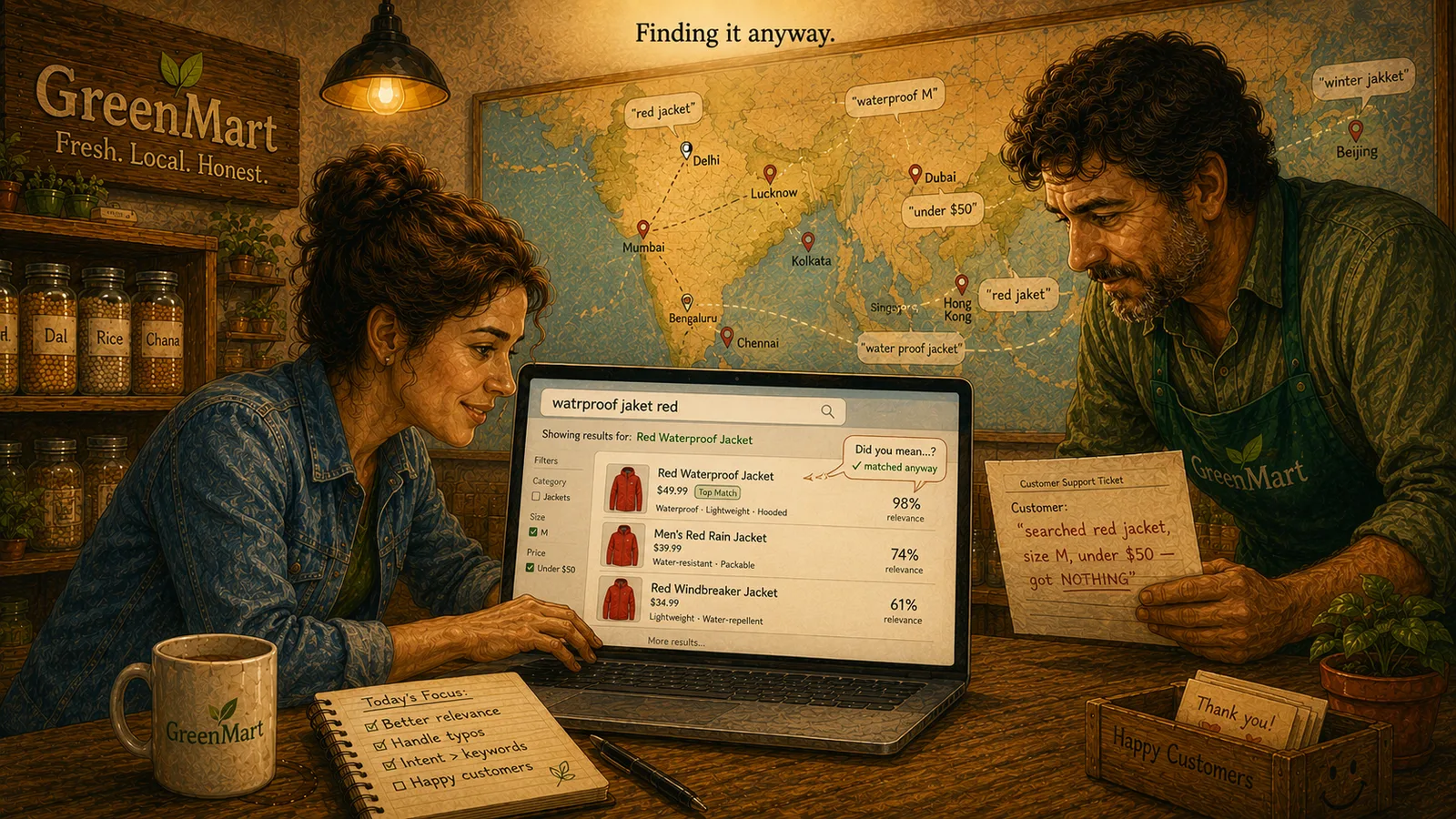
A support ticket lands on Mike's desk: "searched red jacket, size M, under $50 — got NOTHING." Sarah checks the catalog. The jacket is there. In stock, right price, right size. The customer just typed "jaket" instead of "jacket."
GreenMart's product search today is really just a database query underneath — WHERE title LIKE '%jaket%' or its MongoDB/DynamoDB equivalent. It compares text, character for character. "Jaket" isn't "jacket." As far as the database is concerned, that's the whole story: no match, no results, nothing to show.
The product exists. The customer typed one letter wrong. Why does that mean nothing?
Mike
"Does This Exact Text Match?" vs. "What Did They Probably Mean?"
A query demands exact text
LIKE '%jaket%' checks for that literal substring — it has no idea "jaket" is probably "jacket."
A search asks what they meant
Full-text search and information retrieval start from typed-in-a-hurry, imperfect text as the normal case, not the exception.
Same data, different question
The catalog didn't change between the failed query and the successful search — only the question being asked of it did.
A real, learnable mechanism
"Jaket" finding "jacket" isn't magic — it's a genuine technique, starting with how text gets broken apart, next chapter.
Why a Database Query Isn't a Search
This is the real difference between a database query and a search, and it's not a difference of degree — it's a different question entirely. A query, even a flexible one, is built to answer "does this exact thing exist, exactly as described?" That's precisely what every database this course has covered so far is good at, and precisely why none of them helps here: LIKE '%jaket%' doesn't know "jaket" is probably "jacket" — it just checks for that literal substring, finds nothing, and stops.
Full-text search, and the field it comes from — information retrieval — starts from a different premise: text is messy, queries are typed by humans in a hurry, and the job isn't matching characters, it's understanding intent well enough to find what someone actually meant.
| What the Customer Typed | A Database Query's Answer | A Search Engine's Answer |
|---|---|---|
| jaket | No exact match — 0 results | Matches "jacket" anyway — found |
| red waterproof jacket, size M, under $50 | No row matches this whole sentence literally | Understands this as several separate signals — finds and ranks real matches |
The Search Playground takes real data, not a schema — every string field except id (here: title, category, description) gets indexed automatically, the same "the document's own shape is the schema" spirit this course has kept since MongoDB.
[{ "id": 1, "title": "Waterproof Hiking Jacket", "category": "Outdoor", "description": "A lightweight, waterproof jacket built for cold, wet trails." },{ "id": 2, "title": "Insulated Winter Coat", "category": "Outdoor", "description": "A warm, insulated coat for freezing temperatures." },{ "id": 3, "title": "Mechanical Keyboard", "category": "Electronics", "description": "A tactile mechanical keyboard with backlit keys." }]
"Watrproof" and "jaket" are both misspelled, and "red" doesn't even appear anywhere in the jacket's own text. Against a real full-text search engine, this still finds the Waterproof Hiking Jacket — ranked first, with a real relevance score — because the engine is tolerant of exactly this kind of typed-in-a-hurry input.
watrproof jaket red
This is real, verified behavior from this course's actual Search Playground (MiniSearch) — not a hypothetical. Open the Playground and run this exact query yourself.
Nothing about GreenMart's catalog changed between the failed query and the successful search — same products, same data. What changed is the question being asked of it. A database query demands the customer describe the product correctly. A search engine takes on the harder, more useful job: figuring out what "close enough" should still mean.
This isn't a small usability nicety. It's the actual reason search databases exist as their own category, distinct from everything else this course has covered — not a faster way to run the same kind of query, but a genuinely different kind of question, built by an entirely different field (information retrieval) with its own vocabulary, starting with how text actually gets broken down and matched — exactly where the next chapter goes.
Key Takeaway
A database query and a search are different questions, not different speeds of the same one. A query asks "does this exact text match?" A search asks "what did the person typing this probably mean?" — and answering that second question is what an entire category of database exists to do well.
Why This Matters
Every remaining chapter in this Act explains a different piece of how a real search engine answers that harder question — starting with how it breaks text apart in the first place, since "jaket" matching "jacket" isn't magic, it's a real, learnable mechanism.
GreenMart now has a name for the actual gap between a query and a search — and real proof, not just a claim, that a typo doesn't have to mean zero results. How a search engine actually pulls off "jaket" finding "jacket" is exactly where the next chapter goes.