

In this chapter
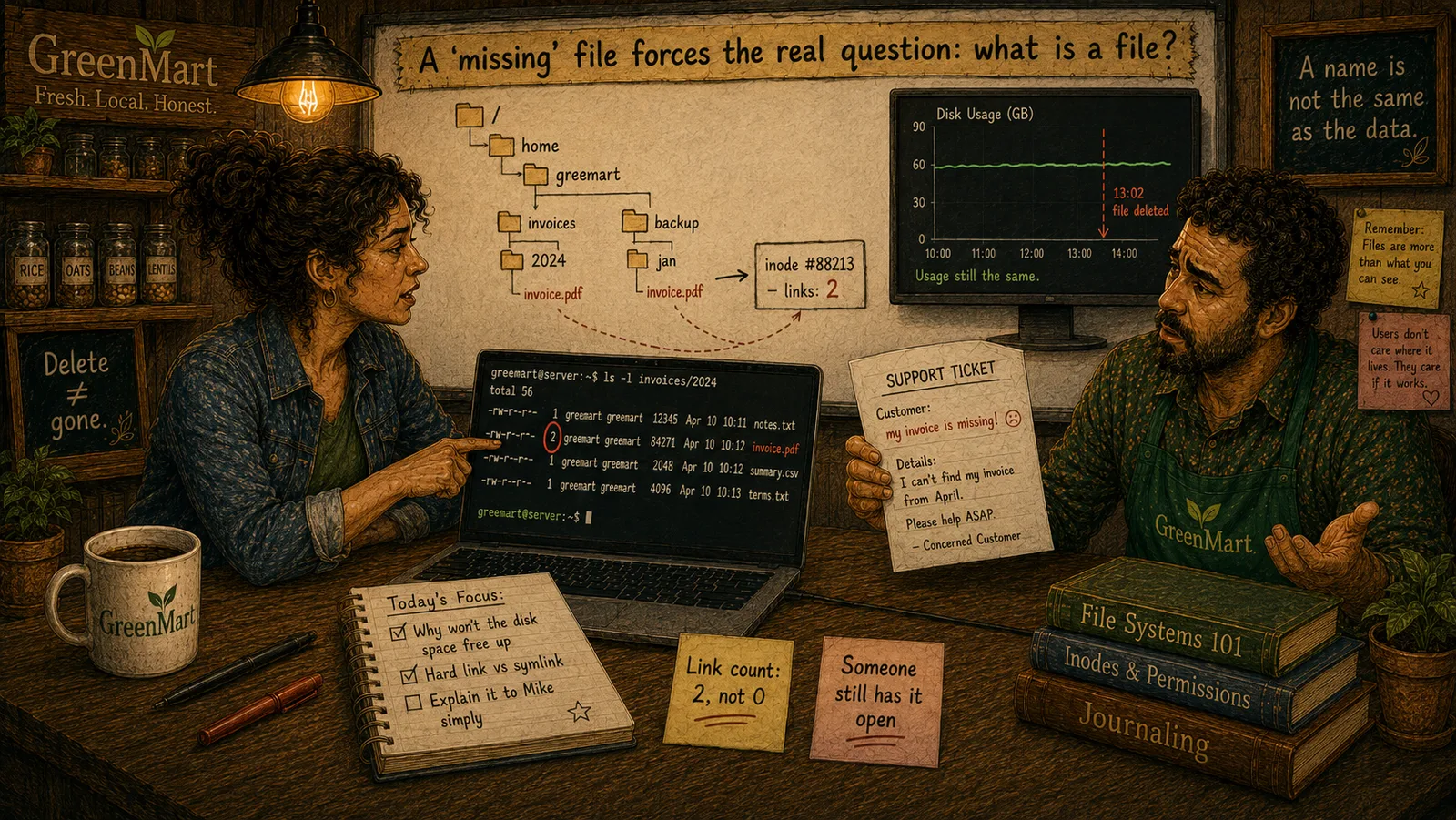
We'll meet the hard link — a second, fully equal directory entry pointing at the same inode as an existing file, not a copy — and find the first real, concrete answer to this Act's own mystery: GreenMart's invoice survived because an archiving script had quietly created a second hard link to it all along.
The Problem in Real Life
Sarah finds it: a second real directory entry, /data/invoices/2026/archive/inv-4471.pdf, pointing at the exact same inode number as the customer's original file. "This isn't a copy," she says. "It's the same file, wearing two real names at once."
Mike blinks. "Two names... for the same actual file? How does that even work?"
Wait — the same file, in two places, at the same time? Not a copy?
Mike
A Copy vs. A Second Real Name for the Same Inode
Two names, one real inode — not a copy
A hard link is a brand-new directory entry pointing at an existing inode, with zero content actually duplicated.
Removing one name doesn't remove the file
As long as the inode's link count stays above zero, the file's real content survives losing any one of its names.
Hard Links
A hard link is a second (or third, or fourth) real directory entry pointing at the exact same inode number as an existing file. It isn't a copy — there's still only one real set of content, one real inode, and now two or more names, in possibly different directories, that resolve to it.
- Creating one, and what actually happens. A command like
ln /data/invoices/2026/inv-4471.pdf /data/invoices/2026/archive/inv-4471.pdfcreates a brand-new directory entry — a new name-to-inode-number mapping — pointing at the very same inode the original name already points at. No content is copied. No new inode is created. The inode's own real link count (from three chapters back) goes from 1 to 2, tracking exactly this. - Genuinely equal, not primary-and-copy. This is worth being precise about: neither name is the "real" one and the other a "link" to it, in any meaningful technical sense. Both directory entries are completely equal, ordinary pointers at the same inode. Removing the original name doesn't touch the second one at all — the file, by every meaningful measure, is still fully there, just now reachable by only its remaining name.
- This is the first, deliberate way a delete doesn't mean gone. Removing any one name that points at an inode simply decrements its link count by one and removes that specific directory entry — it does not touch the inode or its actual data at all, as long as the link count is still above zero afterward. GreenMart's invoice file, still reachable through its
archive/copy, was never actually gone the moment its original name vanished — the link count genuinely never reached zero. - Real limitations worth knowing. A hard link can't cross file systems (a link and the inode it points at must live on the same real disk volume, since inode numbers are only unique within one file system) and, on most systems, can't be made to a directory at all (to avoid creating real, unbreakable reference loops in the directory tree). Symbolic links, the very next chapter, exist partly to work around exactly these two limitations.
One inode, two real directory entries — a hard link, not a copy
/data/invoices/2026/inv-4471.pdf
directory entry
/data/invoices/2026/archive/inv-4471.pdf
directory entry
Inode #88213
link count: 2
Actual data blocks
exists exactly once
GreenMart now has the real, exact explanation for half of its own mystery: the invoice's original name was genuinely removed, but a second hard link — created deliberately, by an archiving script neither Mike nor Sarah had thought to check — kept its link count above zero the entire time.
Key Takeaway
A hard link is a second, fully equal directory entry pointing at the same inode — creating one doesn't copy anything, and removing one name doesn't remove the file, as long as its link count hasn't reached zero.
Why This Matters
Real backup and archiving tools (including, as it turns out, GreenMart's own) commonly use hard links deliberately — keeping a second, space-free reference to a file so it survives being "deleted" from its original location. Understanding this turns a genuinely confusing support ticket into an explainable, expected real behavior.
GreenMart has found the first real half of its mystery: a hard link kept the invoice's data alive after its original name was removed. The next chapter meets the other kind of link entirely — one that works completely differently, and explains the second real half of the picture.